
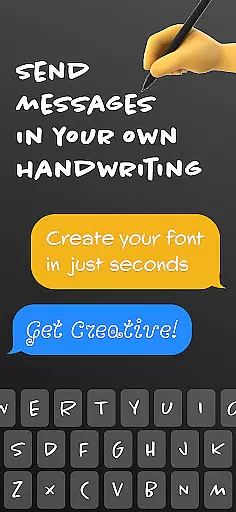
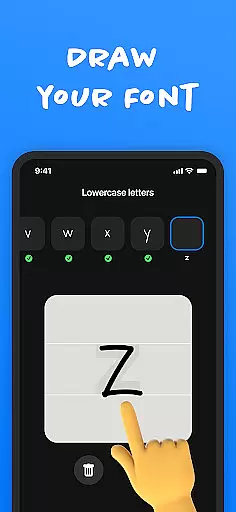
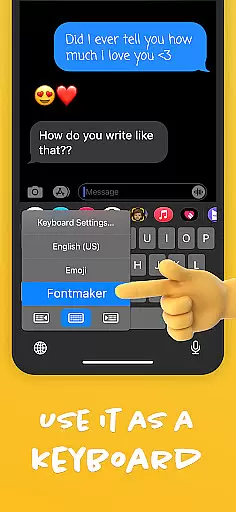
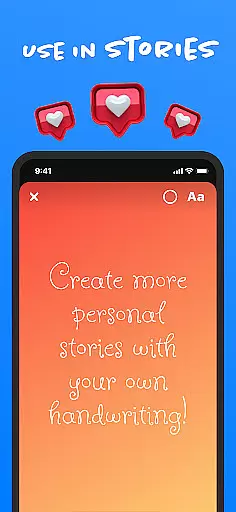
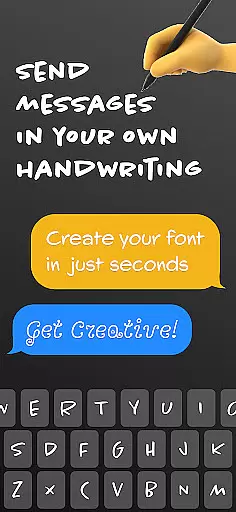
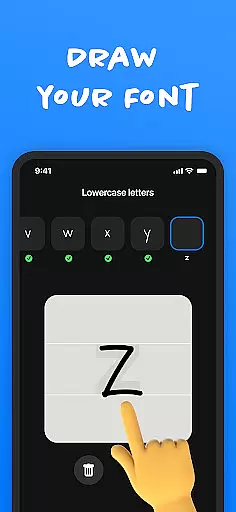
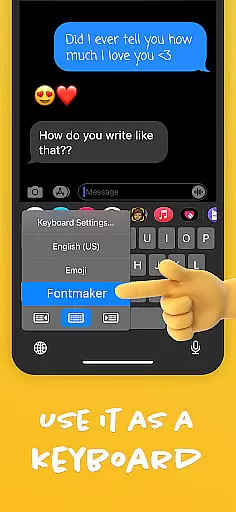
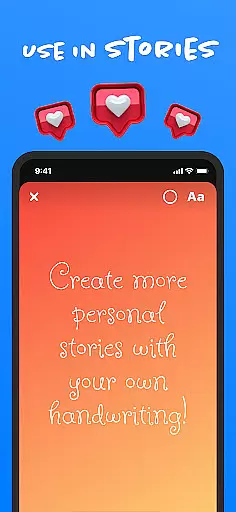
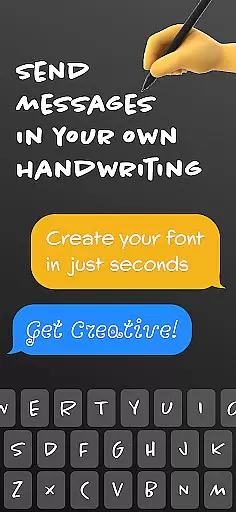
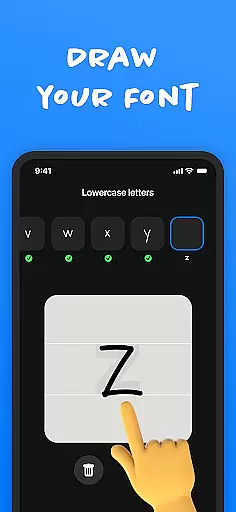
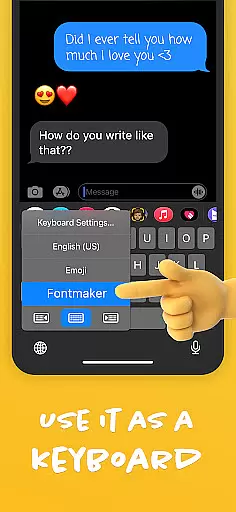
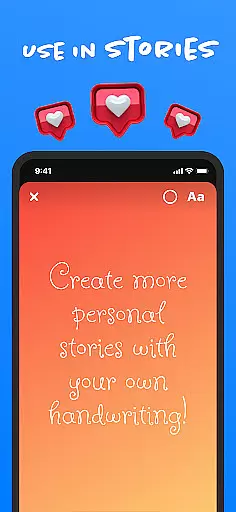
Fontmaker - Font Keyboard App is a productivity tool designed to help users create unique cursive and handwritten fonts for customizing their messaging experience. With this app, you can design personalized fonts that reflect your individual style by using your own handwriting. This innovative keyboard app allows you to enhance your online presence across various social media platforms such as Messenger, Instagram, Snapchat, TikTok, and Facebook.
The application's standout feature is its ability to transform your handwriting into a digital font, which can then be used as a custom keyboard. This functionality not only adds a personal touch to your messages and posts but also helps you stand out in the digital space. Whether you're looking to impress friends or simply express yourself more creatively, Fontmaker provides the tools necessary to make your content truly unique.
Fontmaker offers an array of features that cater to those who wish to add a personal flair to their digital communication. The primary feature is the font creator, which allows users to generate custom handwriting fonts. Once created, these fonts can be integrated into a font keyboard, enabling seamless use across social media and messaging apps.
In addition to the font creation tool, Fontmaker enhances your online presence by allowing you to use fonts that are truly your own. This means you can bring authenticity to your text, showcasing your personal style through custom cursive fonts. The app also encourages creativity by providing ways to add unique elements to your messages and posts, making them memorable and distinctive.
By downloading Fontmaker, users can revolutionize their text customization capabilities. The app elevates the standard keyboard experience, making messages more impactful and reflective of the user's personality. Whether for personal satisfaction or to capture the attention of others, Fontmaker delivers a creative solution for anyone looking to personalize their digital interactions.
Fontmaker revolutionizes the way users manage their text customization tasks by offering a seamless font creation system. The app allows you to take control of your personal font library, ensuring that every messaging or social media task can have its unique typographic style.
The core task management feature is embedded in the font creation process. Users can easily design and implement custom fonts through an intuitive interface. This systematic approach ensures that each font project is organized and accessible, empowering users to switch between different styles effortlessly.
By integrating a personalized font keyboard, Fontmaker enhances productivity when engaging with various digital platforms. Whether it's for professional communication or creative expression on social media, the ability to apply custom fonts across different apps streamlines the workflow and keeps your content distinctive.
Ultimately, this functionality saves time and boosts creativity by having your custom fonts ready for use whenever you need them. With everything from creation to application managed within the app, Fontmaker stands out as an essential tool for anyone looking to personalize their digital communication effectively.
Cross-device synchronization is a pivotal feature of Fontmaker, ensuring that your custom-created fonts are reliably available across all your devices. This means whether you're on your phone, tablet, or any other connected device, your unique font library is synchronized and at your fingertips.
The app employs a robust cloud-based system to maintain up-to-date backups of your font creations. This guarantees that no matter where you are or what device you're using, the most recent versions of your fonts are always accessible. Such reliability is crucial for maintaining consistency in your digital communications.
Moreover, this synchronization process happens seamlessly in the background, eliminating the need for manual updates or transfers. As long as there's an internet connection, Fontmaker ensures your handwriting or custom-designed fonts are propagated instantly across devices without any user intervention.
This level of synchronization not only provides convenience but also enhances productivity by allowing uninterrupted access to your personalized fonts. It ensures that you can express yourself consistently and uniquely, regardless of the device you're using, making Fontmaker an indispensable tool for efficient and creative cross-platform communication.
Customizable fonts
User-friendly interface
Wide social media integration
Unique handwriting feature
Creative expression tool
Limited free features
Requires manual input
Learning curve involved
Premium version costly
Occasional bugs reported

AI Video AI Image Private LLM AI Browser Llama Gemma Ollama Connect LLM Studio
 4.1
4.1
Android Wallet Password Manager
4.80
Customizable calendar widget for seamless event sync, planning & scheduling.
4.00
aCalendar+ makes your day, week and month
4.70
CalenGoo is a very flexible and feature-rich calendar app
4.40
Cloud storage, automatic phone backup, and more.
4.10
Calendar 2023 widget for Android. Appointment scheduler, planner, and reminder
4.60
Quickly and easily keep track of your work shifts
4.70
QuickEdit is a fast, stable and full featured text and code editor.
4.20
8 custom complications. Custom Time Fonts. Beautiful color schemes. A++ Design.
5.00
App lock - lock apps with fingerprint, password, pin or pattern, protect privacy
4.70
Absolutely the best CNC machinist speed and feed calculator around. fswizard.com
4.60
Stay on top of your to-dos with Google Tasks, part of Google Workspace.
4.60
The AI assistant that thinks with you - write, code, and solve complex tasks
4.60
Subscribe to Webcal & .ics calendars and keep them up-to-date!
4.50
Docker, Kubernetes management over Portainer Mobile
4.40
Access, manage and transfer files on Android, PC, Mac, NAS and cloud storages.
4.30
Secure, open-source, SPICE and SSH Remote Desktop for QEMU KVM virtual machines
4.00
Code on-the-go with VScode for Android. Edit,debug and collaborate from mobile!!
3.10


User Reviews