
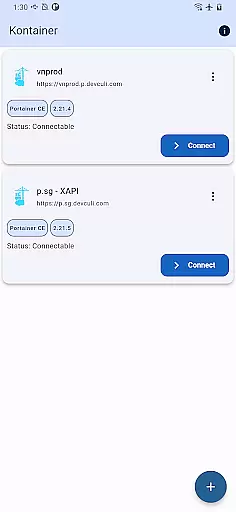
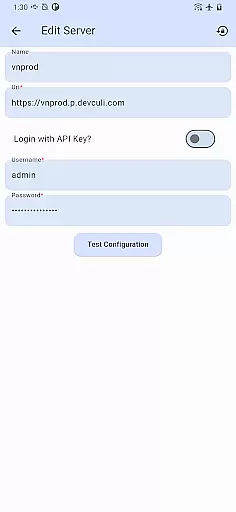
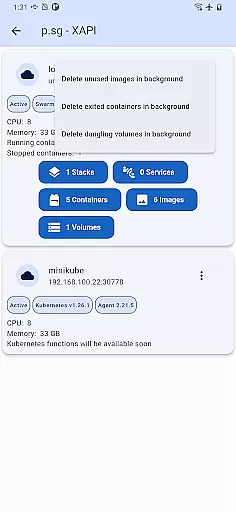
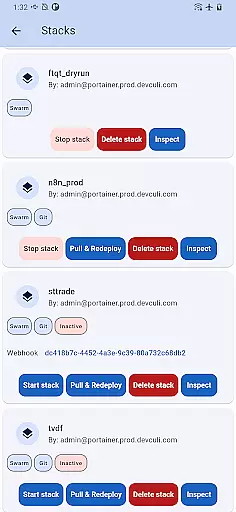
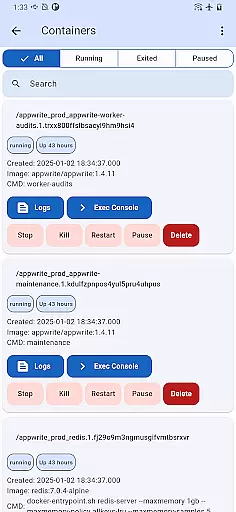
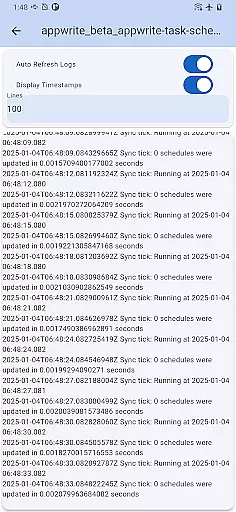
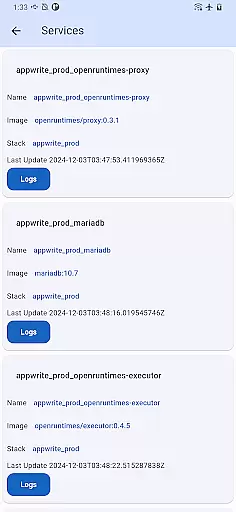
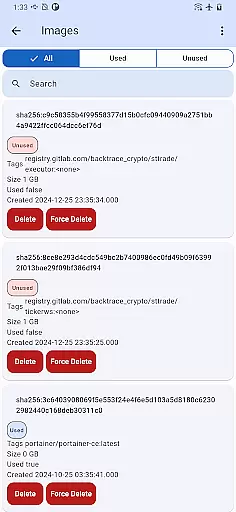
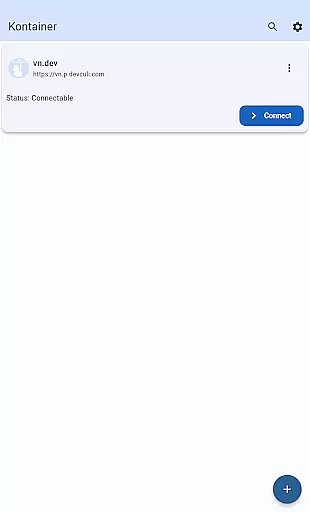
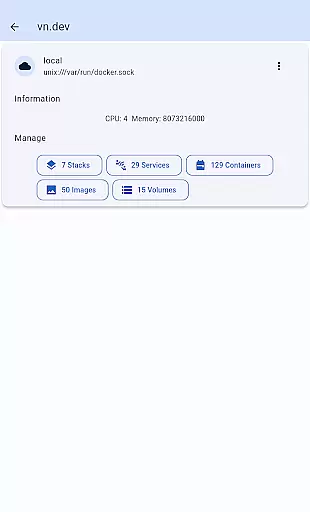
Portainer Mobile is a powerful productivity tool designed to simplify container management for both Docker and Kubernetes environments. With this app, users can manage their Portainer deployments from any location, directly from their mobile device. The platform supports multi-cluster and multi-device management, providing a unified interface that consolidates all your endpoints into a single view.
This makes it easier than ever to monitor, configure, and optimize container operations across hybrid and multi-cloud environments. Whether you're overseeing developer laptops, data centers, cloud services, or edge computing setups, Portainer Mobile ensures secure and efficient management of your containerized infrastructure. Its streamlined deployment processes and flexible control make it an essential tool for DevOps professionals and IT teams.
Portainer Mobile offers a comprehensive set of features tailored for managing containerized environments. One standout feature is its ability to provide a unified dashboard where users can oversee multiple Docker and Kubernetes endpoints simultaneously. This eliminates the need to switch between different tools or interfaces when managing complex deployments.
The app also supports multi-cluster management, allowing users to handle various clusters spread across different environments—whether on-premises or in the cloud. Additionally, Portainer Mobile ensures secure access to your container infrastructure, with role-based access controls and encrypted connections. These capabilities help boost operational efficiency while maintaining top-notch security standards.
Core task management is essential for overseeing containerized environments efficiently. Kontainer provides a unified interface that allows users to manage Docker and Kubernetes endpoints from a single view. This feature simplifies the process of monitoring, configuring, and optimizing container operations across hybrid and multi-cloud environments.
The app supports multi-cluster and multi-device management, giving users full control over their deployments. Whether running on developer laptops, in data centers, on the cloud, or at the edge, Kontainer ensures seamless management. Users can effortlessly oversee their environments, making it easier to handle complex tasks with precision.
With Kontainer, users can streamline deployment processes and boost efficiency. The app's intuitive design ensures secure management of containerized deployments, all from the palm of your hand. This mobile solution empowers users to manage Portainer with flexibility and power, right at their fingertips.
Cross-device synchronization reliability is crucial for maintaining consistency across different platforms. Kontainer excels in providing reliable synchronization, ensuring that users have a seamless experience managing their containerized environments from any device. This reliability is vital for users who need to switch between devices without losing functionality or data integrity.
The app's robust architecture supports real-time updates and data consistency across all connected devices. Whether you're using a smartphone, tablet, or laptop, Kontainer ensures that your management tasks are synchronized accurately. This feature is particularly beneficial for teams working in hybrid environments, where access to up-to-date information is critical.
Kontainer's synchronization capabilities enhance collaboration and productivity. By providing a consistent and reliable user experience, the app ensures that all team members have access to the most current data, facilitating better decision-making and operational efficiency. With Kontainer, users can trust that their cross-device management tasks are handled with precision and reliability.
User-friendly interface
Multi-cluster support
Unified endpoint view
Secure access controls
Streamlined workflows
K8S functions pending
Limited advanced configs
Cloud-only integrations
No offline mode
Premium feature costs

A Revolutionary All-in-One Artificial Intelligence Tools
 3.80
3.80
Android Wallet Password Manager
4.80
Smart PDF reader & editor to view, organize and manage PDF documents easily.
3.70
aCalendar+ makes your day, week and month
4.70
App lock - lock apps with fingerprint, password, pin or pattern, protect privacy
4.70
All in One PDF Reader: Manage, Read and Edit your Documents
4.20
A comprehensive suite of tools designed specifically for Lactation Consultants
4.2
This small app MUST BE INSTALLED after purchase, else license won't work
4.40
Daily processing of PDF documents.
4.40
Native client for Forgejo and Gitea
5.00
8 custom complications. Custom Time Fonts. Beautiful color schemes. A++ Design.
5.00
Great calculator for Android named one of USA TODAY's "25 Essential Apps".
4.90
Scientific calculator for Android - looks and operates like the real thing!
4.90
A beautiful digital clock with autostart and many other functions
4.70
CalenGoo is a very flexible and feature-rich calendar app
4.40
Font maker keyboard with your own handwriting
4.10
Wake up & get tasks done! Add alarms & reminders on the Clock Launcher.
4.00
Secure, open-source, SPICE and SSH Remote Desktop for QEMU KVM virtual machines
4.00
Remotely view listen control and record cameras.
3.70


User Reviews