
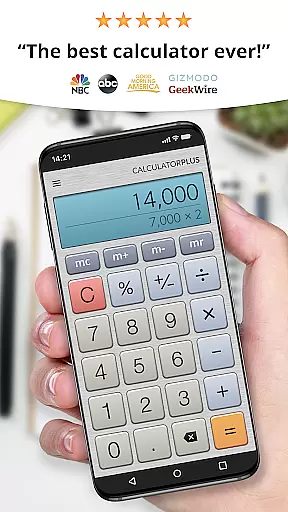
Calculator Plus represents the quintessential calculator application designed for Android devices, offering a superior user experience compared to traditional calculators. Praised by USA TODAY as one of the '25 Essential Apps', it stands out with its user-friendly interface and high user ratings.
This productivity tool excels in saving users' time and effort through its memory features that retain calculations, allowing for easy review and continuation. Whether for shopping, homework, or financial management, Calculator Plus ensures efficiency and accuracy. Its elegant design and functionality make it an indispensable tool for both everyday and complex mathematical tasks.
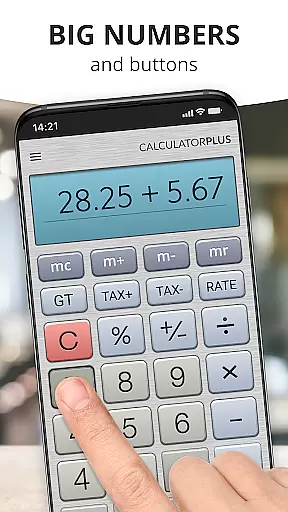
Calculator Plus boasts a range of features that cater to diverse computational needs. It displays calculations in clear, elegant typography enhanced with proper comma placements for readability. The app's intuitive interface keeps users informed about their calculation process at all times.
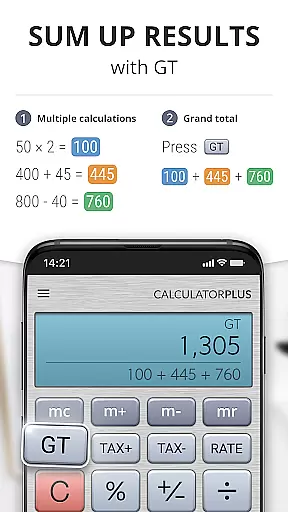
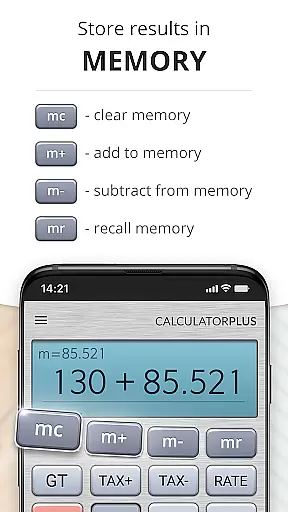
Advanced functionalities include memory keys for running totals, backspace options for corrections without restarting, and swipe gestures for accessing sophisticated math functions. Its percentage key clarifies operations, removing ambiguity. This thoughtful design makes Calculator Plus a versatile and efficient tool for daily use on any Android device.
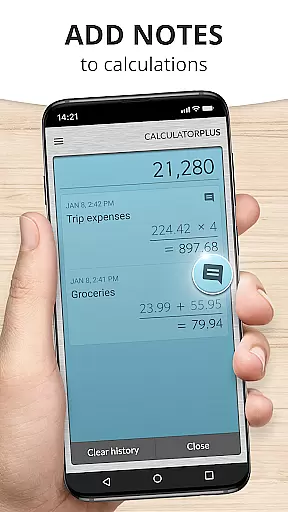
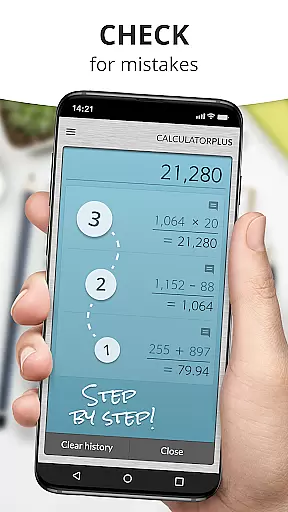
Core task management in Calculator Plus is designed to streamline your calculations and enhance productivity. This feature allows users to save, review, and reuse calculations effortlessly. By remembering every computation entered, it ensures that you can revisit past entries anytime, making it ideal for various tasks such as homework, taxes, or balancing checkbooks.
The app's ability to store calculations chronologically means you can easily track your work history without the need to re-enter repetitive data. This saves significant time and effort, particularly in environments where accuracy and efficiency are crucial. Whether you're budgeting expenses or solving complex math problems, Calculator Plus keeps your data organized and accessible.
Moreover, the app offers advanced functionalities like memory features and backspace options for correcting mistakes. These tools contribute to a seamless user experience by allowing modifications without starting over. Such capabilities ensure that Calculator Plus isn't just about crunching numbers but also about managing tasks intelligently.
Cross-device synchronization reliability is a standout feature of Calculator Plus, ensuring consistent performance across multiple devices. With this functionality, users can start their calculations on one device and continue on another without missing a beat. This seamless transition is perfect for individuals who use both smartphones and tablets throughout their day.
The synchronization process is robust and reliable, maintaining all stored calculations and preferences regardless of the device used. This means you wonu2019t lose any data when switching between devicesu2014your calculation history remains intact and readily available. For professionals and students alike, this feature provides unparalleled convenience and continuity.
Additionally, Calculator Plus supports real-time updates, meaning changes made on one device instantly reflect on others linked to the same account. This dynamic syncing capability enhances collaborative efforts and personal productivity alike. By prioritizing synchronization reliability, Calculator Plus ensures that your vital information is always up-to-date and accessible wherever you go.
User-friendly interface
Highly rated performance
Memory retention feature
Elegant and readable display
Advanced math functions accessible
Android only limitation
No scientific mode
Occasional bugs reported
Limited customization
Ads in free version

Auto-shutoff Alarm with Sunrise, Sunset & Fixed Options.
 3.50
3.50
A simple, portable logger for POTA, SOTA, Field Day, and more
4.5
Make your handwriting beautiful, even more than pen on paper.
3.60
CalenGoo is a very flexible and feature-rich calendar app
4.40
Functional QR scanner and barcode reader that requires little storage space.
4.60
Enjoy classic gameplay with customizable features and retro-style graphics.
4.30
AT&T Internet customers can use this app to personalize their Wi-Fi network.
4.40
Daily processing of PDF documents.
4.40
Seamlessly read, manage, and organize all your PDF files solution in one place
4.40
Use powerful, industry-leading AI tools to generate visual charts from any data
4.80
Direct Chat without saving contacts & Dual WA Account on Single Device
4.70
Calendar 2023 widget for Android. Appointment scheduler, planner, and reminder
4.60
Translate text/voice/photos in 150+ languages. Offline & fast translator app.
4.50
Tally and goal counter for Wear OS & mobile
4.50
Send files, sync SMS, notifications & clipboard across devices via local network
4.40
When you Focus, so will your Bean in this cozy focus timer
4.30 4.20
4.20
Pwnagotchi companion app
4.20
Experience real multitasking on your Android!
4.00


User Reviews