
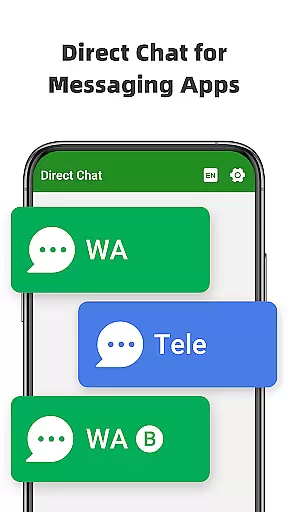
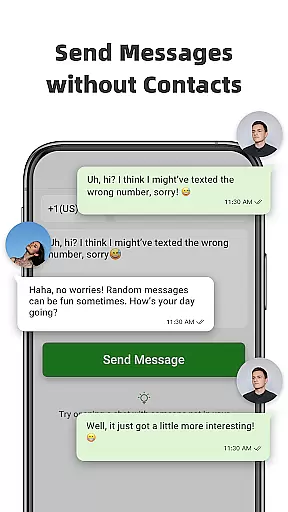
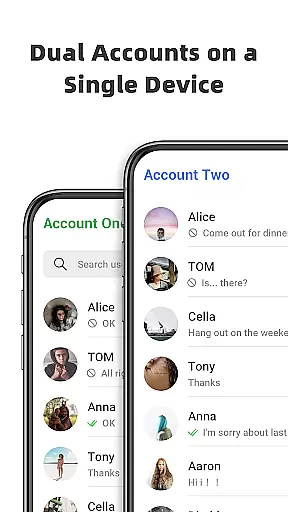
Direct Chat & Messaging is a productivity-focused application designed to streamline communication tasks. The app allows users to send messages without saving temporary contacts, making it ideal for business or one-time interactions. It supports direct messaging for WA, WA Business, and Tele Chatting App, eliminating the need to permanently store contact numbers. Additionally, the Dual App feature enables managing multiple WA accounts on a single device or accessing the same account across different devices.
The app also includes a Message Recovery function that allows users to retrieve deleted messages and media, including photos and videos. This feature ensures important communications are not lost and can be viewed privately. With its user-friendly interface and practical features, Direct Chat & Messaging proves to be an essential tool for efficient and secure communication management.
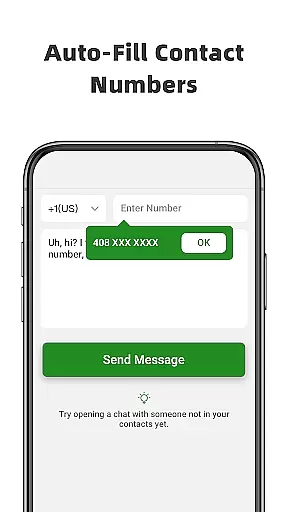
Direct Chat & Messaging offers a comprehensive set of features tailored for productivity. Its Direct Chat functionality allows users to initiate conversations with WA, WA Business, and Tele Chatting App without saving contacts. This is particularly useful for first-time discussions where permanent contact storage is unnecessary. The process is simple: enter the phone number, copy the message, click send, and the conversation begins.
The Dual App - Web Scan for WA feature provides seamless access to multiple WA accounts from different devices or manages two accounts on a single device. It automatically syncs messages and efficiently handles downloaded files from cloned WA accounts. Furthermore, the Message Recovery feature retrieves deleted messages and media, ensuring no critical information is lost. The app detects deletions through notification access and saves content securely on the user's device, offering privacy protection and peace of mind.
Task management is a cornerstone of productivity applications, and Direct Chat & Messaging excels in this area by offering features that streamline communication tasks. The app allows users to initiate conversations without saving contacts, manage multiple accounts, and recover deleted messages, all of which contribute to efficient task handling.
The Direct Chat functionality enables users to send messages to any number without the need to save it, making one-off communications swift and straightforward. This feature is particularly useful for professionals who need to communicate with clients or partners without cluttering their contact list.
Furthermore, the Dual App - Web Scan feature enhances task management by allowing users to access the same account on different devices or manage two accounts on a single device. This ensures that users can stay connected and maintain productivity regardless of their physical location or device availability.
Cross-device synchronization is vital for maintaining workflow continuity, and Direct Chat & Messaging provides reliable solutions for users who require seamless transitions between devices. With its Dual App - Web Scan feature, the application supports accessing a WA account from multiple devices, ensuring that users are always up-to-date with their messaging tasks.
This synchronization process is not only about convenience but also about reliability. Users can expect all messages from the cloned WA account to be synced automatically, allowing them to read and respond to messages at any time without missing a beat. This feature is crucial for professionals who manage their work across several devices.
In addition to message synchronization, the app efficiently handles file management for cloned accounts. This means that files downloaded from different WA accounts are organized and accessible, contributing to a clutter-free and productive digital environment. Such comprehensive cross-device support underscores the app's commitment to enhancing user productivity through dependable synchronization capabilities.
User-friendly interface
Efficient communication
Secure message recovery
Multi-account management
Private viewing option
Limited to specific apps
Requires notifications access
Potential privacy concerns
Dependent on internet connection
No cloud backup

Ads Free App! Editor, Hide File, Copy, Move, Delete and Rename.. all facility av
 1.70
1.70
Stay on top of your to-dos with Google Tasks, part of Google Workspace.
4.60
All document reader, all in one file viewer read PDF, DOCX, XLS, PPT, TXT files.
4.60
Translate text/voice/photos in 150+ languages. Offline & fast translator app.
4.50
A beautiful digital clock with autostart and many other functions
4.70
Quickly and easily keep track of your work shifts
4.70
Experience and share your SolidWorks designs on your Android® phone and tablet.
2.50
Scientific calculator for Android - looks and operates like the real thing!
4.90
Simple notepad & memo. Take notes, to-do list, shopping list with reminders.
4.80
We're working to become the best machining app on the market! www.cncdirt.com
4.80
App Lock with fingerprint, password: Lock apps & hide photos with lock screens
4.60
The AI assistant that thinks with you - write, code, and solve complex tasks
4.60
Experience Reading - Night Mode for Documents
4.40
A customizable calendar for your Wear OS watch
4.20
Cloud storage, automatic phone backup, and more.
4.10
Experience real multitasking on your Android!
4.00
Unlock AutoNotification
4.00
Wake up & get tasks done! Add alarms & reminders on the Clock Launcher.
4.00
Customizable calendar widget for seamless event sync, planning & scheduling.
4.00


User Reviews