

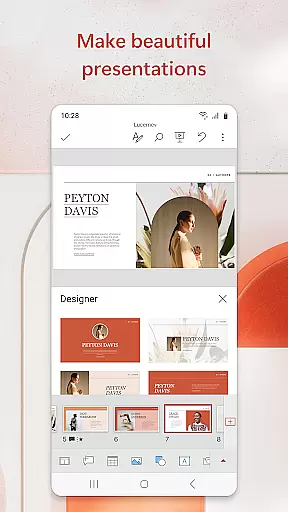
Microsoft PowerPoint is the quintessential presentation tool that empowers users to create, edit, and deliver professional slideshows from their mobile devices. With its comprehensive suite of features, this app allows you to craft visually compelling presentations complete with music, graphics, and charts. Whether you're preparing quarterly reports or annual reviews, PowerPoint's templated slides ensure your work stands out.
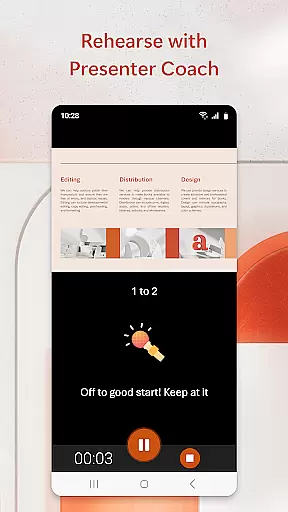
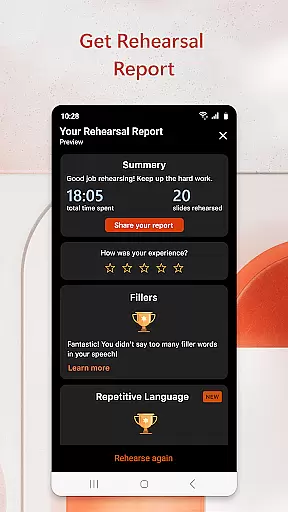
The app syncs seamlessly across all your devices, ensuring that your files are always up-to-date and accessible wherever you are. The built-in Presenter Coach uses AI technology to refine your public speaking skills by providing real-time feedback on pacing, filler words, and confidence. This feature helps you present with assurance and poise, making every delivery impactful.
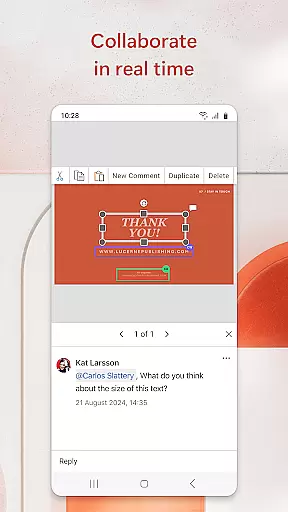
PowerPoint also facilitates collaboration, allowing multiple users to work on the same presentation simultaneously. Integrated comments and permissions management keep everyone informed about changes and contributions. With a qualifying Microsoft 365 subscription, unlock the full potential of PowerPoint and enjoy unlimited creative possibilities right at your fingertips.
Microsoft PowerPoint offers an array of powerful features designed to enhance productivity and creativity. One standout feature is the Presenter Coach, which leverages AI to provide real-time suggestions as you practice your presentations. This tool helps eliminate filler words, adjust pacing, and boost overall delivery confidence. Additionally, the app includes a presentation timer, enabling concise and well-timed deliveries.
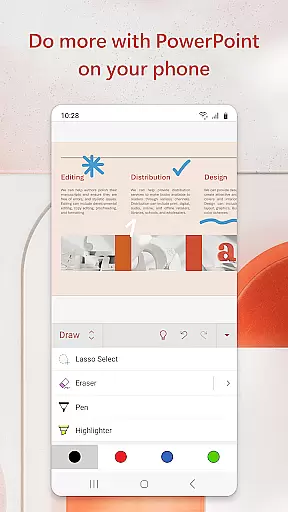
Customization is at the heart of PowerPoint's functionality. Users can create presentations from scratch or utilize pre-existing templates for quick edits. The app supports multimedia integration, allowing you to add photos directly from your device or capture new images within the app itself. Similarly, video insertion capabilities let you record or embed videos effortlessly, enriching your content dynamically.
Collaboration is seamless with PowerPoint’s shared editing environment. Multiple team members can contribute simultaneously, viewing each other's changes in real time. Integrated commenting ensures clear communication regarding feedback and revisions. Furthermore, robust permission settings allow you to control who accesses and modifies specific parts of the presentation, streamlining teamwork without compromising security.
Microsoft PowerPoint revolutionizes core task management by offering a comprehensive suite of tools designed to streamline the entire presentation creation process. The app enables users to efficiently organize, prioritize, and execute tasks related to slideshow development.
The application provides intuitive features such as pre-designed templates, customizable layouts, and seamless integration with other Microsoft 365 apps. These elements work together to help users manage their presentation tasks effectively, ensuring that each slide is crafted with precision and consistency.
Users benefit from real-time collaboration capabilities, allowing multiple team members to work on the same presentation simultaneously. This feature enhances productivity by enabling instant feedback and edits, which significantly reduces the time required for project completion.
The inclusion of AI-powered Presenter Coach further elevates task management by offering personalized suggestions and practice sessions. This innovative tool helps presenters refine their delivery, manage presentation timing, and improve overall speaking confidence, making PowerPoint an indispensable asset for professional presentations.
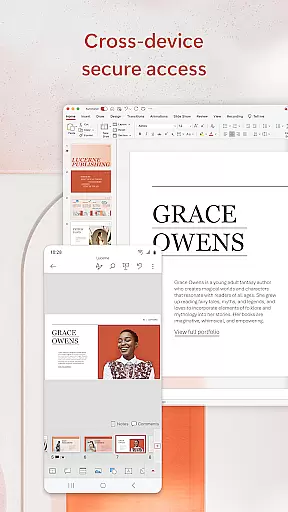
Cross-device synchronization stands as a crucial feature in Microsoft PowerPoint, ensuring that users can seamlessly transition between different devices without compromising their work integrity. This reliable synchronization capability allows presentations to be accessed and edited across smartphones, tablets, and desktops with perfect consistency.
The application employs advanced cloud technology to maintain real-time updates across all connected devices. Whenever changes are made to a presentation, they are instantly reflected on all platforms, eliminating version control issues and ensuring that teams always work on the most current document version.
This synchronization reliability extends beyond mere content updates. PowerPoint preserves detailed formatting, embedded media elements, and complex animations across devices, maintaining the presentation's professional quality regardless of where it's accessed or modified.
Furthermore, the app's intelligent conflict resolution system automatically manages simultaneous edits from multiple users, creating a smooth collaborative experience. This robust synchronization infrastructure not only saves time but also enhances team productivity by providing reliable access to presentation files anytime, anywhere, without worrying about data loss or inconsistencies.
User-friendly interface
Real-time collaboration
AI-powered Presenter Coach
Seamless cross-device syncing
Extensive template library
Subscription fees apply
Limited offline functionality
Advanced features require premium account
Occasional sync issues
Resource-intensive on older devices

Professional calendar app for Google Calendar, MS Outlook & Exchange
 4.20
4.20
Send files, sync SMS, notifications & clipboard across devices via local network
4.40
Absolutely the best CNC machinist speed and feed calculator around. fswizard.com
4.60
Access, manage and transfer files on Android, PC, Mac, NAS and cloud storages.
4.30
A Pixel Art watchface inspired by other iconic 90s designs for Wear OS devices!
4.40
Use powerful, industry-leading AI tools to generate visual charts from any data
4.80
Set up, print, and get support—in one place
4.20
Note taking, handwriting, record audio, PDF annotation, planner & journal
4.20
2026 USPS Alpha/Color coded calendar Sunday/Rotating day off schedules
4.4
Android Wallet Password Manager
4.80
Understand anything with a personalized AI research assistant
4.80
The long-awaited modern gallery app for your Nextcloud server
4.70
Secure, fast, open-source, Remote Desktop Client for Windows and Linux with SSH
4.60
App Lock with fingerprint, password: Lock apps & hide photos with lock screens
4.60 4.20
4.20
A customizable calendar for your Wear OS watch
4.20
Mega cloud explorer plugin for Solid Explorer
3.80
Make your handwriting beautiful, even more than pen on paper.
3.60
A simple, portable logger for POTA, SOTA, Field Day, and more
4.4


User Reviews