
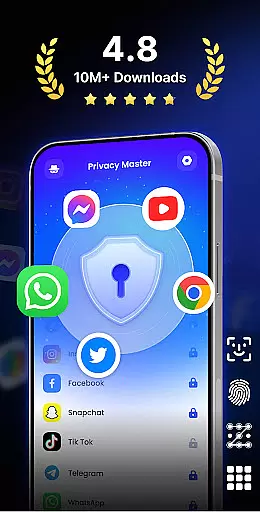
App Lock - Fingerprint Lock is a comprehensive security solution designed to protect your digital privacy. This productivity app allows users to lock sensitive applications such as WhatsApp, Messenger, and Facebook with password, pattern, or fingerprint authentication. With over 50 million downloads, it has become a trusted tool for safeguarding personal data.
Beyond basic locking features, the app offers advanced functionalities like intruder selfies, icon disguise, and customizable lock themes. These features ensure that users can tailor their security experience while maintaining peace of mind. Whether you're at work or home, App Lock provides robust protection against unauthorized access.
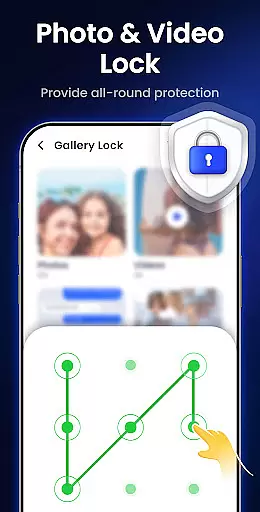
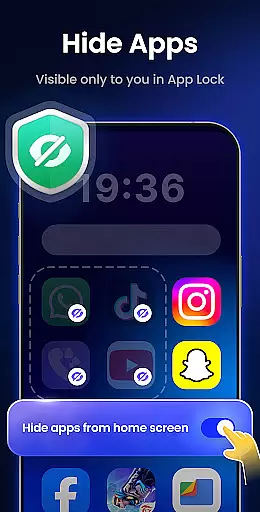
The application's ability to hide private files and remove junk files adds significant value. Users can store photos and videos in a secure gallery, while the junk cleaner helps maintain optimal device performance. These practical tools make App Lock an essential utility for anyone seeking to enhance their mobile security.
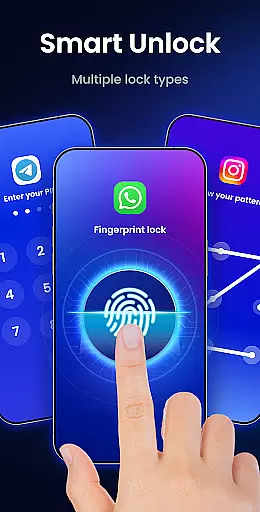
App Lock - Fingerprint Lock stands out with its diverse range of security features. The multiple lock types—including PIN, pattern, and fingerprint—offer flexible options for protecting apps and data. This versatility ensures that users can choose the method most convenient for them while maintaining strong security protocols.
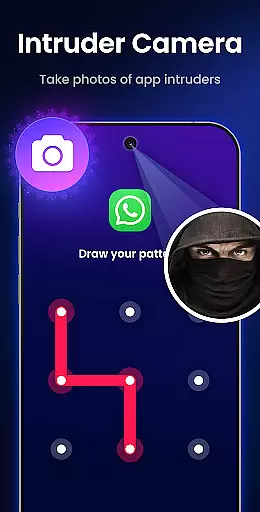
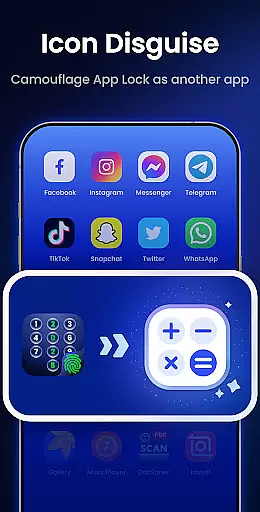
One of the app's innovative features is the intruder camera, which captures photos of anyone attempting unauthorized access. Combined with auto re-lock functionality and notification hiding, this creates a comprehensive security system. The icon disguise feature adds another layer of protection by masking the app behind innocuous icons like Calculator or Weather.
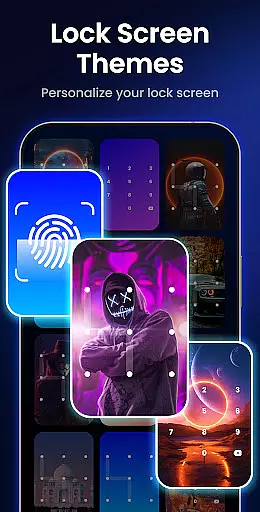
Customization is another key aspect of App Lock. Users can personalize their lock screen with custom themes and background images. Additional features like uninstall protection, random keyboard, and private web browser demonstrate the app's commitment to providing complete privacy solutions. These thoughtful additions make App Lock a standout choice in the productivity category.
Task management is a critical aspect of productivity applications, and App Lock - Fingerprint Lock excels in this area by providing users with comprehensive control over their app security settings.
The application allows for the locking of individual apps using various methods such as password, pattern, or fingerprint recognition. This granular approach ensures that only authorized individuals can access sensitive information, making it an invaluable tool for safeguarding personal and professional data.
With features like auto re-lock and the ability to lock newly installed apps, users are granted peace of mind knowing their digital environment remains secure even when they're not actively managing it. These automated processes help maintain security without requiring constant user intervention.
Ultimately, App Lock empowers its users by giving them the tools necessary to manage their app security efficiently, ensuring that their digital world is protected against unauthorized access while maintaining ease of use.
Cross-device synchronization is essential for users who operate multiple devices and require consistent access to their security settings. App Lock - Fingerprint Lock addresses this need by offering reliable synchronization across different platforms.
While the primary function of App Lock is to secure apps on a single device, it also lays the groundwork for future enhancements such as cloud backup capabilities. This forward-thinking design ensures that users will soon be able to synchronize their lock settings seamlessly between devices.
Although direct cross-device syncing is not yet available, the application's robust infrastructure supports potential expansions into this area. By focusing on creating a solid foundation, App Lock prepares for a future where users can expect uniform protection regardless of which device they are using.
In summary, while current offerings focus on securing individual devices effectively, App Lock is poised to evolve into a solution that provides dependable cross-device synchronization, further enhancing user convenience and security.
Strong security features
User-friendly interface
Customizable lock options
Intruder detection system
Comprehensive privacy protection
May slow down older devices
Some features require premium
Occasional false positive alerts
Interface can feel cluttered
Learning curve for new users

Create study competitions, track your hours, and stay consistent with friends
 4.1
4.1
Automates browsing any website and notifies you of important changes or events
4.30
The upgraded version of Name Wheel with AI and the power to add your own wheels.
4.4
A simple, portable logger for POTA, SOTA, Field Day, and more
4.4
Quickly and easily keep track of your work shifts
4.70
Share files & memories safely. Keep your photos and videos secure.
4.40
Use powerful, industry-leading AI tools to generate visual charts from any data
4.80
Understand anything with a personalized AI research assistant
4.80
Seamlessly read, manage, and organize all your PDF files solution in one place
4.40
Calendar 2023 widget for Android. Appointment scheduler, planner, and reminder
4.60
Planet Free VPN - The best Fast Unlimited and Secure VPN Without Logs
4.50
Subscribe to Webcal & .ics calendars and keep them up-to-date!
4.50
Tally and goal counter for Wear OS & mobile
4.50
Experience Reading - Night Mode for Documents
4.40
Make apps & sites with natural language prompts
4.10
Create and edit presentations with Google Slides, part of Google Workspace.
4.00
Auto-shutoff Alarm with Sunrise, Sunset & Fixed Options.
3.50
Easiest event planning, volunteer signups & parent teacher conference scheduling
2.20
Ads Free App! Editor, Hide File, Copy, Move, Delete and Rename.. all facility av
1.70


User Reviews