
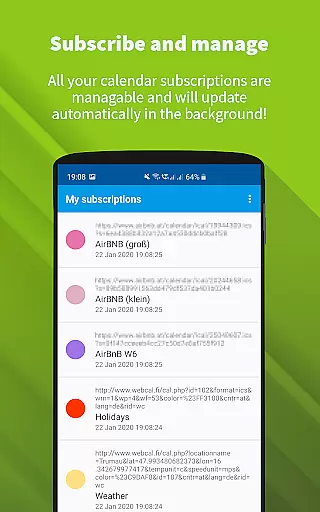
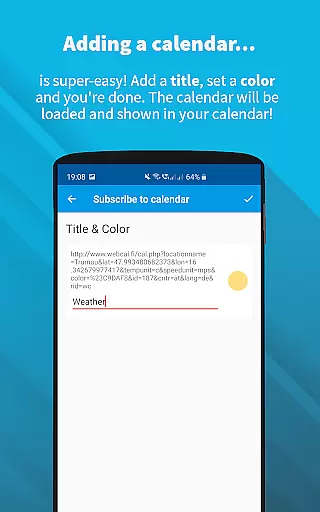
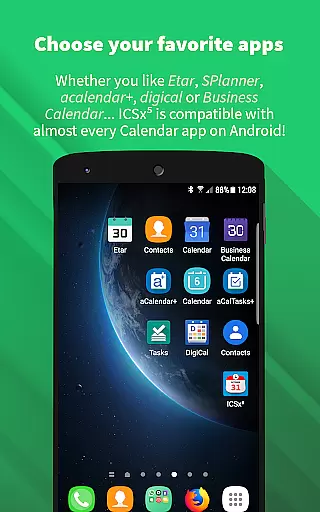
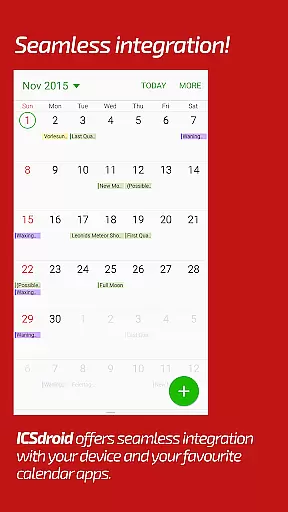
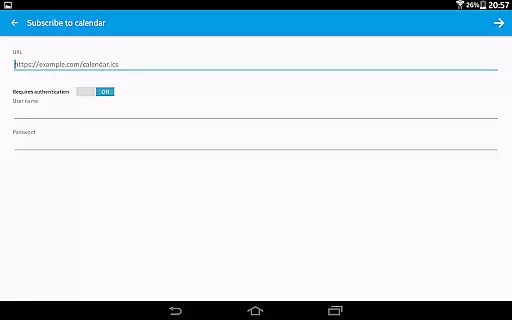
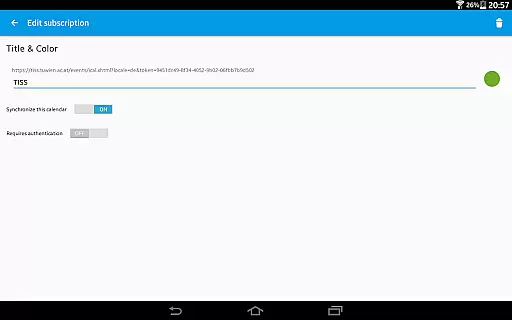
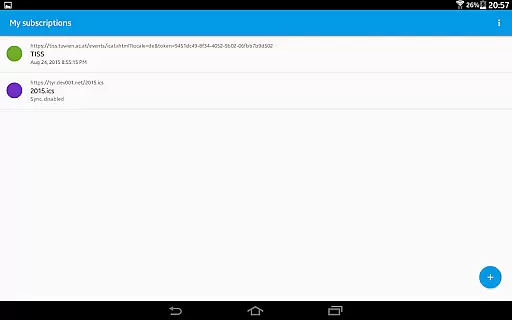
ICSx⁵ is a powerful productivity tool designed for managing external calendar files on Android devices. This app specializes in subscribing to and synchronizing Webcal iCalendar/.ics files, ensuring users always have the latest calendar events at their fingertips. With seamless integration into your device's existing calendar system, ICSx⁵ delivers a smooth user experience while maintaining high privacy standards.
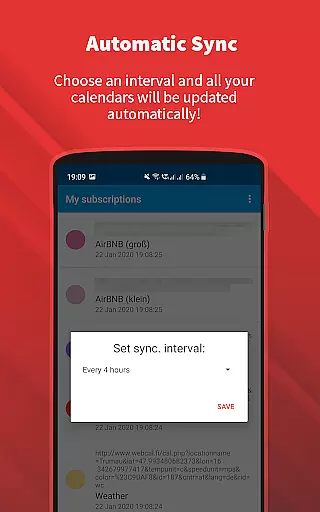
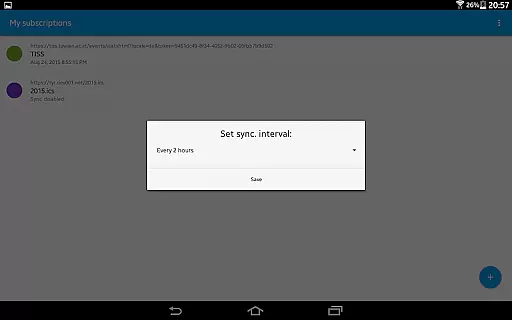
The app supports one-way synchronization from various sources, including iCloud shared calendars and local .ics files. It offers intelligent update checking to optimize bandwidth usage and allows setting custom sync schedules. Whether you need to track academic timetables, sports events, or holidays, ICSx⁵ provides a reliable solution for integrating external calendar data into your daily workflow.
ICSx⁵ stands out with its comprehensive feature set tailored for calendar management. The app supports both webcal:// and webcals:// protocols, enabling direct subscription from URLs. Its state-of-the-art synchronization technology ensures calendar data remains up-to-date across devices while minimizing bandwidth consumption through intelligent update checks.
Security and privacy are paramount in ICSx⁵'s design. The app operates completely offline, with no data transferred to external servers beyond the chosen calendar source. It supports authentication and HTTPS connections for secure data transmission. Being open-source, ICSx⁵ provides transparency and reliability, making it an excellent choice for users who value data privacy and security in their productivity tools.
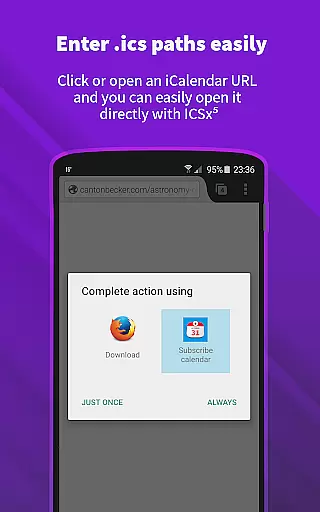
Task management is a critical aspect of productivity applications, and ICSxu2075 excels in this area by providing users with the ability to manage external calendar files efficiently. The app allows you to subscribe to Webcal feeds, add .ics files from your device, and open webcal URLs directly from your browser.
The seamless integration with other calendar apps ensures that all events are perfectly delivered to your device's calendar, keeping you updated with the most current information. With features like setting a sync schedule and intelligent update checking, ICSxu2075 optimizes the way you handle calendar data while conserving bandwidth.
Users benefit from having a centralized location for all their calendar needs, making it easier to keep track of high days, holidays, sports events, and academic schedules without missing a beat.
Cross-device synchronization is essential for maintaining consistency across multiple platforms, and ICSxu2075 addresses this need by employing state-of-the-art technology for synchronization. This ensures that any added calendar file is always up-to-date on every connected device.
By supporting authentication and HTTPS, ICSxu2075 guarantees secure and reliable data transfer. The one-way sync to your device means that changes made on one platform will reflect accurately on others, providing peace of mind regarding your schedule's integrity.
This level of reliability empowers users to manage their time effectively, regardless of the device they are using, thus enhancing overall productivity and ensuring no important event is overlooked.
User-friendly interface
Seamless calendar integration
Regular automatic updates
Strong privacy protection
Open-source reliability
Limited to Android platform
No two-way sync option
Requires manual setup
Occasional sync delays
Basic UI design

Total remote control for your Android device, PC and cloud services (IFTTT)!
 4.20
4.20
Pwnagotchi companion app
4.20
aCalendar+ makes your day, week and month
4.70
CalenGoo is a very flexible and feature-rich calendar app
4.40
Easiest event planning, volunteer signups & parent teacher conference scheduling
2.20
Font maker keyboard with your own handwriting
4.10
Secure, open-source, SPICE and SSH Remote Desktop for QEMU KVM virtual machines
4.00
Daily processing of PDF documents.
4.40
Note taking, handwriting, record audio, PDF annotation, planner & journal
4.20
Best Tool for the professionals Electrician, Electrical contractors, etc.
4.90
Simple notepad & memo. Take notes, to-do list, shopping list with reminders.
4.80
App lock - lock apps with fingerprint, password, pin or pattern, protect privacy
4.70
Secure, fast, open-source, Remote Desktop Client for Windows and Linux with SSH
4.60
Tally and goal counter for Wear OS & mobile
4.50
A customizable calendar for your Wear OS watch
4.20
Professional calendar app for Google Calendar, MS Outlook & Exchange
4.20
All in One PDF Reader: Manage, Read and Edit your Documents
4.20
Make your handwriting beautiful, even more than pen on paper.
3.60
The upgraded version of Name Wheel with AI and the power to add your own wheels.
4.3


User Reviews