
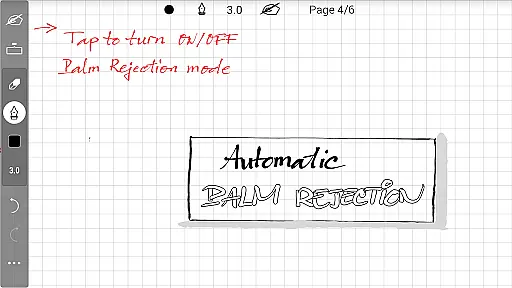
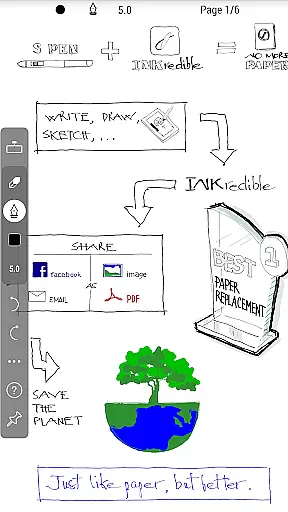
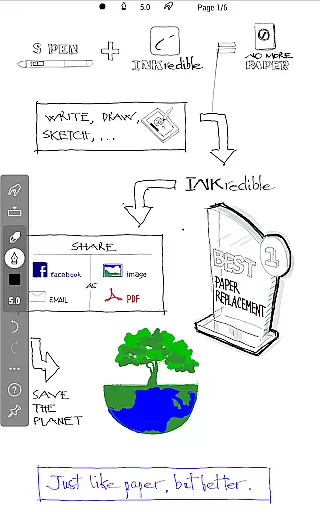
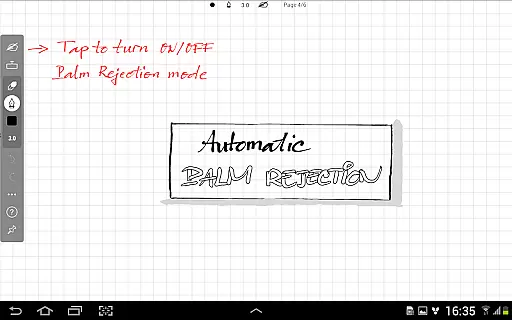
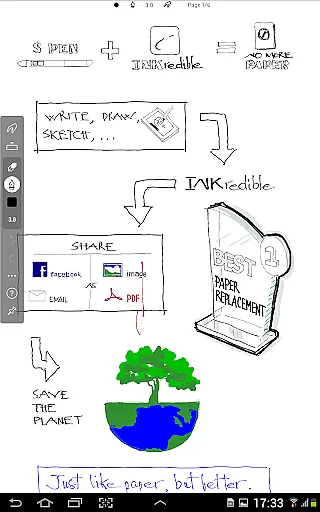
INKredible PRO is a premium handwriting app designed to deliver an exceptional writing experience on tablets. Priced at $9, it includes all in-app purchase features of INKredible and offers free future updates. The app inherits the best inking features from Notes Plus, featuring automatic palm and wrist rejection technology that makes digital writing feel as natural as pen on paper.
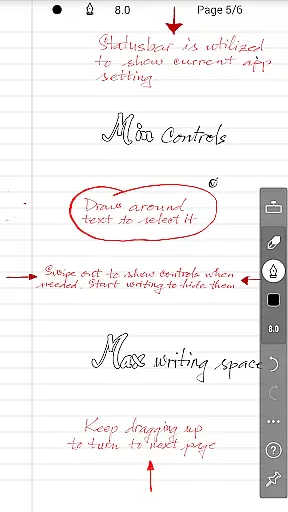
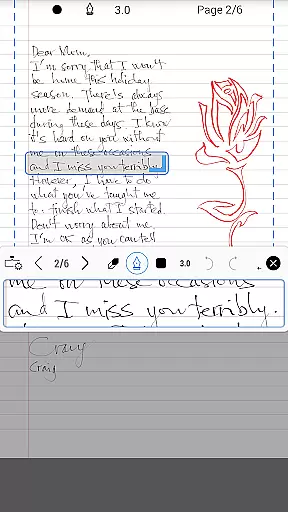
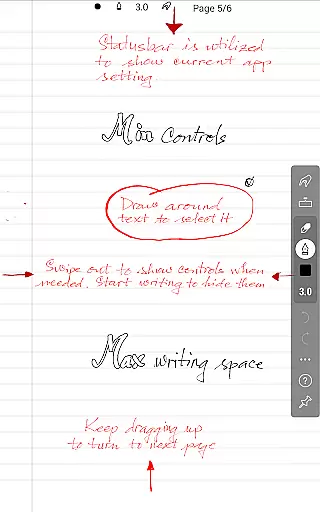
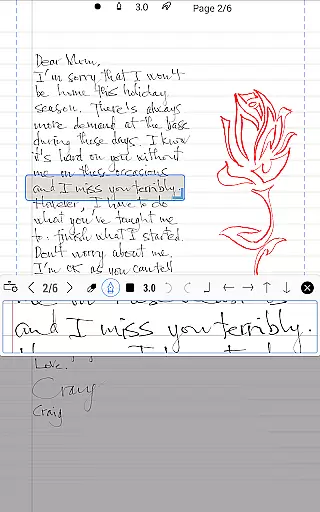
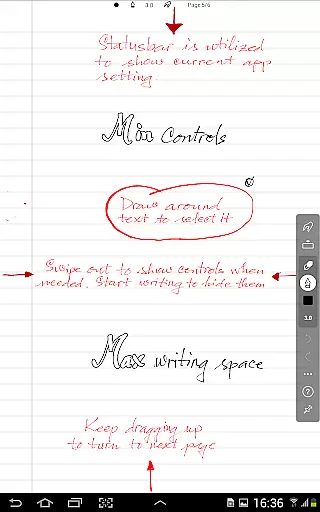
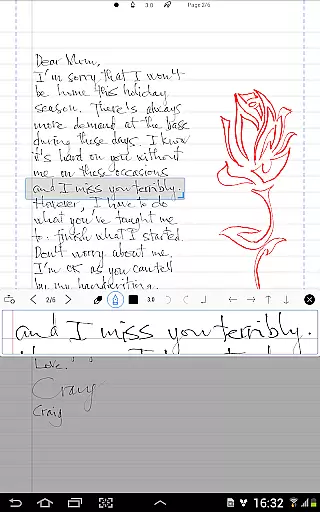
The app focuses on simplicity, offering a distraction-free interface with minimal UI elements. Despite its simplicity, INKredible PRO delivers beautiful handwriting through advanced vector-graphics inking technology. The app's manipulation of Bezier curves ensures your notes look more refined than on traditional paper, and they maintain quality at any resolution, making it perfect for both printing and digital display.
Whether you're a student taking lecture notes or a professional capturing ideas during meetings, INKredible PRO provides a near-perfect writing solution that combines functionality with aesthetic appeal.
INKredible PRO stands out with its specialized focus on creating the ultimate writing experience on tablets. The app employs over three years of R&D in vector-graphics inking technology, ensuring your handwriting appears more elegant than on paper. This feature is particularly beneficial when exporting or printing documents, as the quality remains impeccable at any resolution.
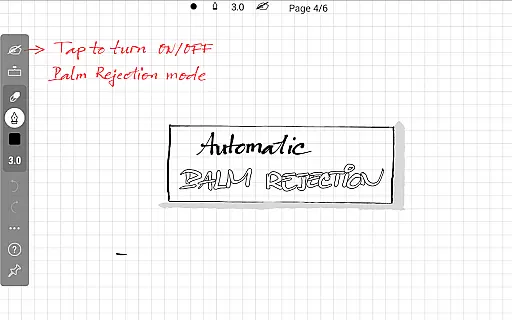
A key highlight is the app's automatic palm and wrist rejection capability, which prevents unintended marks while writing. This makes the writing process smoother and more intuitive, closely mimicking the natural feel of pen on paper. Additionally, the minimalist design removes unnecessary distractions, presenting users with a clean slate for their thoughts and ideas.
INKredible PRO also supports various use cases, from academic note-taking to professional brainstorming sessions. Its ability to zoom in without losing clarity showcases its unique position among handwriting apps, providing users with a versatile tool that adapts to different writing styles and preferences.
In the realm of productivity applications, effective task management stands as a cornerstone feature. INKredible PRO distinguishes itself by offering an uncluttered interface that focuses solely on providing an exceptional writing experience. This app strips away unnecessary distractions, presenting users with what resembles a pristine sheet of paper, primed for their input.
The application's dedication to simplicity ensures that users can concentrate on their writing without the interference of extraneous UI elements. By eliminating visual clutter and focusing on core functionalities, INKredible PRO enables users to manage their tasks efficiently, ensuring that note-taking is both straightforward and effective.
For those who appreciate an organized approach to their work, this streamlined method of task management proves invaluable. Users will find that the absence of superfluous features actually enhances their ability to focus on the content of their writing, making it an ideal tool for students, professionals, and anyone in need of a reliable digital notebook.
Reliable cross-device synchronization is essential for users who operate across multiple platforms. While INKredible PRO emphasizes a singular, immersive writing experience, it also recognizes the importance of seamless integration between devices. Although specific details about cloud services or sync capabilities aren't highlighted in the description, the app promises future updates which could potentially encompass enhanced syncing features.
Currently, the app provides a robust environment for capturing notes and ideas with its advanced vector-graphics inking technology. The promise of free future updates suggests that the developers are committed to improving the appu2019s existing functionalities, possibly including synchronization aspects that are crucial for a cohesive multi-device workflow.
By choosing INKredible PRO, users invest in a system designed to adapt and grow with their needs. As updates roll out, subscribers can expect improvements that maintain the integrity of their notes while facilitating reliable access from any device they choose to use, thus preserving the continuity of their work no matter where they are.
Superior inking technology
Automatic palm rejection
Beautiful handwriting rendering
Distraction-free interface
Free future updates
Higher price point
Limited to tablet use
No additional productivity tools
Requires learning curve
Fewer features than competitors

Planet Free VPN - The best Fast Unlimited and Secure VPN Without Logs
 4.50
4.50
Smart PDF reader & editor to view, organize and manage PDF documents easily.
3.70
Protect and view your important info on your phone and tablet with eWallet®
4.80
Todo reminder
4.10
Make apps & sites with natural language prompts
4.10
PDF scanner & converter for files, photos, lottery, QR codes. One swipe away!
4.50
Create and edit presentations with Google Slides, part of Google Workspace.
4.00
Ultimate Virtual AI Character for immersive Roleplay Chat. Perfect Companion
3.90
AI Chatbot and AI writing assistant powered by ChatGPT.
4.60
Great calculator for Android named one of USA TODAY's "25 Essential Apps".
4.90
aCalendar+ makes your day, week and month
4.70
The Pro Version of Android's tiniest Notepad app. Just 0.3MB but feature-packed!
4.60
Secure, fast, open-source, Remote Desktop Client for Windows and Linux with SSH
4.60
Calendar 2023 widget for Android. Appointment scheduler, planner, and reminder
4.60
Share files & memories safely. Keep your photos and videos secure.
4.40
When you Focus, so will your Bean in this cozy focus timer
4.30
Automates browsing any website and notifies you of important changes or events
4.30
Total remote control for your Android device, PC and cloud services (IFTTT)!
4.20
A Revolutionary All-in-One Artificial Intelligence Tools
3.80


User Reviews