

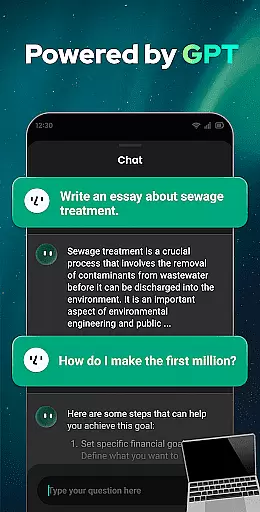
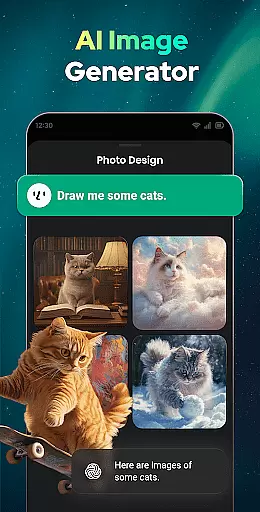

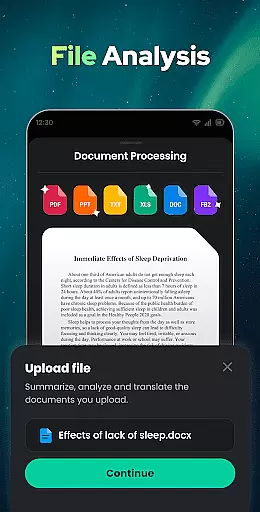
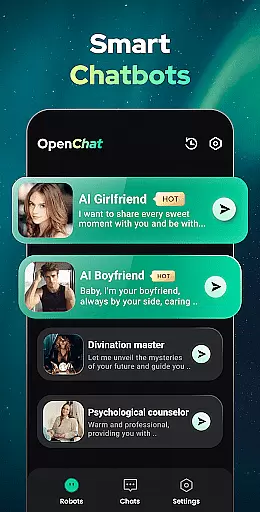
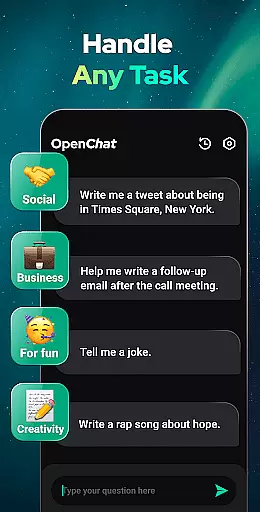
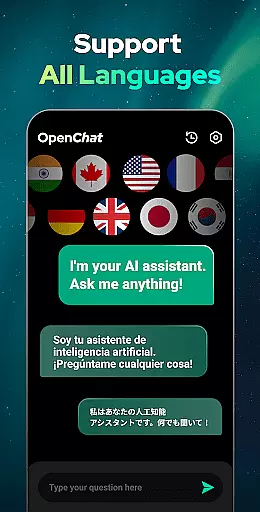
Open Chat is a cutting-edge AI chatbot application designed to revolutionize the way users interact with artificial intelligence. As the leading AI assistant app powered by ChatGPT, it leverages the latest advancements in AI technology to deliver human-like text responses. The app's core functionality lies in its ability to understand and answer questions across various domains while providing assistance with writing tasks such as essays, stories, and lyrics in multiple languages.
Beyond its question-answering capabilities, Open Chat serves as a reliable AI chat partner, offering continuous dialogue and remembering chat history for seamless interactions. Its multilingual support makes it an ideal tool for both communication and language learning. Whether you need help with creative writing, grammar checking, or simply want an intelligent conversation partner, Open Chat provides a comprehensive solution for productivity enhancement.
The app's value extends to professionals, students, and casual users seeking an efficient way to generate content, practice languages, or receive instant information. With its elegant user interface, night mode, and powerful GPT-4 technology, Open Chat creates a comfortable and effective environment for all your AI-powered communication needs.
Open Chat distinguishes itself through a rich set of features that cater to diverse user requirements. The app's most notable capability is its integration with the latest ChatGPT technology (GPT-4), enabling it to handle any task with remarkable accuracy and contextual understanding. This powerful engine allows users to engage in continuous dialogue, where the AI remembers previous conversations and adapts to individual preferences over time.
A key innovation is its multifunctional nature - users can ask anything from general knowledge questions to complex requests like creating travel plans or writing creative content. The app particularly excels as an AI writing assistant, supporting various forms of written communication from social media posts to academic papers. Its grammar checking feature ensures error-free writing by functioning as a comprehensive spell checker and punctuation corrector.
What sets Open Chat apart is its universal language support and practical utilities like chat history management. Users can seamlessly switch between languages, making it invaluable for both native speakers and language learners. The combination of these features with a simple, elegant user interface and thoughtful additions like night mode creates a superior user experience that maintains productivity without compromising comfort.
Task management is a cornerstone of productivity applications, and Open Chat excels in this area by offering users an intelligent assistant capable of handling any task. Whether it's writing essays, creating social media content, or drafting stories, the app leverages advanced AI to provide human-like text responses that aid in task completion.
The app's continuous dialogue feature ensures that your work process remains uninterrupted. By remembering chat history and learning from user interactions, Open Chat can pick up where you left off, making follow-up questions or continued conversations seamless and efficient. This ability not only enhances productivity but also personalizes the experience over time.
Open Chat supports all languages, which means that its task management capabilities are not limited by linguistic barriers. Users can engage with their tasks in any language they prefer, making it an invaluable tool for multilingual professionals and learners alike. The app effectively combines versatility with functionality, ensuring that no matter the task, it can be managed efficiently.
Cross-device synchronization is vital for users who operate across multiple platforms, and Open Chat delivers reliable performance in this aspect. By automatically saving chat history, the app allows users to access their conversations and continue their work seamlessly from any device. This ensures that whether you're switching from a phone to a tablet or a computer, your data remains consistent and up-to-date.
The reliability of Open Chat's synchronization is further enhanced by its cloud-based infrastructure, which guarantees that your information is securely stored and easily retrievable. With features like night mode and a simple, elegant UI, the transition between devices does not compromise the user experience but rather enhances it through familiarity and ease of use.
Moreover, the app's support for continuous dialogue contributes to its synchronization prowess. As Open Chat learns from each interaction, it refines its understanding of user preferences and styles, delivering a personalized and fluid experience across all synchronized devices. This level of reliability and personalization makes cross-device usage not just convenient but also increasingly intuitive.
User-friendly interface
Multilingual support
Continuous dialogue
Grammar checking
Creative writing assistance
Limited offline functionality
Occasional response latency
Subscription-based premium
Data privacy concerns
Learning curve for new users

AI Video AI Image Private LLM AI Browser Llama Gemma Ollama Connect LLM Studio
 4.5
4.5
The long-awaited modern gallery app for your Nextcloud server
4.70
Unlock AutoNotification
4.00
All in one sketching tool. Technical and General drawing. Online Maps support.
3.70
Absolutely the best CNC machinist speed and feed calculator around. fswizard.com
4.60
A beautiful digital clock with autostart and many other functions
4.70
Secure your apps with lock screens, use custom themes and different features.
4.40
Seamlessly read, manage, and organize all your PDF files solution in one place
4.40
Browse and view your photos and videos from the phone with photo & video hide.
4.10
Scientific calculator for Android - looks and operates like the real thing!
4.90
To do list widget with a notebook organizer, checklist, simple shopping list
4.60
Subscribe to Webcal & .ics calendars and keep them up-to-date!
4.50
Share files & memories safely. Keep your photos and videos secure.
4.40
When you Focus, so will your Bean in this cozy focus timer
4.30
Enjoy classic gameplay with customizable features and retro-style graphics.
4.30
Total remote control for your Android device, PC and cloud services (IFTTT)!
4.20
Intelligent AI Assistant
4.10
Access your phone's notifications, calls, apps, photos & texts on your PC
3.90
Make your handwriting beautiful, even more than pen on paper.
3.60


User Reviews