
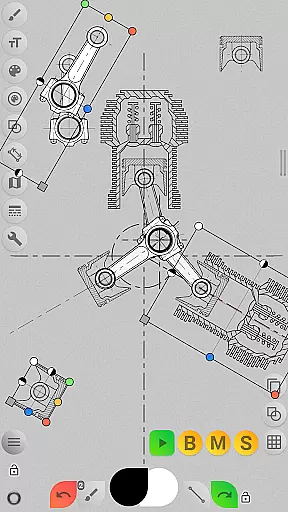
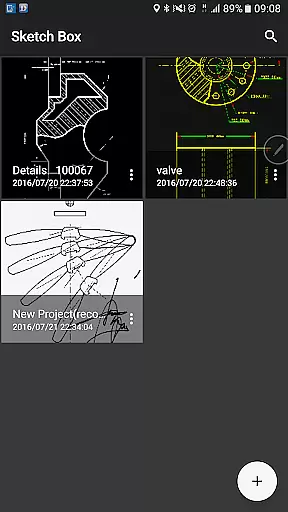
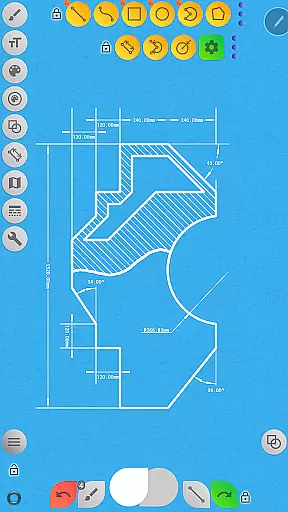
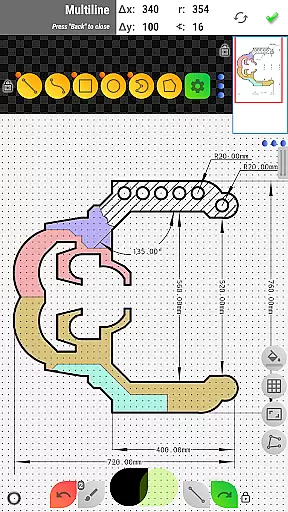

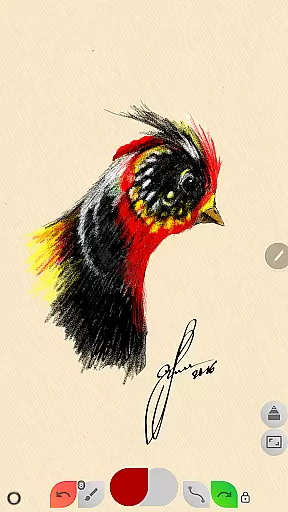
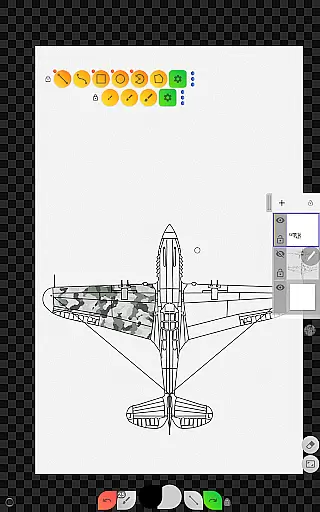
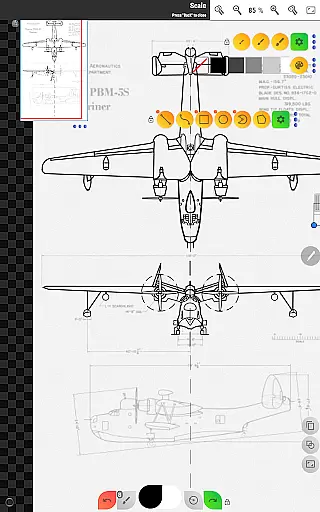
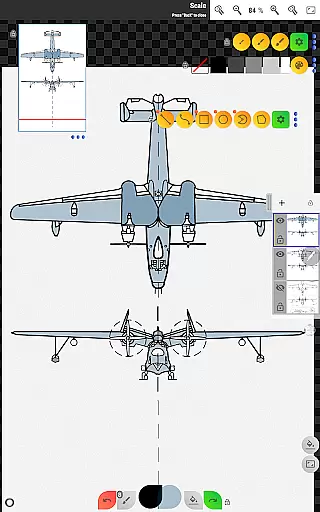
Sketch Box Pro is a versatile sketching and drawing tool designed to meet various requirements, from technical drawings to general sketching. Unlike most drawing tools that focus on either traditional drawing or technical CAD-like functionalities, Sketch Box Pro combines both approaches, offering the precision of CAD systems with the flexibility of traditional drawing tools. This makes it an ideal choice for engineers, designers, and artists who need a reliable, pocket-sized solution for capturing ideas instantly.
The app supports project-based workflows, allowing users to create projects from scratch, import snapshots from online maps, or use images from their device gallery. With features like layer support (up to 6 layers in the Pro version), dimension tools, grid systems, and interactive map tools, Sketch Box Pro provides a comprehensive environment for creating detailed sketches and technical drawings. Whether you're drafting blueprints or sketching creative designs, this app ensures precision and ease of use.
Sketch Box Pro's unique combination of traditional and technical drawing tools offers significant value to users who require versatility in their drawing applications. Its intuitive interface and powerful features make it suitable for both professional and casual use, ensuring that your ideas are captured accurately and efficiently wherever you go.
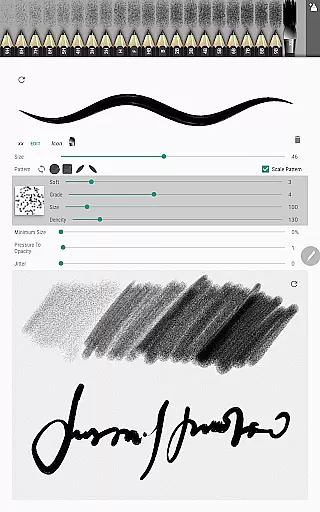
Sketch Box Pro stands out with its extensive feature set tailored for both artistic and technical drawing needs. One of its key highlights is the Pencil Set, which allows users to customize pencil characteristics through a powerful editor, providing flexibility in brush types and stroke styles. The app also includes optimized tools like the Multiline tool for continuous shape creation, manual point positioning, and free/radial selection tools, enabling precise control over every aspect of the drawing process.
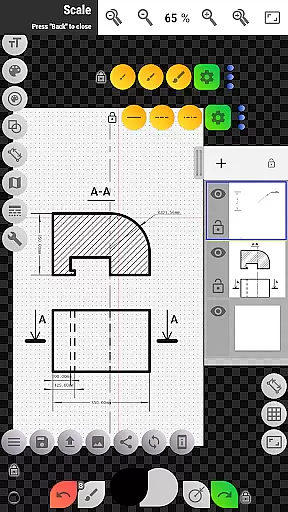
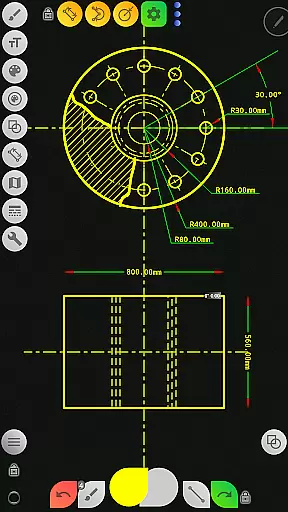
Another notable feature is the robust layer management system, which supports up to six layers in the Pro version. Users can lock layers, adjust opacity, duplicate, merge, or clear them as needed. Additionally, the app offers specialized tools such as the Dimension tool for quick measurements, the Flood Filling tool for coloring areas, and the Hatching tool for shading. These features ensure that users can create complex and detailed drawings with ease.
For those working with maps, Sketch Box Pro provides integrated support for Google Maps, including interactive compass tools, vector tools for azimuth calculations, and measurement utilities for distances and areas. These capabilities make it an excellent choice for professionals who need to incorporate geographic data into their sketches. Overall, the app's innovative blend of traditional and technical tools delivers exceptional value for productivity-focused users.
Task management is a cornerstone of productivity applications, and Sketch Box Pro excels in this area by offering project-based drawing and sketching. This functionality allows users to organize their work efficiently, ensuring that ideas and projects are systematically managed.
Sketch Box Pro supports creating projects from three distinct sources: starting a new project from scratch with predefined themes, importing a snapshot from online maps, or using an image from the device gallery. This versatility ensures that users can manage tasks according to their specific needs and preferences.
With features like layer support, users can work on different aspects of a project simultaneously. The ability to lock layers, control opacity, duplicate, clear, delete, and merge layers provides comprehensive task management capabilities. These functions help maintain order and clarity within complex projects.
The application's wide range of tools, including basic shapes, brushes, grid tools, dimension tools, and scale tools, further enhances task management. Users can create detailed sketches for various tasks while maintaining precision and organization, ultimately leading to increased productivity and better project outcomes.
Cross-device synchronization is vital for users who work across multiple devices, ensuring that their work is always up-to-date and accessible wherever they are. Sketch Box Pro addresses this need by providing reliable synchronization features that keep projects consistent and current.
Although Sketch Box Pro does not explicitly mention cloud synchronization, its project-based structure facilitates easy sharing and reuse of projects. Users can duplicate and share projects, making it simple to continue working on a sketch from a different device without losing progress or consistency.
The application's capability to export drawings to the gallery or share them directly enhances cross-device workflows. By exporting or sharing their work, users can access their projects on other devices, ensuring continuity and coherence in their creative process.
Moreover, the ability to insert images from the device gallery, rotate, resize, and control opacity adds another layer of flexibility. This feature allows users to assemble more complex sketches from various parts, which can be synchronized and continued on different devices, thus supporting a seamless and reliable cross-device experience.
User-friendly interface
Customizable pencil sets
Powerful layer management
Precise drawing tools
Integrated map support
Limited free version
Steep learning curve
Occasional performance lags
Pro features locked behind paywall
Complex UI for beginners

Protect and view your important info on your phone and tablet with eWallet®
 4.80
4.80
aCalendar+ makes your day, week and month
4.70
* block pre-roll ads, pop-up and forced redirect ads * Samsung certification app
4.00
To do list widget with a notebook organizer, checklist, simple shopping list
4.60
The ultimate file manager for rooted devices. The original and still the best.
4.00
This small app MUST BE INSTALLED after purchase, else license won't work
4.40
Okta MFA
4.70
AT&T Internet customers can use this app to personalize their Wi-Fi network.
4.40
QuickEdit is a fast, stable and full featured text and code editor.
4.20
Best Tool for the professionals Electrician, Electrical contractors, etc.
4.90
Seamlessly integrate data and reports to build your presentation to impress
4.80
Scan paperwork into PDF/JPG, generate your own e-signature and send fax or email
4.70
App Lock with fingerprint, password: Lock apps & hide photos with lock screens
4.60
All document reader, all in one file viewer read PDF, DOCX, XLS, PPT, TXT files.
4.60
Send files, sync SMS, notifications & clipboard across devices via local network
4.40
Todo reminder
4.10
Experience real multitasking on your Android!
4.00
Smart PDF reader & editor to view, organize and manage PDF documents easily.
3.70
Easiest event planning, volunteer signups & parent teacher conference scheduling
2.20


User Reviews