
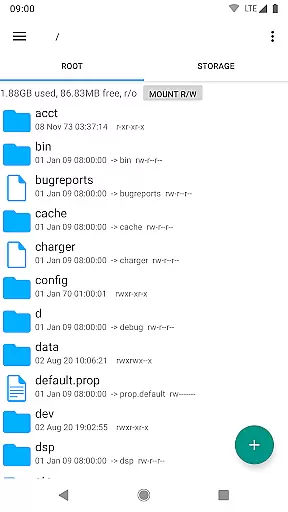
Root Explorer stands as a premier file management solution tailored for root users, granting unrestricted access to Android's entire file system, including the critical data folder. This powerful app enables advanced file operations and system-level modifications that standard file managers cannot provide.
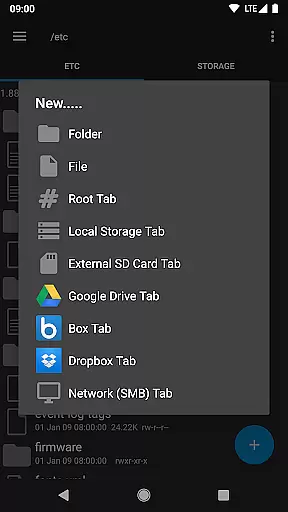
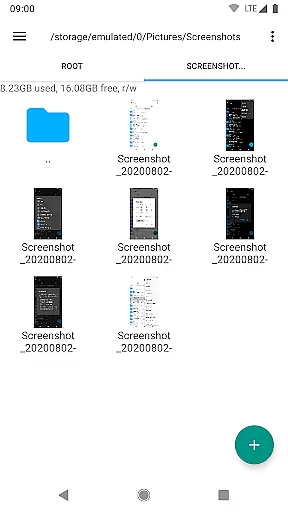
The application supports multiple tabs and integrates with cloud services like Google Drive, Box, and Dropbox, alongside network support through SMB protocols. With features such as SQLite database viewing, script execution, and remount capabilities, Root Explorer caters to tech-savvy users who demand efficiency and control over their device's file structure.
Whether you're organizing files, editing system permissions, or extracting various archive formats, Root Explorer proves indispensable for power users seeking to maximize their productivity on Android devices.
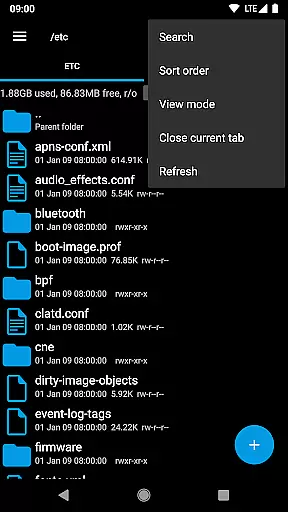
Root Explorer boasts an extensive array of features designed to enhance file management capabilities. The app supports multiple tabs, streamlining navigation across different directories and drives, while also integrating seamlessly with cloud storage solutions such as Google Drive, Box, and Dropbox.
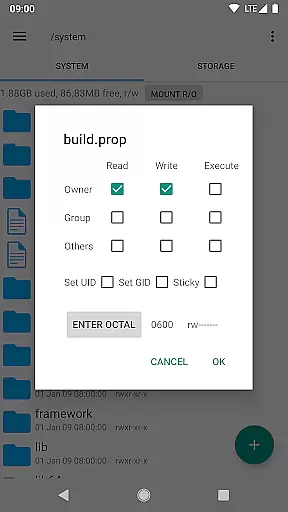
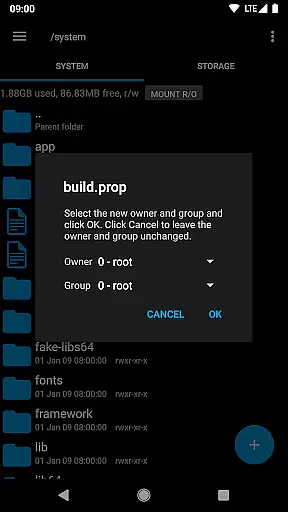
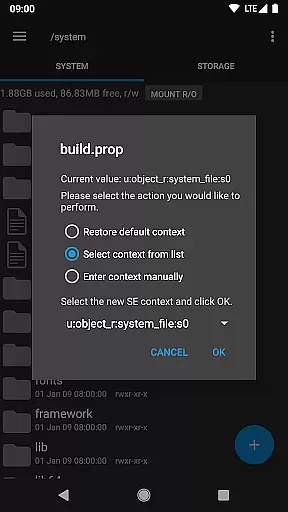
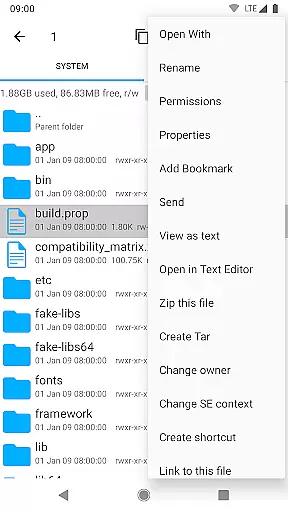
Advanced functionalities include a SQLite database viewer, text editor, and support for creating and extracting zip or tar/gzip files, along with unpacking rar archives. Users can execute scripts, perform searches, remount partitions, and modify file permissions effortlessly. Additionally, options like bookmarking, sending files via email or Bluetooth, and viewing APK binary XML contents further enrich the user experience.
With practical tools for changing file ownership, creating symbolic links, and generating MD5 checksums, Root Explorer empowers users to manage their systems with precision and ease.
Root Explorer excels in core task management by providing users with a comprehensive suite of tools to efficiently handle files and folders. This includes multiple tabs for easy navigation, multi-select options for batch processing, and the ability to execute scripts directly within the app.
The application supports various file operations such as creating and extracting zip or tar/gzip files, extracting rar archives, and remounting drives. These features ensure that users can perform complex file management tasks without needing additional software.
With its advanced functionality, Root Explorer allows users to search for files, change permissions, create symbolic links, and even view APK binary XML files. These capabilities make it an indispensable tool for power users who require granular control over their Android file system.
Ultimately, the app's robust task management features save time and enhance productivity by consolidating essential file operations into a single, user-friendly interface. Whether managing local files or accessing cloud storage, Root Explorer streamlines workflows and boosts efficiency.
Cross-device synchronization is a critical feature for users who need consistent access to their files across different devices. Root Explorer ensures reliable synchronization through its support for popular cloud services like Google Drive, Box, and Dropbox.
By integrating seamlessly with these platforms, the app enables users to upload, download, and manage cloud-stored files with ease. This means that whether you're working on your phone, tablet, or computer, your files remain accessible and up-to-date.
In addition to cloud support, Root Explorer also offers network (SMB) support, allowing users to connect to shared drives and servers. This facilitates collaboration and file sharing in both personal and professional environments.
Overall, Root Explorer's commitment to reliable cross-device synchronization empowers users to maintain productivity regardless of their location or device. With real-time updates and secure connections, the app ensures that your data is always at your fingertips.
Unrestricted file access
Multiple cloud integrations
Advanced system utilities
User-friendly interface
Comprehensive feature set
Requires root access
Complex for beginners
No iOS version available
Some features need internet
Premium price point

Client for Nextcloud Deck
 4.60
4.60
QuickBooks Workforce lets teams view pay info and track time in one place.
4.70
The Pro Version of Android's tiniest Notepad app. Just 0.3MB but feature-packed!
4.60
A lightweight JSON & XML files creator, editor and viewer (Premium Version)
4.40
IP Camera Viewer - Android TV : RTSP Surveillance camera viewer for Android TV
4.2
* block pre-roll ads, pop-up and forced redirect ads * Samsung certification app
4.00
Scientific calculator for Android - looks and operates like the real thing!
4.90
Put a lock on your cloud: Take the security of your data into your own hands
3.70
QuickEdit is a fast, stable and full featured text and code editor.
4.20
Native client for Forgejo and Gitea
5.00
Understand anything with a personalized AI research assistant
4.80
Okta MFA
4.70
App Lock with fingerprint, password: Lock apps & hide photos with lock screens
4.60
All document reader, all in one file viewer read PDF, DOCX, XLS, PPT, TXT files.
4.60
This small app MUST BE INSTALLED after purchase, else license won't work
4.40
Secure your apps with lock screens, use custom themes and different features.
4.40
Take control of your clipboard with Clipper!
3.90
ID.me Authenticator is a simple and free Two Factor Authentication solution
3.50
Code on-the-go with VScode for Android. Edit,debug and collaborate from mobile!!
3.10


User Reviews