
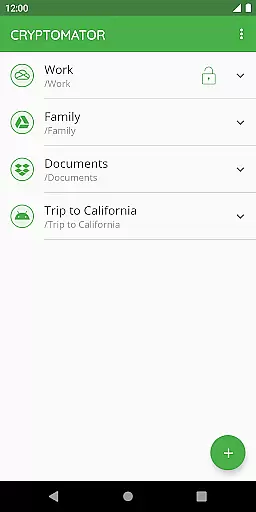
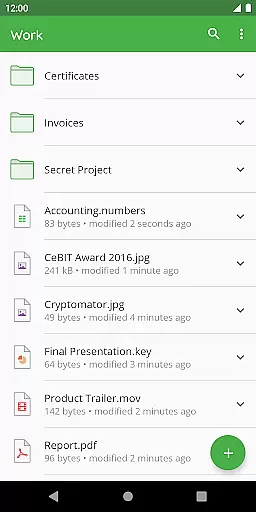
Cryptomator is a user-friendly encryption tool designed to secure your cloud-stored data. This productivity app allows you to create secure vaults, encrypting both file contents and filenames with AES-256 bit encryption. It ensures that your data remains protected before uploading to your preferred cloud service.
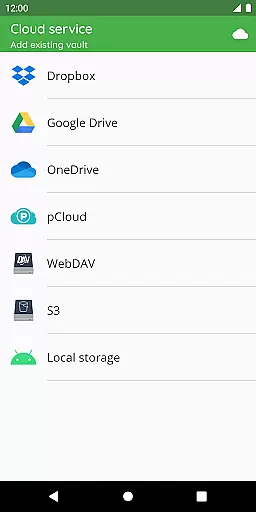
With compatibility across major platforms like Dropbox, Google Drive, and OneDrive, Cryptomator provides seamless access to your encrypted files on any device. The application simplifies digital self-defense by enabling users to protect their information independently, without the need for additional accounts or complex configurations.
The app's open-source nature adds transparency, allowing tech-savvy users to verify its security measures. Whether you're working on sensitive business documents or personal files, Cryptomator offers peace of mind by keeping your data private and secure across all your devices.
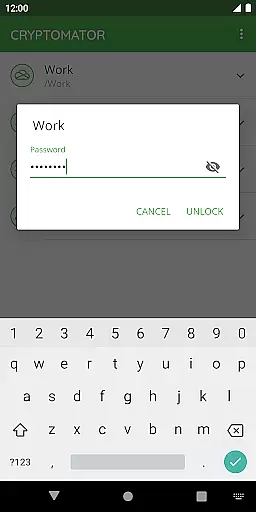
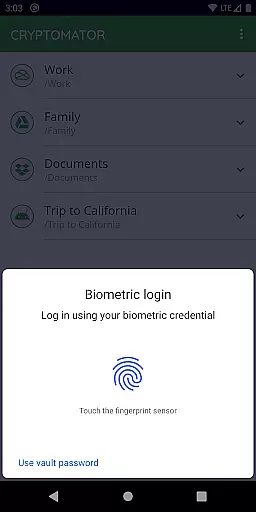
Cryptomator stands out with its intuitive approach to data encryption. Users can create secure vaults using just a password, with optional fingerprint authentication for added convenience. The app automatically locks these vaults when not in use, ensuring maximum security even if your device is compromised.
One of Cryptomator's key strengths is its cross-platform compatibility. It works seamlessly with popular cloud storage services including WebDAV-based providers and S3-compatible storage. The implementation of scrypt for password protection and automatic background locking demonstrates the app's commitment to robust security practices.
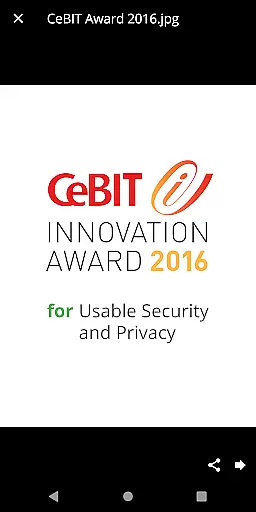
Additional features include publicly documented crypto implementation and award-winning usability. These aspects make Cryptomator not just a secure choice but also an accessible one for users of all technical levels. Its recognition with the CeBIT Innovation Award 2016 confirms its position as a leader in usable security solutions.
In the realm of productivity, managing tasks efficiently is paramount. Cryptomator excels by offering a streamlined approach to safeguarding your digital tasks and data. The app allows you to create secure vaults for your information, essentially managing the task of protecting your valuable data against unauthorized access.
With Cryptomator, task management transcends traditional to-do lists and enters the domain of digital security. You can effortlessly organize your files within encrypted vaults, akin to categorizing your tasks. This method ensures that each piece of data, or 'task', is neatly arranged and secured with robust encryption protocols.
The beauty of Cryptomator's task management feature lies in its simplicity and effectiveness. There's no need for additional configurations or accounts; you simply create a vault and protect it with a password. This straightforward process mirrors the core principles of task managementu2014organize, prioritize, and secureu2014ensuring your data remains confidential and structured.
Cross-device synchronization is a critical component of modern productivity tools, allowing users to access their data from multiple devices seamlessly. Cryptomator shines in this aspect by ensuring reliable synchronization across all your devices. Once you've uploaded your encrypted vault to a cloud service, you can unlock and access it on any device with Cryptomator installed.
The reliability of Cryptomator's synchronization is bolstered by its compatibility with major cloud storage services like Dropbox, Google Drive, and OneDrive. This compatibility ensures that your data is consistently updated and accessible, regardless of whether you're using a smartphone, tablet, or computer.
Moreover, Cryptomator enhances synchronization reliability through automatic locking. When you send the app to the background, your vaults are automatically locked, preventing unauthorized access and ensuring that your synchronized data remains secure across all devices. This feature provides peace of mind, knowing that your files are protected even as they move between devices.
Easy-to-use interface
Strong AES encryption
Cross-platform support
Open-source transparency
Automatic security features
Limited free features
No built-in cloud sync
Occasional performance lag
Fingerprint sensor required
Premium version costly

Easily read and manage all your PDF files
 4.10
4.10
8 custom complications. Custom Time Fonts. Beautiful color schemes. A++ Design.
5.00
Automates browsing any website and notifies you of important changes or events
4.30
The Pro Version of Android's tiniest Notepad app. Just 0.3MB but feature-packed!
4.60
Todo reminder
4.10
Simple and reliable communication between inmates, friends and family
3.20
A Pixel Art watchface inspired by other iconic 90s designs for Wear OS devices!
4.40
Ultimate Virtual AI Character for immersive Roleplay Chat. Perfect Companion
3.90
QuickEdit is a fast, stable and full featured text and code editor.
4.20
Native client for Forgejo and Gitea
5.00
Best Tool for the professionals Electrician, Electrical contractors, etc.
4.90
Secure, fast, open-source, Remote Desktop Client for Windows and Linux with SSH
4.60
Tally and goal counter for Wear OS & mobile
4.50
CalenGoo is a very flexible and feature-rich calendar app
4.40
Font maker keyboard with your own handwriting
4.10
Wake up & get tasks done! Add alarms & reminders on the Clock Launcher.
4.00
Secure, open-source, SPICE and SSH Remote Desktop for QEMU KVM virtual machines
4.00
Take control of your clipboard with Clipper!
3.90
A simple, portable logger for POTA, SOTA, Field Day, and more
4.3


User Reviews