
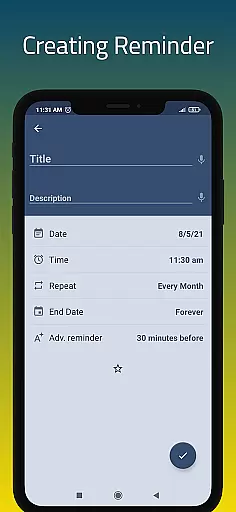
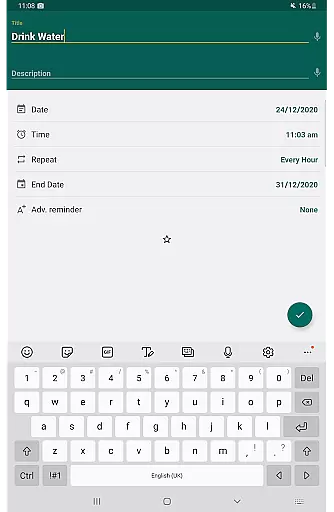
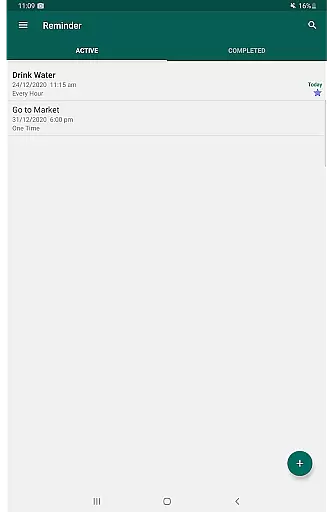
Reminder Pro is a versatile productivity application designed to help users manage their daily tasks and important deadlines effectively. The app allows you to create both one-time and recurring reminders for various types of tasks, from simple errands to critical work deadlines. Its user-friendly interface ensures that setting up reminders takes only seconds, making it an ideal tool for busy professionals, students, and anyone looking to organize their life better.
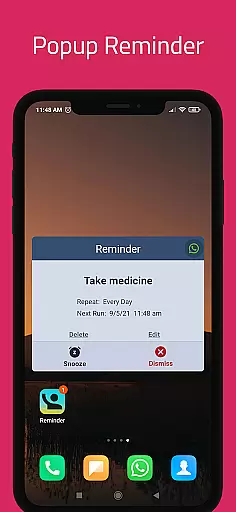
One of the standout features of Reminder Pro is its ability to cater to different needs, whether you need a pill reminder, meeting notifications, or even birthday alerts. With customizable options like popup notifications, snooze functionality, and quiet hours settings, this app provides a comprehensive solution for all your reminder needs. Available on mobile platforms, Reminder Pro helps users stay on track with their responsibilities while offering peace of mind that no important task will be forgotten.
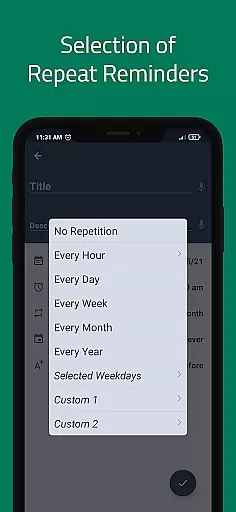
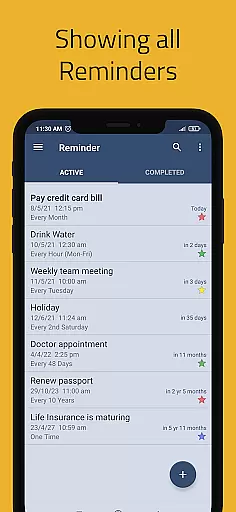
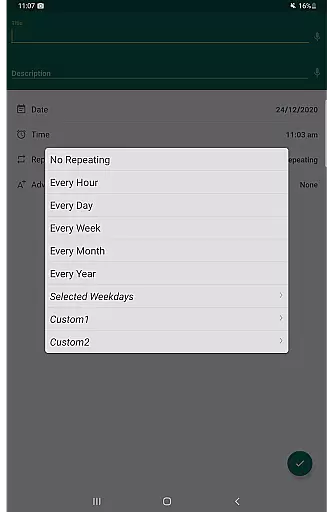
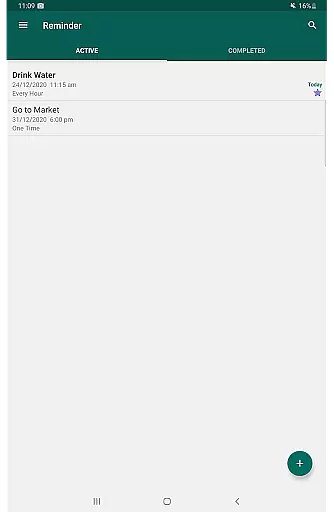
Reminder Pro offers a rich set of features that make it a powerful tool for managing your daily activities. One of its key functionalities is the ability to set custom recurring reminders, which can be tailored to fit weekly, monthly, or yearly tasks. This feature is particularly useful for those who have routine responsibilities such as taking medication or paying bills. Additionally, the app provides multiple view options for your reminders, including standard, compact, and monthly grouping views, allowing you to see your schedule in a way that suits you best.
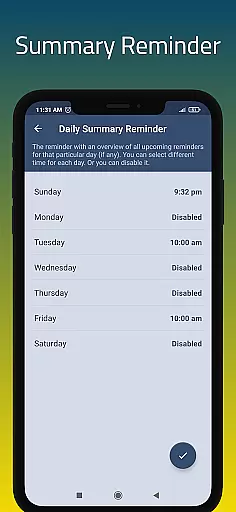
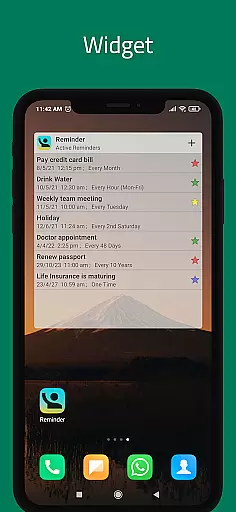
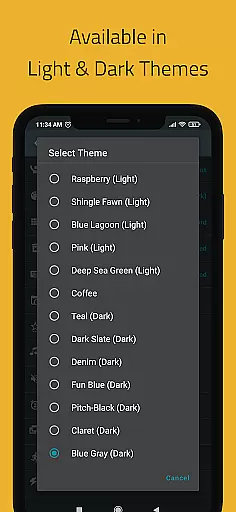
The app also includes advanced functionalities like widget support, quiet hours settings, and multiple themes to enhance user experience. Users can take advantage of the auto-backup feature to ensure their data is safe, while categories with different colors and settings help in organizing tasks more efficiently. With its search functionality and daily summary reminders, Reminder Pro ensures that you never miss an important event or deadline, making it an indispensable tool for boosting productivity.
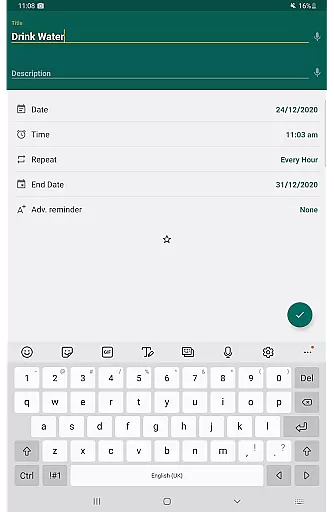
Effective task management is essential for maintaining productivity in both personal and professional settings. Reminder Pro excels in this area by providing users with a comprehensive suite of tools designed to streamline the process of managing tasks. The app allows for the creation of reminders for both one-time and recurring tasks, ensuring that users never miss an important deadline or event.
The application's interface is crafted to ensure ease of use while offering powerful features under the hood. Users can quickly set notifications for a wide array of activities, from daily chores to critical work deadlines. With functionalities such as custom recurring reminders, advance notifications, and quiet hours settings, Reminder Pro adapts to various user needs and preferences.
By integrating features like categories with distinct colors and settings, multiple view options for task lists, and a snooze option for reminders, the app ensures that users can tailor their experience to best suit their lifestyle. This level of customization not only enhances user engagement but also significantly boosts productivity by keeping users organized and focused on their priorities.
In today's fast-paced digital world, having reliable cross-device synchronization is crucial for staying organized and efficient. Reminder Pro addresses this need by offering seamless integration across different devices, allowing users to access their reminders and task lists from anywhere at any time. This feature ensures that whether you're switching from your phone to a tablet or desktop, your data remains consistent and up-to-date.
The app employs advanced synchronization technologies to provide real-time updates across all connected devices. This means that any changes made to your remindersu2014be it adding a new task, modifying existing ones, or marking them as completeu2014are instantly reflected everywhere. Such reliability is vital for users who rely on their productivity tools to keep track of their busy schedules.
Moreover, Reminder Pro includes options for auto and manual backups, safeguarding your data against loss and giving peace of mind. By prioritizing synchronization accuracy and data integrity, the app establishes itself as a dependable tool for anyone looking to maintain a well-organized life across multiple platforms.
User-friendly interface
Customizable reminders
Multiple view options
Quiet hours settings
Auto backup feature
Limited free version
No cross-platform sync
Occasional bugs
Ads in free version
Complex settings

Native client for Forgejo and Gitea
 5.00
5.00
Planet Free VPN - The best Fast Unlimited and Secure VPN Without Logs
4.50
Automates browsing any website and notifies you of important changes or events
4.30
⏰ Finally a timer app which can run multiple timers simultaneously on your watch
3.90
Enjoy classic gameplay with customizable features and retro-style graphics.
4.30
Tally and goal counter for Wear OS & mobile
4.50
A beautiful digital clock with autostart and many other functions
4.70
Share files & memories safely. Keep your photos and videos secure.
4.40
AI Chatbot and AI writing assistant powered by ChatGPT.
4.60
Protect and view your important info on your phone and tablet with eWallet®
4.80
App lock - lock apps with fingerprint, password, pin or pattern, protect privacy
4.70
Scan paperwork into PDF/JPG, generate your own e-signature and send fax or email
4.70
App Lock with fingerprint, password: Lock apps & hide photos with lock screens
4.60
Functional QR scanner and barcode reader that requires little storage space.
4.60
A simple Whisper AI keyboard for reliable speech transcription and rewording
4.60
Experience Reading - Night Mode for Documents
4.40
Professional calendar app for Google Calendar, MS Outlook & Exchange
4.20
Access your phone's notifications, calls, apps, photos & texts on your PC
3.90
Experience and share your SolidWorks designs on your Android® phone and tablet.
2.50


User Reviews