
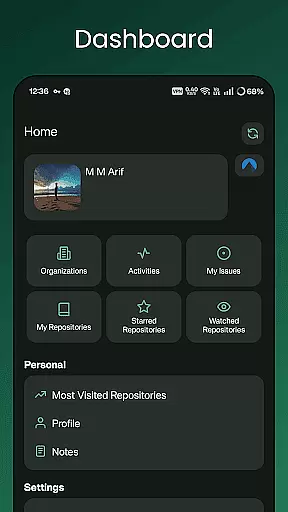
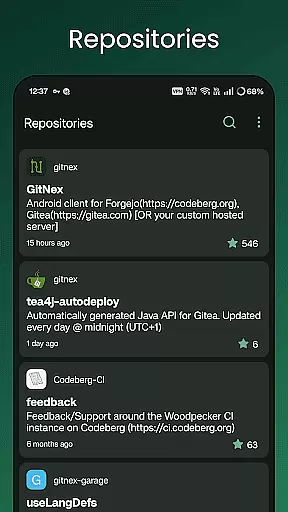
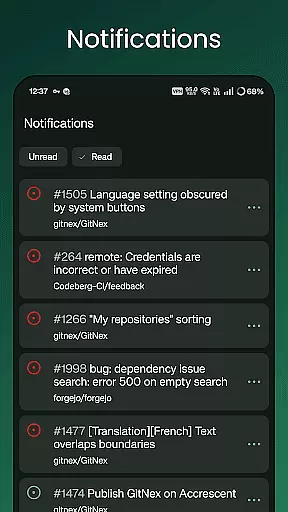
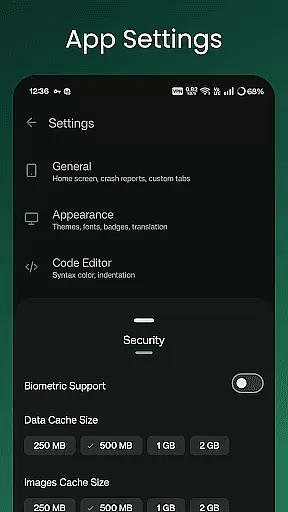
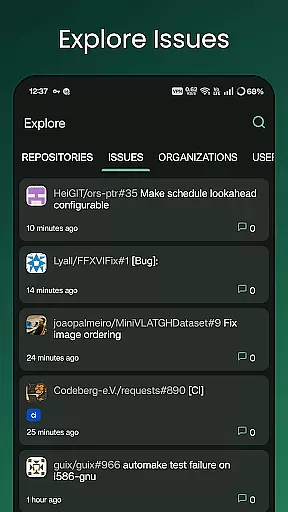
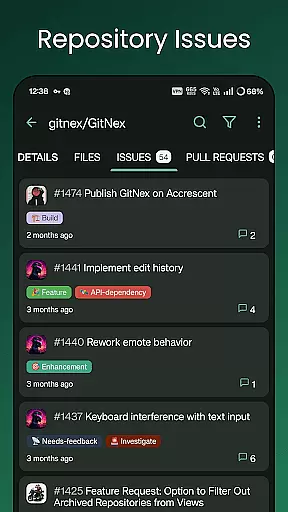
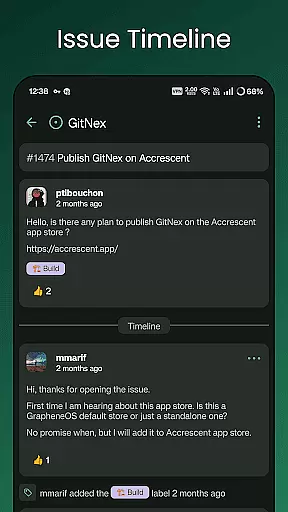
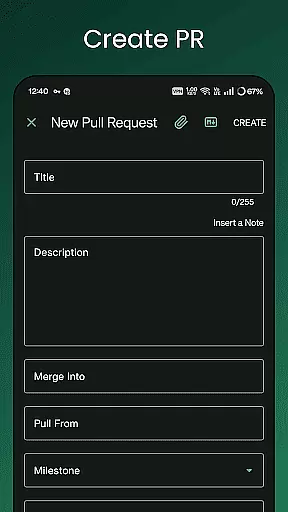
GitNex is a powerful open-source Android client designed for managing Git repositories on Forgejo and Gitea. This productivity-focused app allows users to efficiently handle multiple accounts, browse files and directories, and create various repository elements such as issues, pull requests, wikis, and more.
The application supports extensive features including markdown and emoji support, themes, notifications, and self-signed certificate management. Whether you're a developer or a project manager, GitNex provides the tools necessary to streamline your Git repository management directly from your mobile device.
GitNex offers an impressive array of features tailored for productivity enthusiasts. The app supports multiple account management, enabling seamless switching between different profiles. Its built-in file and directory browser allows users to navigate through repository structures with ease.
One of the standout capabilities is the ability to create and manage various repository components such as files, issues, pull requests, wikis, milestones, and releases directly from the mobile interface. Additionally, users can explore repositories, issues, organizations, and users while enjoying features like markdown support, emoji integration, and customizable themes.
Task management is a critical aspect of productivity applications, especially for tools designed to handle complex workflows like GitNex. This app provides an extensive set of features that streamline the process of managing repositories, issues, and pull requests.
GitNex supports multiple accounts, allowing users to switch between different profiles seamlessly. The app's interface enables easy navigation through repositories, issues, and lists of labels, milestones, and releases. With dedicated sections for pull requests and repository commits, staying on top of project updates becomes significantly more manageable.
Users benefit from the app's comprehensive task management capabilities by being able to create new files, issues, pull requests, wiki pages, milestones, releases, and labels directly from their mobile device. This functionality ensures that productivity is not confined to desktop environments and empowers developers to manage their projects on-the-go.
Cross-device synchronization is essential for maintaining workflow continuity across different devices. GitNex excels in this area by ensuring reliable and real-time updates between its Android application and the Forgejo or Gitea platforms it connects to.
The app maintains synchronization with self-signed certificate support, which enhances security while ensuring uninterrupted access to your repositories. Whether you're browsing files, exploring repositories, or checking notifications, GitNex keeps all your data up-to-date across sessions.
With features such as themes and markdown support, user experience remains consistent and visually appealing on any device. This reliability in synchronization means that whether you're at home, in the office, or on the move, your work environment stays familiar and efficient, thus boosting overall productivity.
User-friendly interface
Multiple account support
Comprehensive feature set
Open-source development
Active community support
Limited to Android platform
Requires server access
No iOS version available
Complex for beginners
Occasional bugs reported

A customizable calendar for your Wear OS watch
 4.20
4.20
Unlock AutoNotification
4.00
Wake up & get tasks done! Add alarms & reminders on the Clock Launcher.
4.00
Automates browsing any website and notifies you of important changes or events
4.30
Pwnagotchi companion app
4.20
aCalendar+ makes your day, week and month
4.70
Functional QR scanner and barcode reader that requires little storage space.
4.60
Tally and goal counter for Wear OS & mobile
4.50
A beautiful digital clock with autostart and many other functions
4.70
Android Wallet Password Manager
4.80
QuickBooks Workforce lets teams view pay info and track time in one place.
4.70
Stay on top of your to-dos with Google Tasks, part of Google Workspace.
4.60
Subscribe to Webcal & .ics calendars and keep them up-to-date!
4.50
A Pixel Art watchface inspired by other iconic 90s designs for Wear OS devices!
4.40
Experience real multitasking on your Android!
4.00
Create and edit presentations with Google Slides, part of Google Workspace.
4.00
Take control of your clipboard with Clipper!
3.90
Remotely view listen control and record cameras.
3.70
Code on-the-go with VScode for Android. Edit,debug and collaborate from mobile!!
3.10


User Reviews