
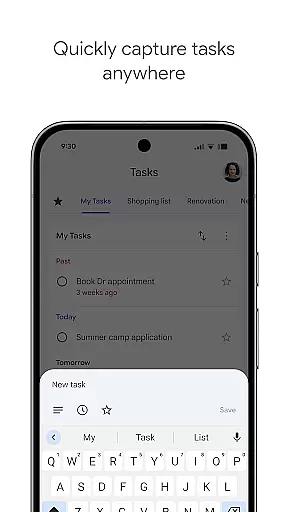
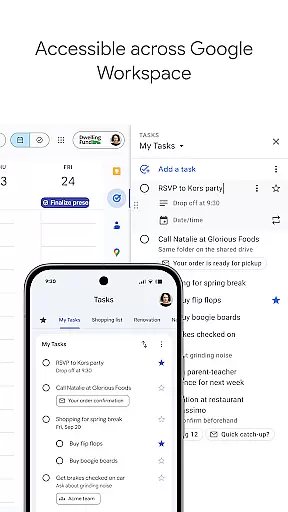
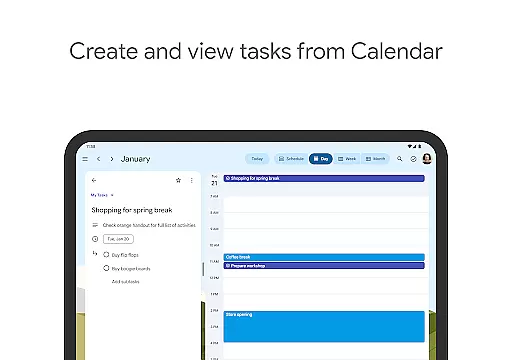
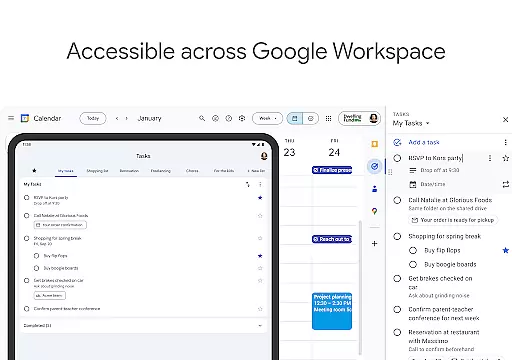
Google Tasks is a productivity app designed to help users manage their daily tasks efficiently. The app allows you to capture, organize, and track your to-do lists from any location and at any time. With seamless synchronization across all devices, Google Tasks ensures that your lists are always up-to-date whether you're on your phone, tablet, or computer.
One of the standout features of Google Tasks is its deep integration with Gmail and Google Workspace, allowing users to create tasks directly from emails and prioritize them using drag-and-drop functionality. You can also set reminders, break tasks into subtasks, and organize them into different lists based on topics or priorities. This makes it an ideal tool for both personal use and professional project management.
For those who need a reliable task manager that integrates well with their existing tools, Google Tasks offers a streamlined experience that helps you stay organized and get things done faster without unnecessary complexity.
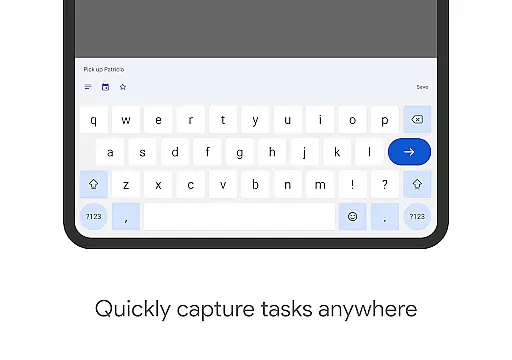
Google Tasks comes packed with features that make task management intuitive and efficient. One key feature is the ability to create, edit, and manage tasks on the go. Whether you're commuting or in a meeting, you can quickly update your to-do list from your mobile device.
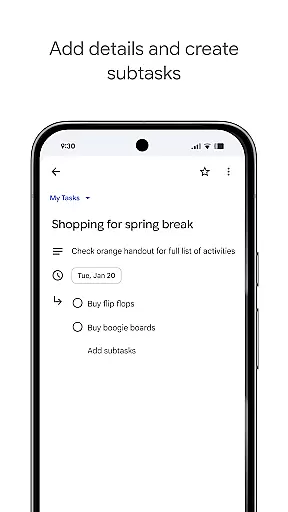
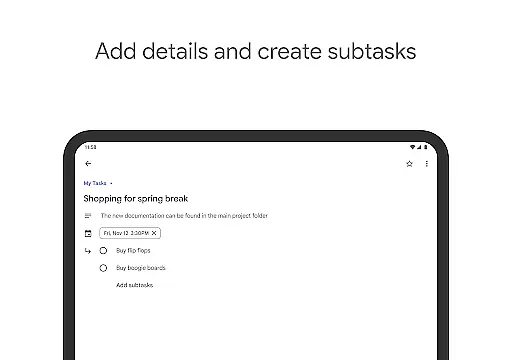
The app also supports task prioritization through drag-and-drop reordering and starring important tasks. For more complex projects, you can break down tasks into subtasks, making it easier to manage multi-step processes. Additionally, setting due dates and receiving timely notifications ensures you never miss a deadline.
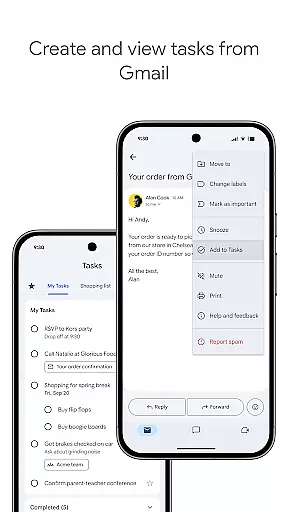
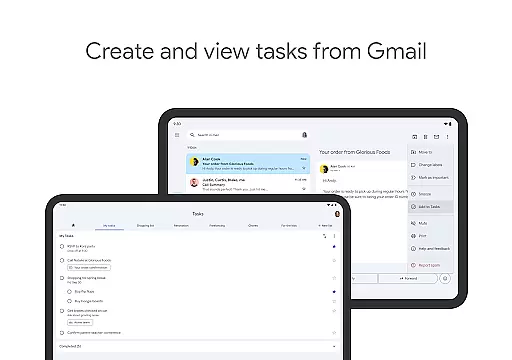
Another notable feature is the direct integration with Gmail, where users can convert emails into tasks with a single click. Each task retains a link back to the original email for easy reference. These capabilities, combined with cross-device syncing, make Google Tasks a versatile tool for anyone looking to improve their productivity.
Effective task management is essential for productivity, and Google Tasks excels in this area. The app allows users to view, create, edit, and manage tasks on the go, ensuring that nothing falls through the cracks. With intuitive drag-and-drop functionality, users can easily reorder tasks based on priority.
Google Tasks goes beyond basic task listing by offering features like starring important tasks. This helps users focus on what truly matters. Additionally, the ability to create subtasks enables breaking down complex projects into manageable steps, promoting better organization and clarity.
The integration with Gmail is a standout feature, allowing users to turn emails into tasks effortlessly. Each task created from an email includes a convenient link back to the original message, providing valuable context when needed. These capabilities ensure users can efficiently manage their responsibilities.
In today's multi-device world, reliable synchronization is crucial for any productivity tool. Google Tasks delivers seamless cross-device syncing, ensuring that your to-do lists are always up to date across all devices. Whether you're using a smartphone, tablet, or computer, your tasks will be consistently available wherever you go.
The app's real-time syncing capability means that changes made on one device instantly appear on others. This eliminates the risk of missing important deadlines due to outdated information. Users can trust that their task data is securely stored and accessible at any time.
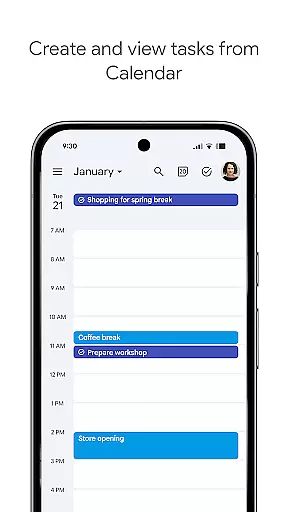
Furthermore, the integration with other Google Workspace applications enhances the overall experience. Tasks created in Gmail or Google Calendar automatically sync with the mobile app, creating a unified productivity ecosystem. This level of synchronization reliability empowers users to stay organized and productive throughout their day.
User-friendly interface
Seamless cross-device sync
Deep Gmail integration
Quick task creation
Free to use
Limited advanced features
No team collaboration
Basic UI design
Few customization options
Offline mode limited

Take control of your clipboard with Clipper!
 3.90
3.90
Auto-shutoff Alarm with Sunrise, Sunset & Fixed Options.
3.50
Automates browsing any website and notifies you of important changes or events
4.30
Pwnagotchi companion app
4.20
Enjoy classic gameplay with customizable features and retro-style graphics.
4.30
Tally and goal counter for Wear OS & mobile
4.50
Intelligent AI Assistant
4.10
Lightweight PDF, Word, Excel reader.
4.60
QuickEdit is a fast, stable and full featured text and code editor.
4.20
Native client for Forgejo and Gitea
5.00
Quickly and easily keep track of your work shifts
4.70
Absolutely the best CNC machinist speed and feed calculator around. fswizard.com
4.60
Calendar 2023 widget for Android. Appointment scheduler, planner, and reminder
4.60
To do list widget with a notebook organizer, checklist, simple shopping list
4.60 4.20
4.20
All in One PDF Reader: Manage, Read and Edit your Documents
4.20
Create and edit presentations with Google Slides, part of Google Workspace.
4.00
Secure, open-source, SPICE and SSH Remote Desktop for QEMU KVM virtual machines
4.00
Easiest event planning, volunteer signups & parent teacher conference scheduling
2.20


User Reviews