
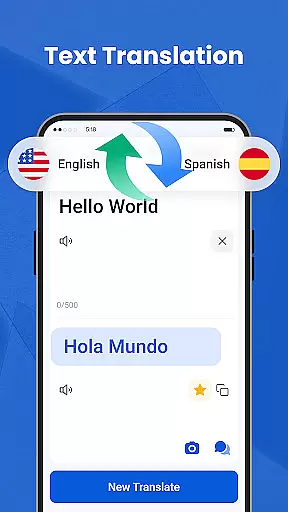
We Translate is a powerful productivity app designed to break language barriers and facilitate seamless global communication. The app offers multiple translation modes including text, voice, and photo translation, making it suitable for various scenarios such as travel, study, and work.
With features like document translation, history tracking, favorites, and personalized settings, We Translate provides users with an all-in-one solution for their multilingual needs. Its intuitive interface and accurate translations make it an essential tool for anyone requiring reliable language support.
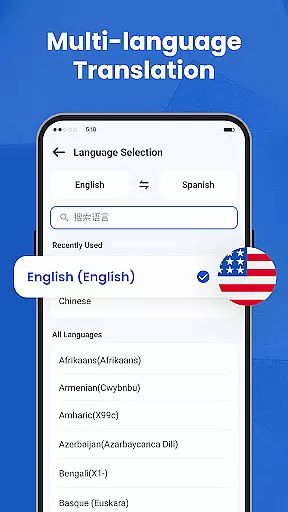
We Translate stands out with its comprehensive feature set tailored for efficient language translation. The app supports instant text translation in multiple languages, which is perfect for both casual conversations and professional use.
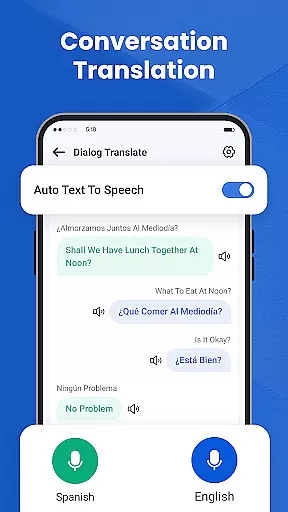
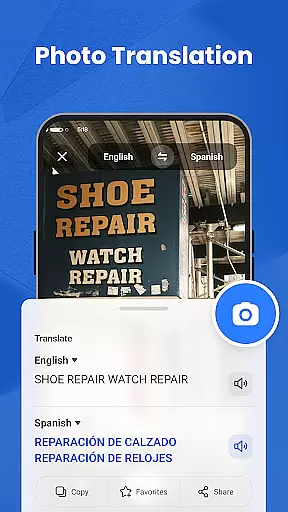
Its conversation translation function allows real-time voice translation, automatically detecting the languages being spoken. This ensures smooth communication during face-to-face or phone interactions. Additionally, the photo translation feature lets users snap pictures of text and receive fast, accurate translations without manual input.
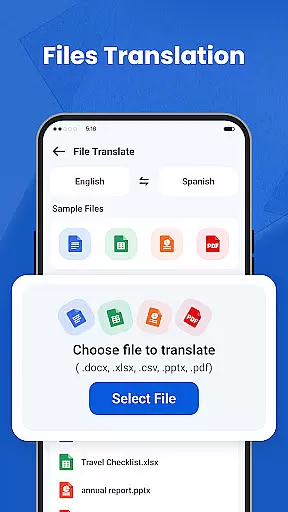
The document translation tool supports various file formats like PDF, Word, and Excel, catering to office and academic requirements. Personalized settings allow customization of language options and voice reading speed, enhancing user experience.
Efficient task management is essential for productivity applications, and We Translate excels in this area by offering users a streamlined approach to handling their translation needs. The app provides features such as history records and favorites, which are crucial for managing translated content effectively.
We Translate automatically saves users' translation histories, allowing them to revisit past translations with ease. This functionality not only aids memory retention but also enables users to pick up where they left off without the hassle of re-translating text.
In addition to history tracking, the app allows users to mark frequently used translations as favorites. This feature enhances productivity by providing quick access to regularly needed translations, thus saving time and effort when dealing with repetitive tasks or important phrases.
The combination of automatic history logging and customizable favorites makes We Translate an indispensable tool for anyone looking to manage their multilingual communications efficiently. Users can focus on their core activities while the app takes care of organizing and retrieving their essential translations.
Cross-device synchronization is a pivotal feature for modern productivity apps, ensuring that users have seamless access to their data regardless of the device they are using. We Translate offers reliable synchronization capabilities that enhance user experience by maintaining consistency across multiple platforms.
With We Translate, users can start a translation task on one device and continue it on another without any loss of information. This is particularly beneficial for individuals who use different devices throughout their day, such as switching from a smartphone during commute hours to a tablet or computer at work.
The app's synchronization process is designed to be both fast and secure, ensuring that all translations, including history records and favorites, are updated in real-time across devices. This reliability fosters trust among users, knowing their data is always up-to-date and accessible wherever they go.
By prioritizing robust cross-device synchronization, We Translate ensures that its users enjoy uninterrupted service and can rely on having their important translations available at their fingertips, no matter where they are or what device they choose to use.
Accurate translations
User-friendly interface
Multi-language support
Real-time voice translation
Photo translation feature
Limited free usage
Occasional inaccuracies
Requires internet connection
Premium subscription cost
Ads in free version

Create study competitions, track your hours, and stay consistent with friends
 4.2
4.2
Automates browsing any website and notifies you of important changes or events
4.30
Absolutely the best CNC machinist speed and feed calculator around. fswizard.com
4.60
PDF scanner & converter for files, photos, lottery, QR codes. One swipe away!
4.50
Activate Two Factor Authentication (2FA or Multi OTP), Password manager and more
4.10
* block pre-roll ads, pop-up and forced redirect ads * Samsung certification app
4.00
Best Tool for the professionals Electrician, Electrical contractors, etc.
4.90
A beautiful digital clock with autostart and many other functions
4.70
Simple notepad & memo. Take notes, to-do list, shopping list with reminders.
4.80
8 custom complications. Custom Time Fonts. Beautiful color schemes. A++ Design.
5.00
We're working to become the best machining app on the market! www.cncdirt.com
4.80
Lightweight PDF, Word, Excel reader.
4.60
Subscribe to Webcal & .ics calendars and keep them up-to-date!
4.50
Experience Reading - Night Mode for Documents
4.40
Docker, Kubernetes management over Portainer Mobile
4.40
All in One PDF Reader: Manage, Read and Edit your Documents
4.20
A Revolutionary All-in-One Artificial Intelligence Tools
3.80
Code on-the-go with VScode for Android. Edit,debug and collaborate from mobile!!
3.10
Ads Free App! Editor, Hide File, Copy, Move, Delete and Rename.. all facility av
1.70


User Reviews