
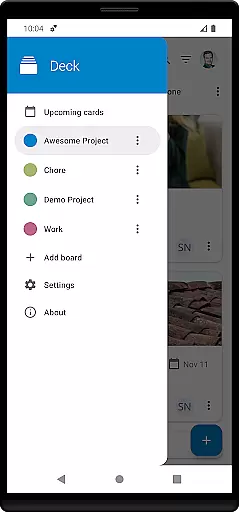
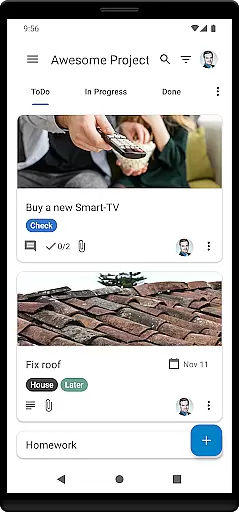
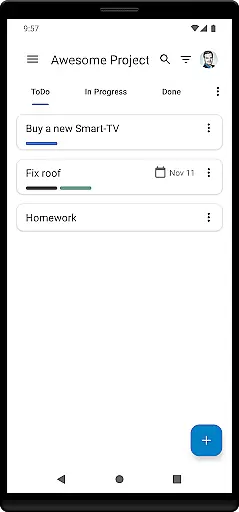
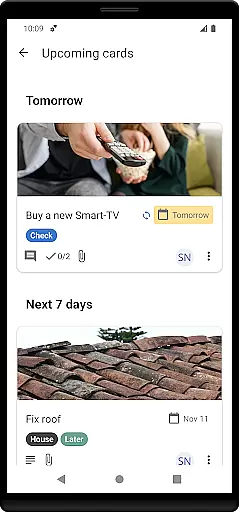

Nextcloud Deck is a productivity-focused application designed to streamline task management and team collaboration. This app allows users to create, organize, and manage cards, lists, and boards efficiently, making it an ideal tool for both personal and professional projects. With support for multiple accounts and offline functionality, users can access their data anytime, anywhere.
In addition to its core features, Nextcloud Deck supports attachments, activities, and comments, ensuring comprehensive communication within teams. The app also offers a dark mode and is available in many languages, enhancing user experience across different preferences and regions. Whether you're managing a small team or large-scale operations, Nextcloud Deck provides the tools necessary to keep everyone aligned and informed.
Nextcloud Deck stands out with its robust set of features tailored for efficient project management. One of its key capabilities is the support for multiple accounts, allowing users to switch between different Nextcloud instances seamlessly. The app's offline functionality ensures that users can continue working even without an internet connection, syncing data once connectivity is restored.
Another significant feature is the ability to manage cards, lists, and boards effectively. Users can categorize tasks using tags, attach relevant files, and track progress through activities and comments. The app's dark mode not only reduces eye strain but also conserves battery life on compatible devices. Furthermore, being translated into many languages makes Nextcloud Deck accessible to a global audience, breaking language barriers and fostering international collaboration.
Task management is a fundamental aspect of productivity applications like Nextcloud Deck. This feature allows users to create, assign, and track tasks efficiently.
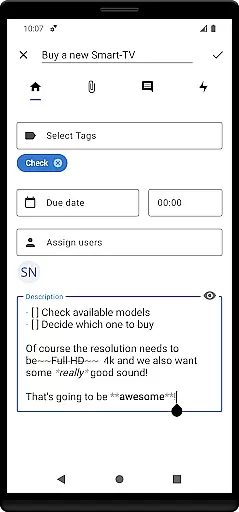
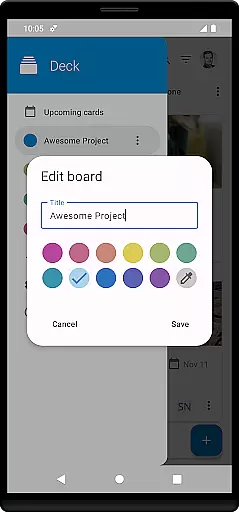
Nextcloud Deck provides an intuitive interface for managing cards, lists, and boards. Users can organize their projects into boards, categorize tasks into lists, and manage individual tasks as cards. Each card can be customized with tags, attachments, activities, and comments, ensuring comprehensive task tracking.
The offline functionality enhances the user experience by allowing uninterrupted access to tasks even without an internet connection. This ensures that users can continue working on their projects regardless of connectivity issues.
By integrating seamlessly with the Nextcloud ecosystem, including the Nextcloud Android app, this application offers a cohesive task management solution that fits well within existing workflows.
Cross-device synchronization is crucial for maintaining consistency across multiple devices in productivity tools such as Nextcloud Deck. It ensures that all changes made on one device are reflected accurately on others.
Nextcloud Deck excels in providing reliable synchronization capabilities. Whether you're using your smartphone, tablet, or computer, any updates to your boards, lists, or cards are instantly synced across all linked devices. This real-time update mechanism keeps everyone involved in a project up-to-date.
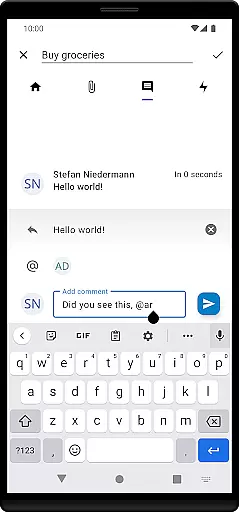
In addition to basic synchronization, Nextcloud Deck supports advanced features like managing attachments, activities, and comments. These elements are also synchronized across devices, ensuring no detail is missed during collaboration.
With support for multiple accounts and integration with the broader Nextcloud environment, Nextcloud Deck delivers a robust cross-device experience that enhances team collaboration and personal productivity alike.
User-friendly interface
Offline access
Multi-account support
Comprehensive task management
Global accessibility
Requires Nextcloud setup
Limited standalone functionality
No built-in calendar
Dependent on third-party apps
Advanced features need technical know-how

AI Video AI Image Private LLM AI Browser Llama Gemma Ollama Connect LLM Studio
 4.0
4.0
QuickBooks Workforce lets teams view pay info and track time in one place.
4.70
Ads Free App! Editor, Hide File, Copy, Move, Delete and Rename.. all facility av
1.70
Customizable calendar widget for seamless event sync, planning & scheduling.
4.00
A comprehensive suite of tools designed specifically for Lactation Consultants
4.0
The ultimate file manager for rooted devices. The original and still the best.
4.00
Intelligent AI Assistant
4.10
Understand anything with a personalized AI research assistant
4.80
Set up, print, and get support—in one place
4.20
Mind Map and brainstorm, note taking and idea collection
4.80
Tally and goal counter for Wear OS & mobile
4.50
A lightweight JSON & XML files creator, editor and viewer (Premium Version)
4.40
A Pixel Art watchface inspired by other iconic 90s designs for Wear OS devices!
4.40
Secure your apps with lock screens, use custom themes and different features.
4.40 4.20
4.20
Pwnagotchi companion app
4.20
Cloud storage, automatic phone backup, and more.
4.10
Unlock AutoNotification
4.00
A simple, portable logger for POTA, SOTA, Field Day, and more
4.4


User Reviews