

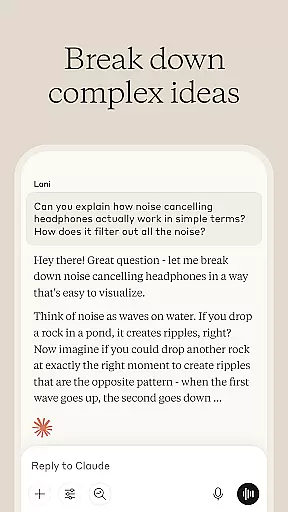
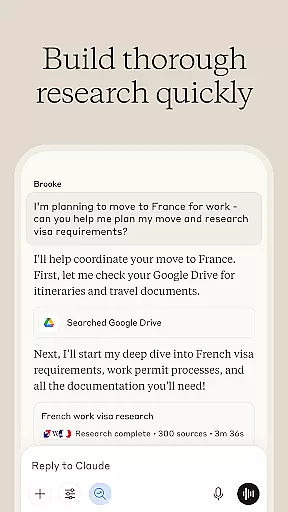
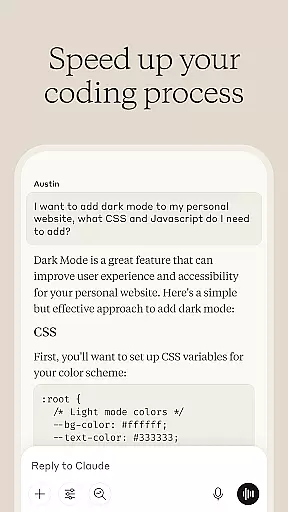
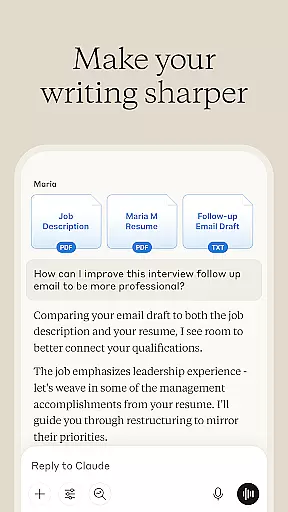
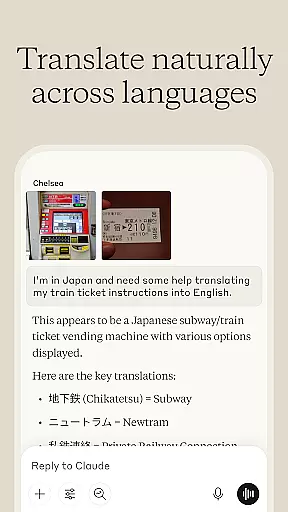

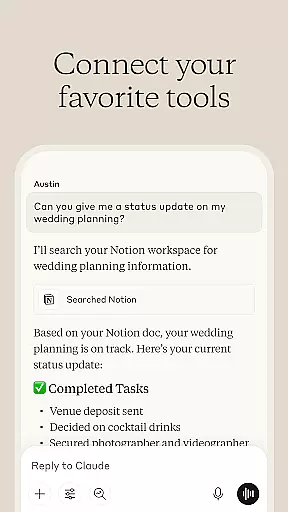
Claude by Anthropic is an advanced AI productivity tool designed to enhance your problem-solving capabilities. This versatile application serves as a collaborative partner for writing, research, coding, and complex problem analysis. With specialized features like AI writing assistance, data insights generation, and visual content analysis, Claude empowers users to tackle projects beyond their current expertise.
The application's strength lies in its ability to adapt to various professional needs. Whether you're developing polished content, analyzing research data, or debugging code across multiple programming languages, Claude provides step-by-step guidance and expert-level support. Its unique voice dictation feature and multi-language support make it accessible for international professionals on the go.
Claude distinguishes itself through its comprehensive suite of productivity tools. The AI writing assistant helps refine rough ideas into professional-grade content while maintaining your unique voice. It supports various formats from social media posts to complex reports, ensuring proper tone and clarity through iterative collaboration.
The application's research capabilities are equally impressive, allowing users to search across Google Drive, Gmail, and the web with accurate citations. Its coding assistance feature supports multiple languages including Python and JavaScript, providing detailed explanations behind solutions. The visual analysis tool can process PDFs, screenshots, and technical diagrams, while the voice dictation system enables hands-free brainstorming sessions.
What sets Claude apart is its ability to handle complex mathematical problems with step-by-step reasoning and its capacity to translate between 100+ languages with contextual understanding. These features, combined with its project planning tools and flowchart development capabilities, make it an indispensable asset for modern professionals seeking to expand their capabilities.
Task management is a cornerstone of productivity applications, and Claude excels in this area by offering users an AI-powered assistant that can help organize and prioritize tasks effectively. The app provides features such as developing reports, planning projects, and structuring ideas which are essential for efficient task management.
Claude's approach to task management involves a collaborative process where the AI works with you to refine content, surface key insights from meeting notes, and build marketing content iteratively. This ensures that your workflow is not only organized but also optimized for better output and clarity.
Users benefit from Claude's ability to tackle complex challenges by breaking them down into manageable steps. Whether it's exploring complex math problems with step-by-step reasoning or creating flowcharts, Claude equips users with tools to handle tasks that might otherwise seem daunting.
The true value of Claude's task management capabilities lies in its adaptability to various work environments and its capacity to expand what users can achieve, making it an invaluable asset for anyone looking to enhance their productivity through smart organization and prioritization techniques.
In today's fast-paced world, having reliable cross-device synchronization is vital for maintaining productivity on the go. Claude offers seamless integration across devices, ensuring that your work is always up-to-date and accessible wherever you are.
The app supports real-time updates, which means any changes made on one device will be instantly reflected on all others. This feature allows users to start a task on their phone during a commute and continue working on it from their desktop once they reach the office without missing a beat.
With support for multiple languages and over 100 translation options, Claude makes sure that language barriers do not hinder your workflow. Its voice dictation feature lets you think out loud and capture thoughts hands-free, syncing these inputs across all linked devices.
Ultimately, Claude's robust synchronization services provide peace of mind knowing that your data is securely backed up and consistently available, empowering you to focus on your tasks rather than worrying about technical inconsistencies between devices.
Advanced AI capabilities
Multi-language support
Versatile functionality
User-friendly interface
Reliable performance
Premium features locked
Occasional slowdowns
Limited free usage
Steep learning curve
Resource intensive

A customizable calendar for your Wear OS watch
 4.20
4.20
Experience real multitasking on your Android!
4.00
Native client for Forgejo and Gitea
5.00
Smart PDF reader & editor to view, organize and manage PDF documents easily.
3.70
The Pro Version of Android's tiniest Notepad app. Just 0.3MB but feature-packed!
4.60
Font maker keyboard with your own handwriting
4.10
Ultimate Virtual AI Character for immersive Roleplay Chat. Perfect Companion
3.90
Lightweight PDF, Word, Excel reader.
4.60
AT&T Internet customers can use this app to personalize their Wi-Fi network.
4.40
Multilingual translator for text, voice, and image translation!
4.90
Great calculator for Android named one of USA TODAY's "25 Essential Apps".
4.90
Scientific calculator for Android - looks and operates like the real thing!
4.90
CalenGoo is a very flexible and feature-rich calendar app
4.40
Automates browsing any website and notifies you of important changes or events
4.30
Todo reminder
4.10
Take control of your clipboard with Clipper!
3.90
Access your phone's notifications, calls, apps, photos & texts on your PC
3.90
Mega cloud explorer plugin for Solid Explorer
3.80
The upgraded version of Name Wheel with AI and the power to add your own wheels.
4.0


User Reviews