
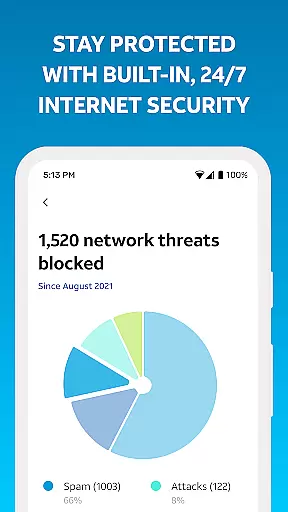
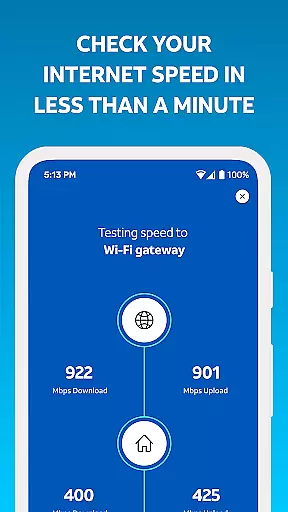
Smart Home Manager is a comprehensive productivity tool designed to simplify the management of your AT&T Internet service. The app offers an intuitive interface that allows users to effortlessly set up and manage their home network. With technician-free troubleshooting, users can resolve issues independently while enjoying complete control over their Wi-Fi settings.
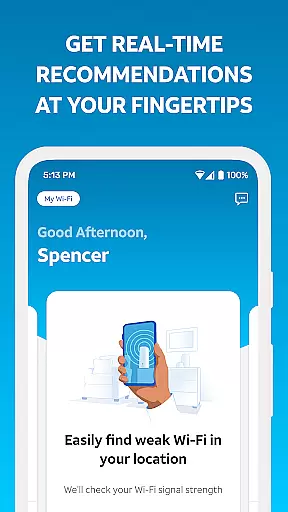
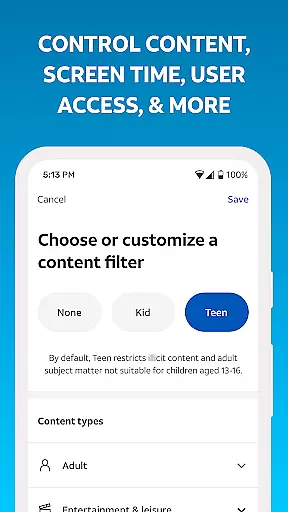
The application enables users to personalize device names, create profiles, and establish parental controls to manage screen time effectively. Additional features include pausing Wi-Fi access for specific devices, testing Internet speed, identifying weak signal areas, and monitoring network health. These capabilities ensure optimal performance and reliable connectivity throughout the home.
Available exclusively to AT&T Internet customers with compatible Wi-Fi gateways, Smart Home Manager provides real-time notifications about service outages and network issues. This functionality empowers users to maintain a healthy home network environment while offering convenient tools for restarting the Wi-Fi gateway and adjusting various settings as needed.
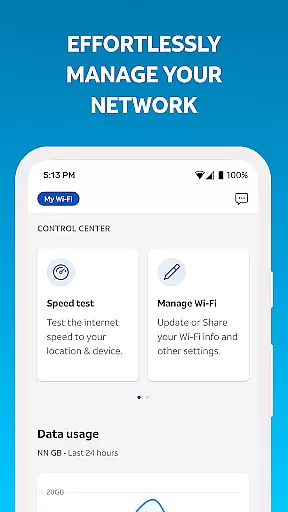
Smart Home Manager distinguishes itself through its extensive feature set tailored for home network management. The app's primary advantage lies in its all-in-one approach, combining network setup, troubleshooting, and advanced management tools within a single interface. Users can easily modify essential network parameters such as Wi-Fi name and password while maintaining complete visibility of connected devices.
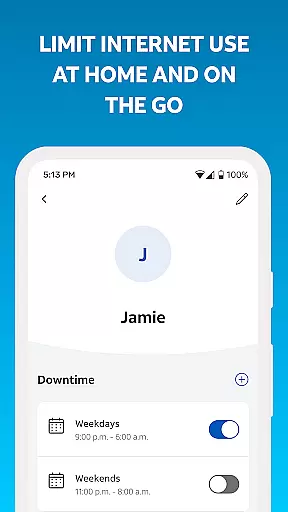
A key innovation is the app's parental control system, allowing parents to create customized profiles and establish downtime schedules for individual family members. The application also includes sophisticated network diagnostic tools, enabling users to test Internet speed, map signal strength throughout their home, and receive proactive notifications about potential issues. These features collectively contribute to maintaining optimal network performance.
The app's compatibility with AT&T's infrastructure ensures seamless integration with supported Wi-Fi gateways, providing accurate network health assessments and remote management capabilities. While primarily focused on home networks, these features demonstrate the app's commitment to delivering professional-grade tools for residential users seeking enhanced control over their Internet experience.
Task management is a cornerstone of productivity applications, and the Smart Home Manager excels in this area. This app provides users with the tools necessary to handle various aspects of their home network efficiently.
With features such as personalized device naming, parental controls, and downtime scheduling, it allows for meticulous organization and control over the household's digital environment. Users can easily create profiles and manage screen time, ensuring that every family member adheres to healthy internet usage habits.
The ability to pause Wi-Fi access for any device adds another layer of task management, giving users immediate control over their network resources. This feature is particularly useful during family time or when prioritizing bandwidth for work or study.
By integrating these comprehensive task management capabilities, Smart Home Manager empowers users to maintain an organized, efficient, and adaptable home network that meets the dynamic needs of modern households.
Cross-device synchronization is vital for maintaining a seamless user experience across multiple platforms. The Smart Home Manager ensures reliable synchronization, allowing users to manage their AT&T Internet service from various devices without interruption.
This reliability is evident when users sign in with their AT&T Internet User ID and password, granting them consistent access to network management tools regardless of the device they use. Whether it's a smartphone, tablet, or desktop, the app delivers a uniform interface and functionality.
Moreover, the app's capability to test Internet speed and pinpoint weak signal spots throughout the home remains synchronized across devices. This means users can start a task on one device and continue on another with updated and accurate information at their fingertips.
Smart Home Manager's steadfast cross-device synchronization offers peace of mind, assuring users that their network management tasks are up-to-date and reliable, no matter where or on which device they access the app.
User-friendly interface
Comprehensive network tools
Effective parental controls
Real-time issue alerts
Remote management options
Limited to AT&T customers
Gateway model restrictions
Home Wi-Fi only
No third-party support
Internet required

Mind Map and brainstorm, note taking and idea collection
 4.80
4.80
Remotely view listen control and record cameras.
3.70
CalenGoo is a very flexible and feature-rich calendar app
4.40
All in One PDF Reader: Manage, Read and Edit your Documents
4.20
Functional QR scanner and barcode reader that requires little storage space.
4.60
A simple Whisper AI keyboard for reliable speech transcription and rewording
4.60
This small app MUST BE INSTALLED after purchase, else license won't work
4.40
Daily processing of PDF documents.
4.40
2026 USPS Alpha/Color coded calendar Sunday/Rotating day off schedules
4.5
Multilingual translator for text, voice, and image translation!
4.90
Simple notepad & memo. Take notes, to-do list, shopping list with reminders.
4.80
The long-awaited modern gallery app for your Nextcloud server
4.70
App lock - lock apps with fingerprint, password, pin or pattern, protect privacy
4.70
Scan paperwork into PDF/JPG, generate your own e-signature and send fax or email
4.70
Client for Nextcloud Deck
4.60
Secure your apps with lock screens, use custom themes and different features.
4.40
Automates browsing any website and notifies you of important changes or events
4.30
Professional calendar app for Google Calendar, MS Outlook & Exchange
4.20
A Revolutionary All-in-One Artificial Intelligence Tools
3.80


User Reviews