
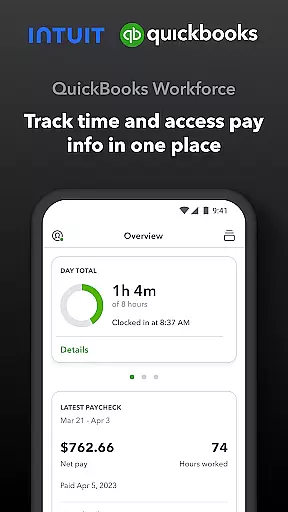
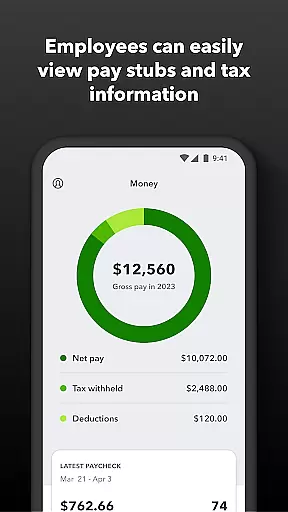
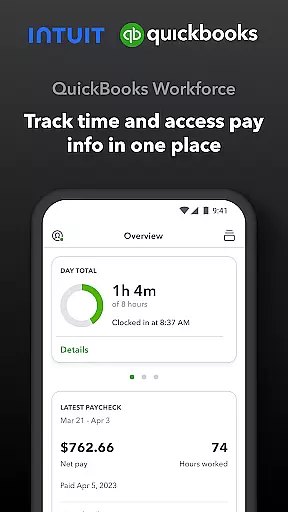
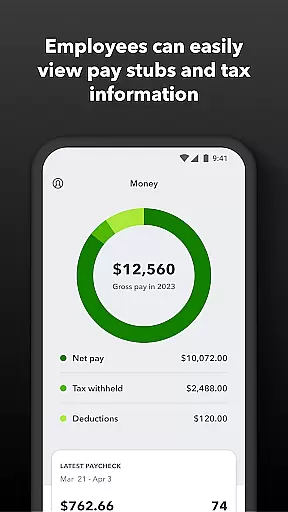
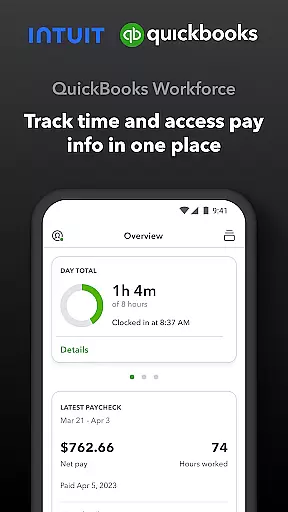
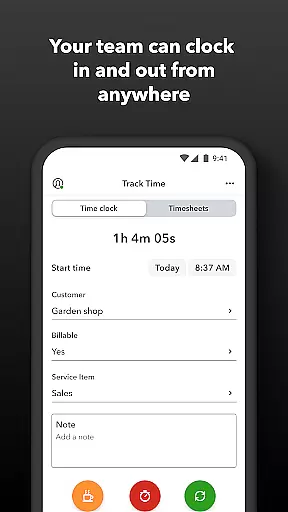
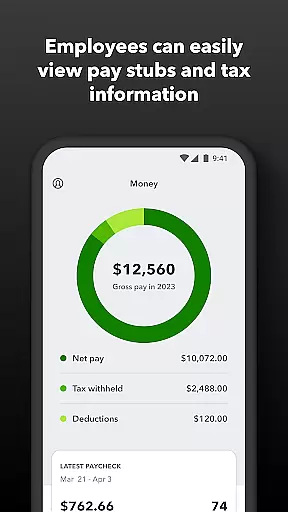
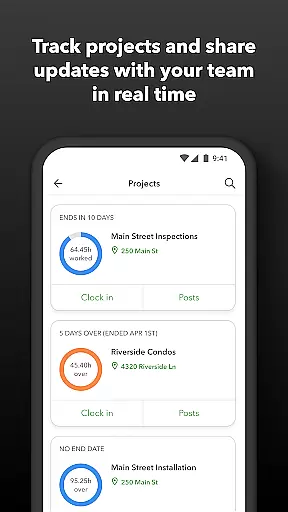
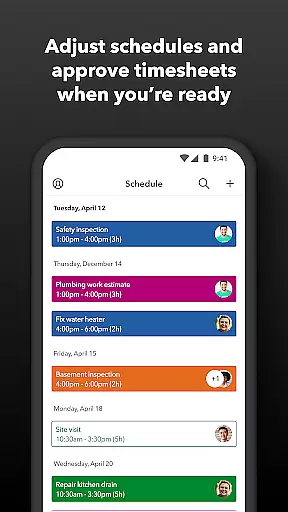
QuickBooks Workforce is a comprehensive productivity app designed for businesses using QuickBooks Payroll and QuickBooks Time. This powerful tool allows teams to conveniently view pay information and track time from a single platform. Employees can access essential documents like pay stubs and W-2s anytime, anywhere, while also managing their work schedules and tracking time through innovative GPS-based features.
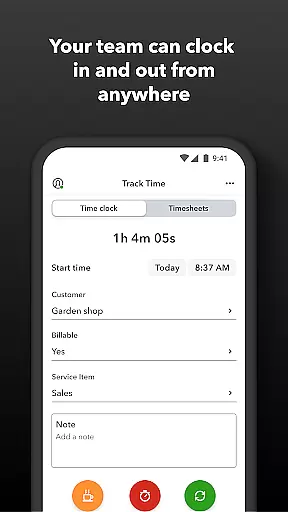
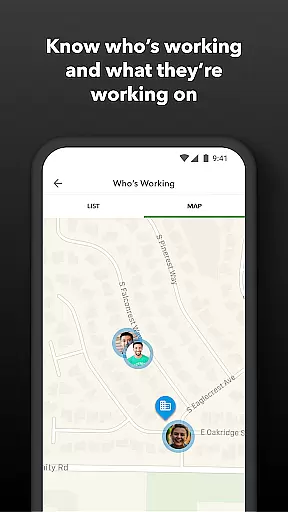
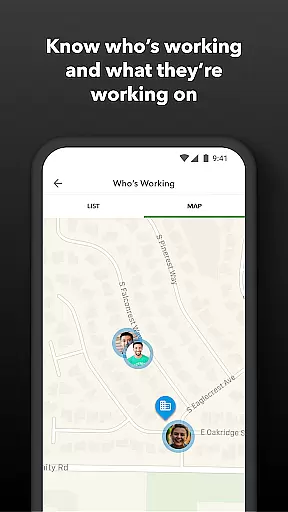
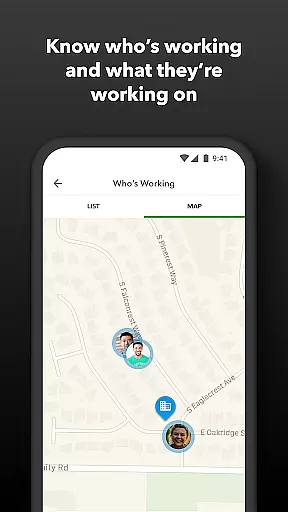
The app's key strength lies in its dual functionality for both employees and administrators. Workers can clock in and out even without internet connection, submit time-off requests, and manage their timesheets efficiently. Meanwhile, employers gain valuable oversight capabilities, including real-time team location tracking, automated scheduling alerts, and detailed time reporting features. These functions are particularly beneficial for businesses seeking to optimize workforce management and improve operational efficiency.
One notable application scenario involves construction companies or field service providers who need precise time tracking across multiple job sites. The app's geofencing feature automatically prompts workers to clock in or out when entering or leaving a job site, ensuring accurate time records while minimizing manual input. This level of automation not only saves time but also helps prevent costly payroll errors, making it an invaluable asset for modern businesses looking to streamline their operations.
QuickBooks Workforce distinguishes itself through several innovative features that enhance workplace productivity. The app's most prominent capability is its sophisticated time tracking system, which includes offline functionality, GPS-based location services, and automated break tracking. These features work together to provide unprecedented accuracy in recording employee work hours while maintaining flexibility for various work environments.
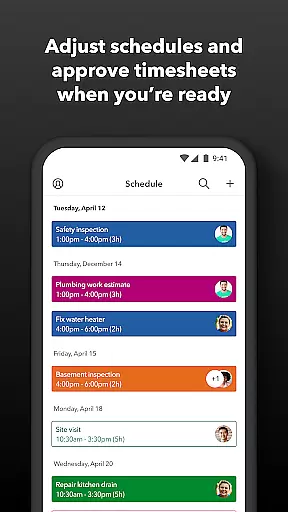
Another significant aspect is the app's comprehensive administrative tools. Managers can approve or modify timesheets, create detailed work schedules, and monitor team productivity through real-time reporting. The app's integration capabilities are particularly noteworthy, as it seamlessly connects with QuickBooks Online and Desktop versions, eliminating the need for manual data entry. Additionally, the developer API allows for custom integrations with other business systems, creating a unified ecosystem for financial and operational management.
These features deliver substantial value to users by reducing administrative burdens, improving data accuracy, and providing actionable insights into workforce performance. The ability to generate reports in multiple formats (PDF, CSV, HTML) further enhances the app's utility, while its automated alerts help prevent costly overtime expenses. For businesses seeking to modernize their workforce management processes, these capabilities represent a significant competitive advantage.
Task management is a critical component of productivity applications like QuickBooks Workforce. This app provides an all-encompassing solution for managing employee timesheets, schedules, and time-off requests.
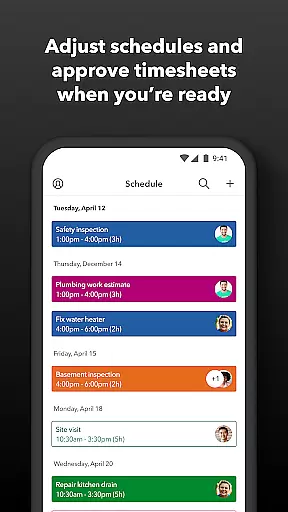
Employers and admins can approve, edit, or delete timesheets, set up schedules by job or shift, and receive alerts if employees don't clock in as planned. The application also supports real-time tracking to see who is working and where, which significantly enhances workforce oversight and operational efficiency.
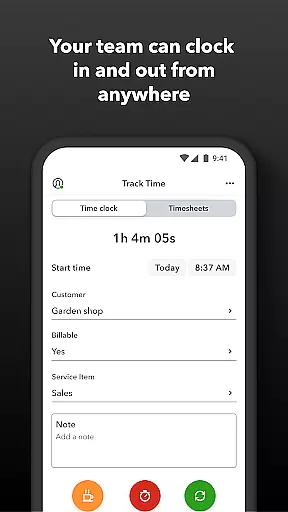
For the team, QuickBooks Workforce offers functionalities such as clocking in and out even without Wi-Fi, submitting requests for paid time off, and managing job schedules. These features ensure that employees can manage their time effectively while providing employers with accurate data to make informed decisions.
The true value lies in its seamless integration with existing payroll and accounting systems, reducing manual data entry and ensuring real-time updates. This cohesion not only saves on payroll costs but also protects businesses against labor disputes with detailed time logs, replacing traditional paper timesheets.
Cross-device synchronization is vital for ensuring that all users have access to the most current data regardless of the device they use. QuickBooks Workforce excels in this area by offering reliable synchronization across multiple platforms.
Team members can access their pay stubs, W-2s, and other pay information anytime and anywhere. They can also edit timesheets, switch jobs, pause tracking, or take breaks. This flexibility ensures that everyone is on the same page, whether they are using a smartphone, tablet, or computer.
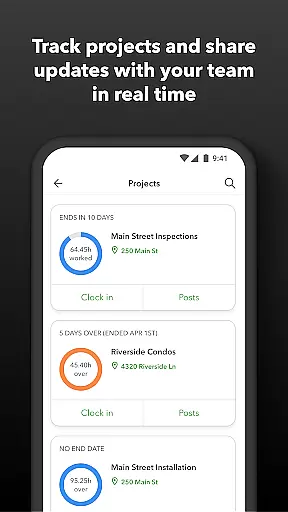
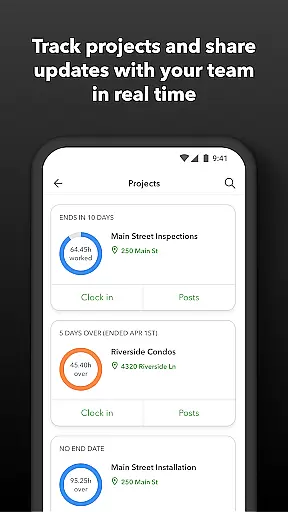
For employers, the ability to oversee team productivity and project status in real time is a game-changer. The app provides day and week totals and other time reports at a glance, allowing for quick adjustments to budgets, deadlines, and resources as needed.
Moreover, QuickBooks Workforce integrates seamlessly with QuickBooks Online and QuickBooks for PC, along with other payroll, accounting, and invoicing software. This ensures that data flows smoothly between systems, enhancing accuracy and saving time. With these capabilities, businesses can focus more on growth and less on administrative tasks.
User-friendly interface
Real-time tracking
Offline functionality
Seamless integration
Comprehensive reporting
Premium features expensive
Complex setup process
Limited free version
Occasional sync issues
Steep learning curve

The long-awaited modern gallery app for your Nextcloud server
 4.70
4.70
Cloud storage, automatic phone backup, and more.
4.10
Translate text/voice/photos in 150+ languages. Offline & fast translator app.
4.50
* block pre-roll ads, pop-up and forced redirect ads * Samsung certification app
4.00
A Pixel Art watchface inspired by other iconic 90s designs for Wear OS devices!
4.40
The ultimate file manager for rooted devices. The original and still the best.
4.00
Access your phone's notifications, calls, apps, photos & texts on your PC
3.90
Secure your apps with lock screens, use custom themes and different features.
4.40
Lightweight PDF, Word, Excel reader.
4.60
Scientific calculator for Android - looks and operates like the real thing!
4.90
Protect and view your important info on your phone and tablet with eWallet®
4.80
Understand anything with a personalized AI research assistant
4.80
App lock - lock apps with fingerprint, password, pin or pattern, protect privacy
4.70
A beautiful digital clock with autostart and many other functions
4.70
The AI assistant that thinks with you - write, code, and solve complex tasks
4.60
Planet Free VPN - The best Fast Unlimited and Secure VPN Without Logs
4.50
Subscribe to Webcal & .ics calendars and keep them up-to-date!
4.50
Experience Reading - Night Mode for Documents
4.40
Ultimate Virtual AI Character for immersive Roleplay Chat. Perfect Companion
3.90


User Reviews