
ID.me Authenticator is a productivity app designed to enhance account security through Two Factor Authentication (2FA). It generates 6-digit Time-Based One-Time Passwords (TOTP) and provides PUSH notification-based authentication. Users can secure their online accounts on websites supporting 2FA without needing a network or cellular connection when using TOTP.
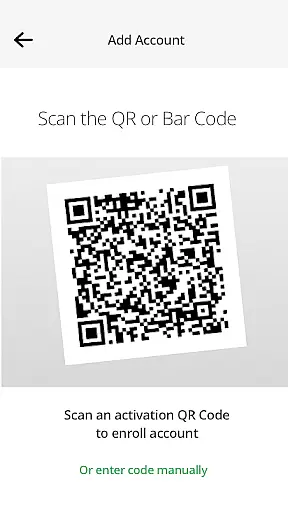
The app supports two modes of authentication. As a TOTP code generator, it requires a username, password, and verification code for account access. For PUSH-based authentication, users approve push notifications after entering their credentials. Both methods require initial enrollment by scanning a QR code to connect the app to the user's ID.me account.
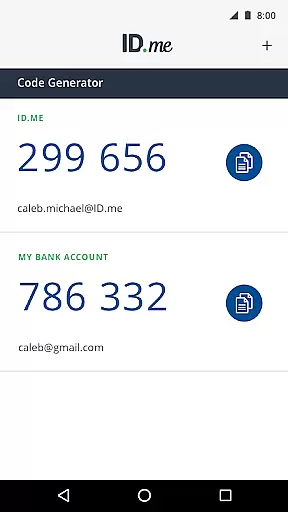
ID.me Authenticator offers robust features for securing online accounts. Its TOTP functionality generates unique 6-digit codes that refresh periodically, ensuring secure access even without an internet connection. This feature is particularly useful in areas with poor connectivity or when traveling.
The app also supports PUSH-based authentication, allowing users to approve login attempts via notifications sent directly to their devices. This one-touch solution simplifies the authentication process while maintaining high-security standards. Both TOTP and PUSH methods require initial setup through QR code scanning, enabling seamless integration with existing ID.me accounts.
These features collectively help prevent unauthorized access by adding an extra layer of security beyond just usernames and passwords. The combination of offline code generation and instant push notifications makes ID.me Authenticator a versatile tool for enhancing personal and professional account security.
In the realm of productivity, core task management is pivotal for organizing and prioritizing tasks efficiently. ID.me Authenticator excels in this area by providing a seamless two-factor authentication process that integrates smoothly into your daily routine.
The app generates 6-digit Time-Based One-Time Passwords (TOTP) and supports PUSH notification-based one-touch authentication. This dual approach ensures that users can authenticate their accounts quickly and securely, without disrupting their workflow.
By enabling users to generate verification codes without needing a network or cellular connection, ID.me Authenticator offers an uninterrupted task management experience. This feature is particularly beneficial when you are in environments with limited connectivity but need to access your accounts urgently.
Cross-device synchronization is crucial for maintaining consistency and reliability across multiple devices. ID.me Authenticator ensures that your authentication data is synchronized accurately and promptly, regardless of the device you are using.
With support for both TOTP code generation and PUSH notifications, the app provides flexible options for securing your accounts. Whether you are on your mobile phone or another connected device, ID.me Authenticator keeps your authentication methods up-to-date and accessible.
This reliable synchronization not only enhances security but also offers peace of mind, knowing that your accounts are protected across all your devices. The ability to enroll and connect the app to your account via QR code scanning further simplifies the setup process, ensuring a smooth and dependable cross-device experience.
Enhanced Security
Easy Setup Process
Offline Code Generation
Instant Push Notifications
Wide Compatibility
Limited to ID.me Accounts
Requires Initial Enrollment
No Biometric Options
QR Code Dependency
Push Notification Limitations

Secure, fast, open-source, VNC and SSH Remote Desktop for Windows, Linux and Mac
 4.70
4.70
A customizable calendar for your Wear OS watch
4.20
All in one sketching tool. Technical and General drawing. Online Maps support.
3.70
Easily read and manage all your PDF files
4.10
8 custom complications. Custom Time Fonts. Beautiful color schemes. A++ Design.
5.00
Pwnagotchi companion app
4.20
App lock - lock apps with fingerprint, password, pin or pattern, protect privacy
4.70
Multilingual translator for text, voice, and image translation!
4.90
Calendar 2023 widget for Android. Appointment scheduler, planner, and reminder
4.60
Best Tool for the professionals Electrician, Electrical contractors, etc.
4.90
Quickly and easily keep track of your work shifts
4.70
The AI assistant that thinks with you - write, code, and solve complex tasks
4.60
PDF scanner & converter for files, photos, lottery, QR codes. One swipe away!
4.50
Experience Reading - Night Mode for Documents
4.40
Make apps & sites with natural language prompts
4.10
Experience real multitasking on your Android!
4.00
Secure, open-source, SPICE and SSH Remote Desktop for QEMU KVM virtual machines
4.00
Ultimate Virtual AI Character for immersive Roleplay Chat. Perfect Companion
3.90
IP Camera Viewer - Android TV : RTSP Surveillance camera viewer for Android TV
4.5


User Reviews