
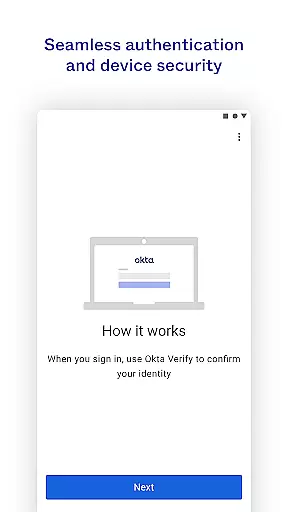
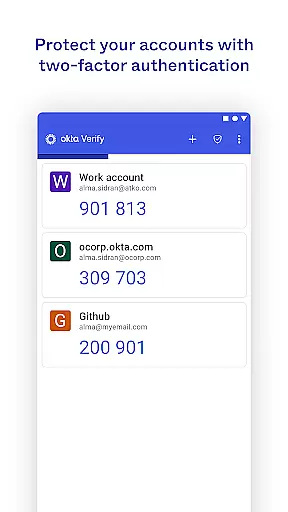
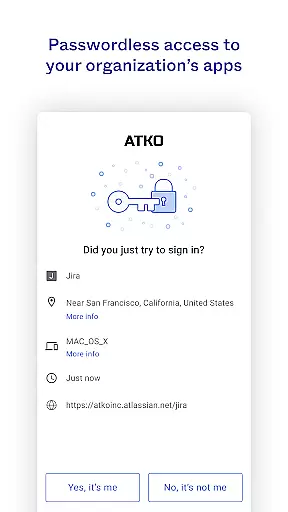
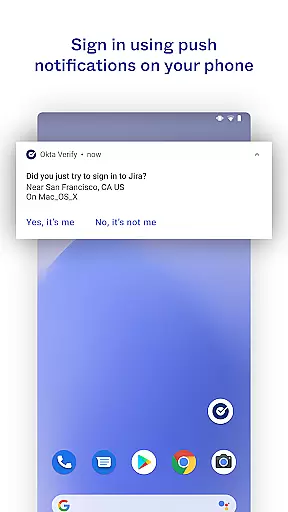
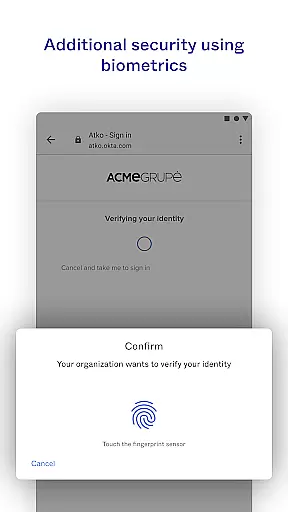
Okta Verify is a productivity-focused application designed to enhance security through two-step verification. This app ensures that only authorized users can access their accounts by providing multiple authentication methods. Users can choose between push notifications, temporary 6-digit codes, or biometric verification if enabled by their organization.
The app integrates seamlessly with your existing systems and offers a simple enrollment process using QR codes. By scanning the QR code during setup, users can quickly link their devices to their accounts. Okta Verify's robust security measures make it an essential tool for businesses looking to protect sensitive data while maintaining ease of access for employees.
Okta Verify stands out with its diverse authentication options. The app supports push notifications sent directly to your device, allowing for quick and easy verification. For environments where push notifications are not ideal, users can rely on time-based one-time passwords (TOTP) in the form of 6-digit codes that refresh every 30 seconds.
Biometric authentication adds another layer of convenience and security, utilizing fingerprint or facial recognition based on device capabilities. Additionally, Okta Verify requires camera access to scan QR codes during the initial setup, streamlining the enrollment process. These features collectively ensure secure and efficient access management tailored to organizational needs.
Okta Verify excels in core task management by providing a streamlined approach to secure app access through two-step verification. This ensures that only authorized users can access their accounts.
The application offers multiple verification methods including push notifications, temporary 6-digit codes, and biometric authentication. These options allow users to choose the most convenient and secure method for their needs.
By integrating these advanced security features, Okta Verify simplifies the user experience while maintaining high-security standards. Users can efficiently manage their app access without compromising on safety.
This focus on both security and usability makes Okta Verify an essential tool for individuals and organizations looking to protect sensitive information and maintain productivity.
Cross-device synchronization is a critical feature of Okta Verify, ensuring that users can seamlessly verify their identity across multiple devices. This reliability is crucial for maintaining consistent access to important applications.
When enrolling a new device, Okta Verify uses the device's camera to scan a QR code, facilitating quick and accurate setup. This process ensures that all devices are properly synchronized and ready for secure access.
The app's ability to maintain synchronization across various devices enhances user flexibility and convenience. Whether at home, in the office, or on the go, users can trust that their verification methods will work consistently.
Ultimately, Okta Verify's robust cross-device synchronization capabilities provide peace of mind, knowing that secure access is always available regardless of the device being used.
Enhanced Security
User-Friendly Interface
Multiple Verification Methods
Seamless Integration
Quick Enrollment Process
Requires Internet Connection
Dependent on Device Compatibility
Limited Customization Options
Potential Privacy Concerns
Organization-Specific Features

Secure, fast, open-source, VNC and SSH Remote Desktop for Windows, Linux and Mac
 4.70
4.70
Experience real multitasking on your Android!
4.00
A lightweight JSON & XML files creator, editor and viewer (Premium Version)
4.40
Customizable calendar widget for seamless event sync, planning & scheduling.
4.00
Enjoy classic gameplay with customizable features and retro-style graphics.
4.30
Create and edit presentations with Google Slides, part of Google Workspace.
4.00
Access your phone's notifications, calls, apps, photos & texts on your PC
3.90
Seamlessly read, manage, and organize all your PDF files solution in one place
4.40
Note taking, handwriting, record audio, PDF annotation, planner & journal
4.20
Seamlessly integrate data and reports to build your presentation to impress
4.80
A simple Whisper AI keyboard for reliable speech transcription and rewording
4.60
Lightweight PDF, Word, Excel reader.
4.60
Pwnagotchi companion app
4.20
All in One PDF Reader: Manage, Read and Edit your Documents
4.20
Todo reminder
4.10
Wake up & get tasks done! Add alarms & reminders on the Clock Launcher.
4.00
Smart PDF reader & editor to view, organize and manage PDF documents easily.
3.70
Ads Free App! Editor, Hide File, Copy, Move, Delete and Rename.. all facility av
1.70
IP Camera Viewer - Android TV : RTSP Surveillance camera viewer for Android TV
4.1


User Reviews