
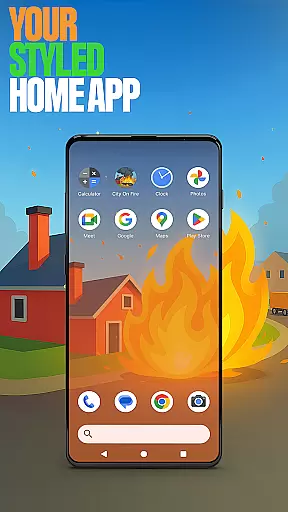



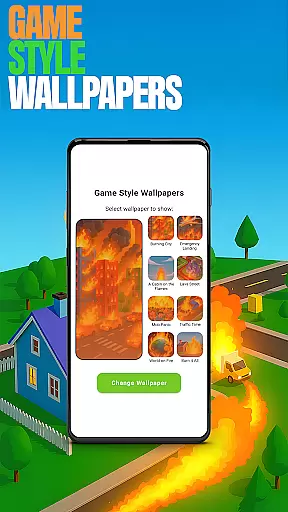

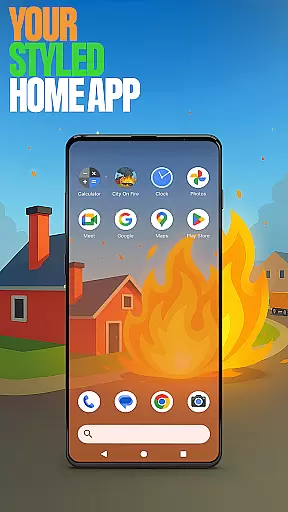


City On Fire Home App is a dynamic personalization tool that allows users to create a home screen reflecting their unique style. This launcher offers complete layout customization, enabling users to organize apps into folders and select personalized color schemes. With its sleek design and modern feel, the app enhances daily smartphone interactions by providing both aesthetic and functional improvements.
A key feature is the ability to set this as the default home app through device settings, while still allowing easy reversion to previous launchers. The app also integrates elements from the City On Fire game, offering themed wallpapers and exciting gameplay directly accessible from the home screen. These combined features deliver an engaging user experience that blends practical utility with entertainment value.
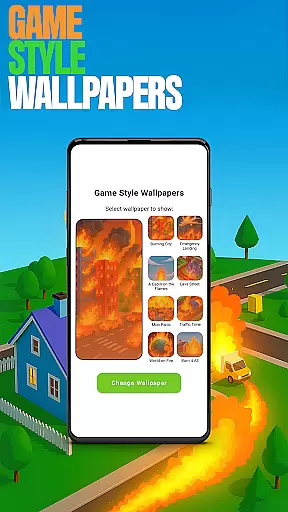
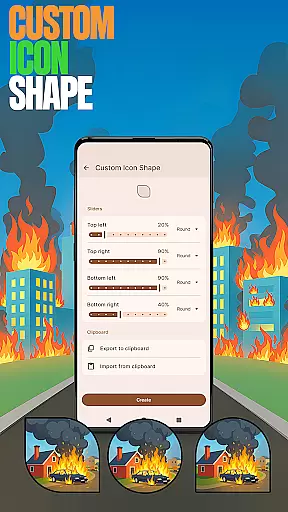
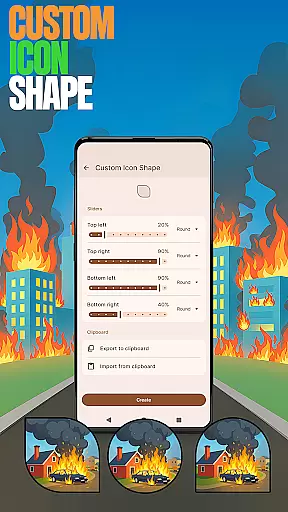
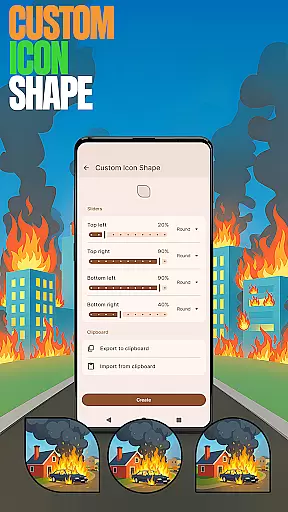
City On Fire Home App distinguishes itself through innovative personalization features. Users can access unique game-style wallpapers inspired by the City On Fire game, adding distinctive visual themes to their home screens. The app provides custom icon shapes, allowing users to personalize their device's appearance with various icon styles.
Advanced functionality includes customizable gestures for quick app access, hidden app options for privacy management, and accent color settings for cohesive device theming. These features are easily accessible through a simple long-press on the home screen, opening a menu of customization options. Each feature is designed to give users precise control over their device's appearance and functionality.
The app's integration of gaming elements with practical launcher functions creates a unique hybrid experience. Users can enjoy both productivity-enhancing tools and entertainment features within a single interface, making it particularly appealing to those seeking both personalization and amusement in their mobile experience.
Customization is at the heart of City On Fire Home App, allowing users to tailor their device's interface to match their personal style. This app offers a wide array of customization features that cater to different preferences and needs.
Users can choose from various icon shapes, apply unique game-inspired wallpapers, and even adjust accent colors to create a personalized look. The ability to hide apps adds an extra layer of privacy, ensuring that your device remains truly yours.
The app also supports custom gestures, enabling quick access to frequently used functions or apps through simple swipes or taps. These options collectively enhance user interaction and streamline daily tasks.
By providing such diverse customization possibilities, City On Fire Home App empowers users to craft a home screen that not only looks distinctive but also functions in a way that suits their lifestyle best.
Theme compatibility is a crucial aspect of any personalization app, and City On Fire Home App excels in this area by offering seamless integration with various themes. Users can expect consistent visual experiences across their devices without compromising on aesthetics.
This launcher supports both preset themes and custom color schemes, allowing for extensive personalization. Whether you prefer vibrant hues or subtle tones, the app adapts to your choices while maintaining optimal performance.
Moreover, the app ensures that all applied themes are compatible with its core features, such as icon shapes and wallpapers. This guarantees a cohesive appearance throughout the user interface, enhancing overall usability.
With robust theme compatibility, City On Fire Home App delivers a visually pleasing and functionally rich experience, making it easy for users to maintain their desired aesthetic across different sections of their device.
Highly customizable
Unique game theme
Privacy-focused features
Intuitive gesture controls
Vibrant color options
May overwhelm beginners
Game ads present
Settings navigation complex
Occasional performance lag
Limited stock icons

Stunningly Different look with Line Icons and Neon Colors
 4.60
4.60
Vertically oriented rectangular icons
4.70
Make your phone look simple & luxury, like iDevice
4.60
Art & Emoji Keyboard with Cool Fonts, Cute Themes and Custom Designs.
4.40
Unique Fonts, typefaces and stylish text. Fonts for Instagram, Whatsapp & others
4.20
Customize glowing edges, wallpapers, and caller screen with EdgeAura.
3.50
Yandex Browser — stylish and secure, with voice search and data compression
4.40
Modern Glass Icon Pack with glossy icons, clean minimal theme & aesthetic style
4.5
Fast SMS & group chat - use GIFs and emojis from your home screen launcher.
4.50
Only for Wear OS devices!
4.90
400+ Beautifully crafted widgets inspired by NOTHING.
4.70
Ninja Turtles Cowabunga SE watch face for Wear OS
4.50
Fingerprint Lock Screen & Live Animations with 4K Wallpapers as Live Wallpaper
4.40
The definitive Icon pack maker and editor
4.30
Your home screen, just the way you like it.
4.30
Organize and manage your photos and videos effortlessly with Photo Gallery
4.20 3.50
3.50
Struggling to find apps? Use this app to locate and open any app on your phone!
2.20
⭐ OneUI inspired Fluffy Icon Pack – Soft. Stylish. Standout. ⭐
4.4
Wallpaper Engine Android review—PC sync setup, crash issues, sound reactive limitations, and whether this free companion app is actually good.


User Reviews