


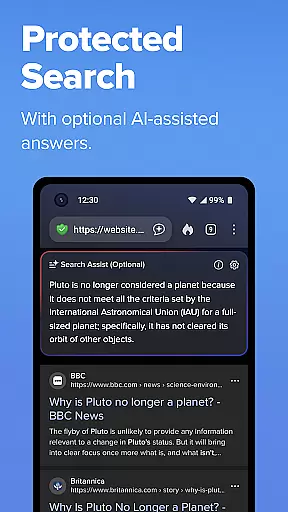
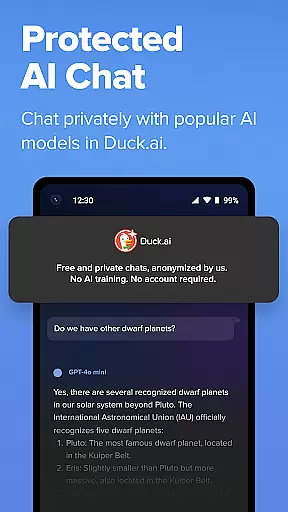
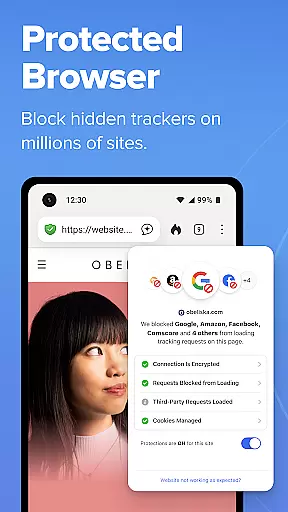

DuckDuckGo is a privacy-focused search and browsing application designed to protect users' personal information from being tracked by hackers, scammers, and data-collecting companies. The app offers a built-in search engine that functions similarly to Google but without tracking user searches. It includes features such as ad tracker blocking, cookie blocking, and private AI interactions through Search Assist and Duck.ai.
With its comprehensive privacy protections, DuckDuckGo shields users' browsing history by blocking third-party trackers before they load, enforces encryption on many sites, and prevents fingerprinting attempts. Optional features like Email Protection and secure syncing of bookmarks enhance user privacy further. The app also provides a subscription service for advanced privacy tools.
DuckDuckGo stands out with its robust privacy protection features. The app blocks most third-party trackers before they load, ensuring users' browsing activities remain private. Its tracker blocking exceeds what popular browsers offer by default, providing an enhanced layer of security.
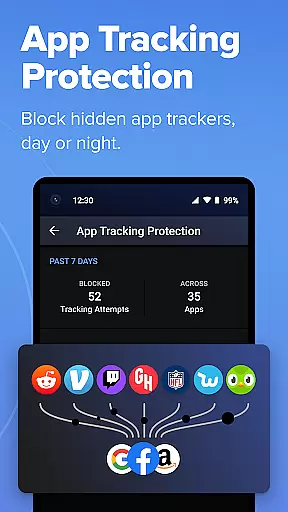
The app's built-in search engine allows users to search the web without being tracked, while optional AI features enable private conversations with third-party models without using personal data for training. DuckDuckGo also offers additional tools like Email Protection, YouTube video viewing without targeted ads, and App Tracking Protection that works locally on the device.
Users can benefit from automatic HTTPS enforcement, private AI chats, and optional secure syncing of data across devices. These features collectively ensure a high level of privacy and security, distinguishing DuckDuckGo in the realm of productivity apps focused on safeguarding user information.
In today's fast-paced digital world, managing tasks efficiently while maintaining privacy is crucial. DuckDuckGo offers a unique approach to task management by integrating privacy-focused search and browsing protections into your daily workflow. This ensures that while you organize and execute tasks, your personal information remains secure from trackers and data collectors.
The app provides robust tools such as tracker blocking, cookie protection, and encryption enforcement, which collectively contribute to a seamless task management experience without compromising on privacy. These features are particularly beneficial for users who frequently browse the internet for research or work and want to ensure their activities remain confidential.
Additionally, DuckDuckGo's optional integrated AI features like Search Assist enhance productivity by offering intelligent suggestions and insights, all while adhering to strict privacy standards. Users can thus focus on their core tasks without worrying about their data being exploited for ad targeting or other invasive purposes.
By combining essential task management capabilities with top-notch privacy protections, DuckDuckGo empowers users to take control of both their productivity and personal information, making it an ideal choice for those seeking a secure and efficient way to manage their online activities.
One of the key challenges in modern productivity tools is ensuring reliable cross-device synchronization without compromising user privacy. DuckDuckGo addresses this challenge head-on by providing secure syncing options that allow users to maintain consistency across multiple devices while safeguarding their personal data.
The app's Sync and Backup feature enables encrypted bookmarks and passwords to be shared across devices, ensuring that users can access their critical information wherever they are. This functionality is particularly useful for individuals who use different devices throughout the day and need to keep their data up-to-date and accessible.
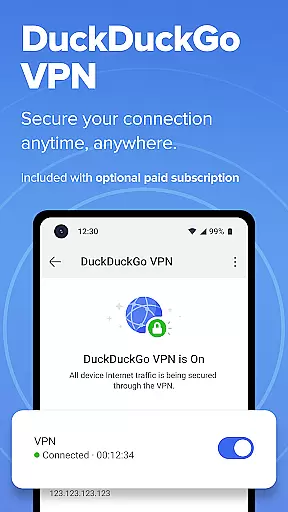
DuckDuckGo employs strong encryption protocols to protect synchronized data, ensuring that even if information is intercepted during transfer, it remains unreadable and secure. This commitment to security extends to its subscription service, which includes additional benefits like VPN protection for up to five devices, further enhancing cross-device reliability.
By prioritizing both synchronization reliability and data security, DuckDuckGo sets itself apart as a productivity tool that respects user privacy while delivering consistent performance across various platforms. This dual focus makes it an excellent choice for users seeking dependable and private cross-device task management solutions.
Privacy-focused search
Tracker blocking
Private AI features
Secure encryption
Email protection
Limited search results
No native maps
Fewer customization options
Less popular extensions
Subscription required for advanced features

 4.20
4.20
A Revolutionary All-in-One Artificial Intelligence Tools
3.80
Ads Free App! Editor, Hide File, Copy, Move, Delete and Rename.. all facility av
1.70
Easily read and manage all your PDF files
4.10
Make apps & sites with natural language prompts
4.10
Subscribe to Webcal & .ics calendars and keep them up-to-date!
4.50
Docker, Kubernetes management over Portainer Mobile
4.40
Simple notepad & memo. Take notes, to-do list, shopping list with reminders.
4.80
Okta MFA
4.70
All document reader, all in one file viewer read PDF, DOCX, XLS, PPT, TXT files.
4.60
Planet Free VPN - The best Fast Unlimited and Secure VPN Without Logs
4.50
Enjoy classic gameplay with customizable features and retro-style graphics.
4.30
Cloud storage, automatic phone backup, and more.
4.10
Unlock AutoNotification
4.00
Wake up & get tasks done! Add alarms & reminders on the Clock Launcher.
4.00
⏰ Finally a timer app which can run multiple timers simultaneously on your watch
3.90
ID.me Authenticator is a simple and free Two Factor Authentication solution
3.50
IP Camera Viewer - Android TV : RTSP Surveillance camera viewer for Android TV
4.4
A comprehensive suite of tools designed specifically for Lactation Consultants
4.3


User Reviews