


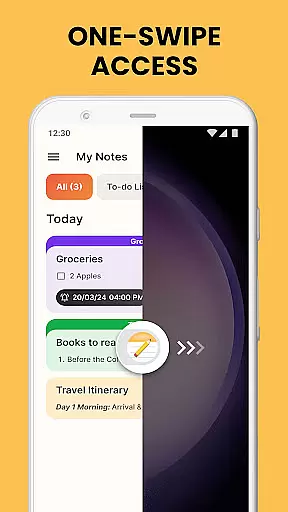
Notes Launcher is a productivity-focused application designed to streamline note-taking and task management. The app allows users to jot down thoughts, create to-do lists, and organize important information with ease. Its intuitive swipe-right feature from the home screen enables instant access to note creation, making it an ideal tool for capturing ideas on the go.
Beyond basic note-taking, Notes Launcher offers advanced features such as text formatting tools, color-coding, and locking sensitive notes. These capabilities ensure that users can customize their notes for better organization and security. Whether managing work tasks or personal projects, this app provides a comprehensive solution for staying organized in everyday life.
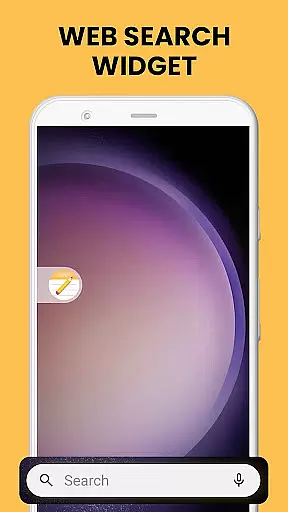
The app also enhances the home screen experience by offering widgets, wallpapers, and multi-touchpoint search functionalities. Users can personalize their device's appearance while enjoying quick access to essential features like weather updates and web searches. With its user-friendly interface and robust functionality, Notes Launcher proves invaluable for anyone seeking efficiency in their daily routines.
Notes Launcher stands out with its rich set of features tailored for productivity enthusiasts. One of its key highlights is the one-swipe access functionality, which lets users create notes and to-do lists instantly from the home screen. This seamless integration saves time and ensures that important thoughts are captured without delay.
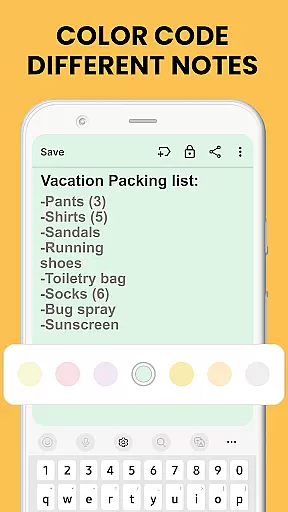
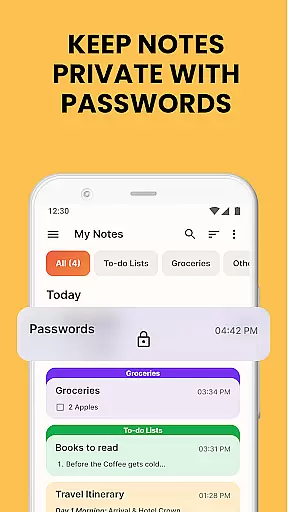
In addition to quick note creation, the app provides powerful text formatting tools. Users can enhance their notes with various font sizes, styles, and list formats. The ability to color-code notes adds another layer of organization, allowing users to prioritize tasks effectively. Furthermore, the lock feature secures sensitive information, ensuring privacy for critical data like passwords and medical details.
Other notable features include categorization, sorting filters, and an intuitive search function. These tools help users manage large volumes of notes efficiently. Sharing capabilities extend the app's utility, enabling collaboration through email and social media platforms. With these comprehensive features, Notes Launcher delivers a versatile solution for all note-taking needs.
Effective task management is essential for productivity, and Notes Launcher excels in this area. The app provides a comprehensive suite of tools designed to help users organize their daily tasks efficiently.
With features like note-taking, checklists, and text formatting tools, the app allows users to create structured and visually appealing task lists. The ability to color-code notes adds another layer of organization, enabling users to prioritize tasks based on urgency or category.
The app also includes sorting and categorization options, allowing users to arrange their notes in a way that makes the most sense for their workflow. Whether sorting by date modified or grouping similar tasks together, these features ensure that important information is always easy to find.
By integrating search functionality and sharing capabilities, Notes Launcher ensures that users can quickly locate specific tasks and collaborate with others when needed. This combination of organizational tools makes task management both intuitive and efficient.
In today's interconnected world, reliable cross-device synchronization is crucial for maintaining productivity. Notes Launcher addresses this need by ensuring that users can access their notes and task lists from multiple devices without any loss of data or functionality.
The app employs robust cloud-based technology to keep all user data up-to-date across different platforms. Whether switching from a phone to a tablet or accessing notes from a computer, users can expect consistent performance and accuracy.
Security is also a top priority, with the app offering lockable notes and secure sharing options. This ensures that sensitive information remains protected while still being accessible when needed. Additionally, real-time updates mean that changes made on one device are immediately reflected on all others.
By providing dependable synchronization and strong security measures, Notes Launcher gives users peace of mind knowing their important data is always safe and accessible, no matter which device they use.
User-friendly interface
Quick note creation
Advanced security options
Customizable organization tools
Multi-functional home screen enhancements
Home screen layout changes
Limited design flexibility
Requires adaptation period
No cloud sync in free version
Occasional performance lags

Native client for Forgejo and Gitea
 5.00
5.00
Send files, sync SMS, notifications & clipboard across devices via local network
4.40
Automates browsing any website and notifies you of important changes or events
4.30
Mind Map and brainstorm, note taking and idea collection
4.80
We're working to become the best machining app on the market! www.cncdirt.com
4.80
App lock - lock apps with fingerprint, password, pin or pattern, protect privacy
4.70
Docker, Kubernetes management over Portainer Mobile
4.40
Understand anything with a personalized AI research assistant
4.80
Daily processing of PDF documents.
4.40
QuickBooks Workforce lets teams view pay info and track time in one place.
4.70
Lightweight PDF, Word, Excel reader.
4.60
This small app MUST BE INSTALLED after purchase, else license won't work
4.40
Easily read and manage all your PDF files
4.10
Create and edit presentations with Google Slides, part of Google Workspace.
4.00
* block pre-roll ads, pop-up and forced redirect ads * Samsung certification app
4.00
A Revolutionary All-in-One Artificial Intelligence Tools
3.80
ID.me Authenticator is a simple and free Two Factor Authentication solution
3.50
Easiest event planning, volunteer signups & parent teacher conference scheduling
2.20
AI Video AI Image Private LLM AI Browser Llama Gemma Ollama Connect LLM Studio
4.2


User Reviews