
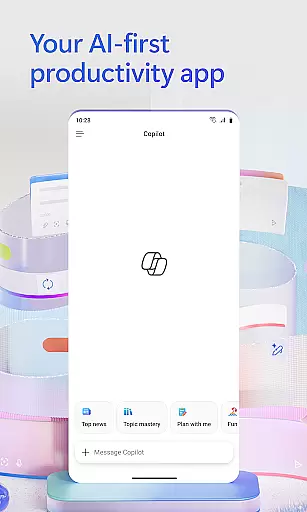
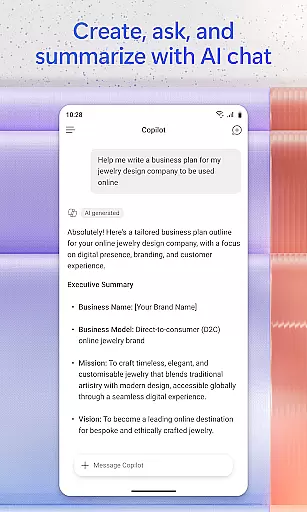
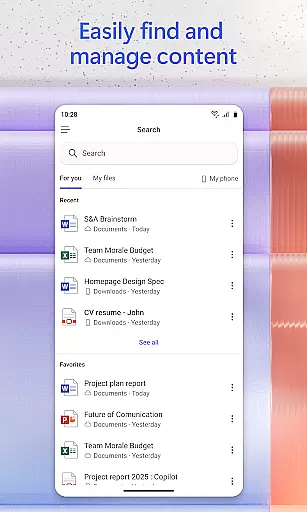
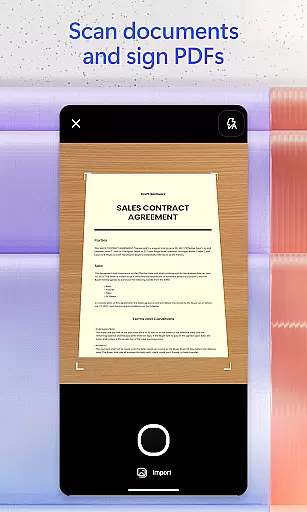
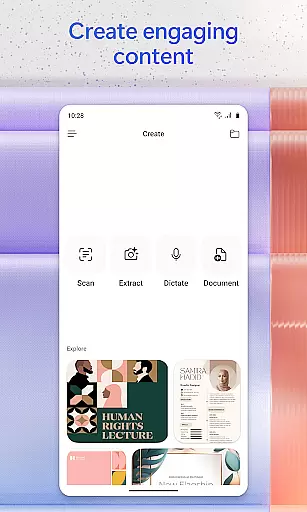
Microsoft 365 Copilot is an AI-powered productivity application designed to streamline tasks both at work and home. This app consolidates various functions into one platform, allowing users to communicate with an AI assistant, create and modify content, scan documents, oversee projects, and locate files swiftly. It leverages artificial intelligence to enhance efficiency, making it a central hub for productivity that supports Word, Excel, PowerPoint, and PDFs.
The app's AI assistant can summarize documents stored in the cloud or locally on your device, draft emails, and interpret spreadsheets through natural language processing. With voice interaction capabilities, users can operate hands-free, obtaining answers and brainstorming ideas without typing. The search functionality enables quick retrieval of past documents or images, while built-in AI agents offer expert insights for research and data analysis.
Whether you're managing complex projects or creating polished multimedia content, Microsoft 365 Copilot adapts to various productivity needs. Its ability to save and upload documents directly from mobile storage ensures seamless integration across devices. By signing in with a Microsoft account, users gain access to these features, although availability may depend on specific licenses or administrator settings.
Microsoft 365 Copilot stands out with its comprehensive feature set tailored for productivity enthusiasts. One of its core features is the AI assistant, which interprets natural language commands to perform tasks like document summarization, email drafting, and spreadsheet analysis. This functionality extends to voice interactions, enabling users to engage with the app hands-free, ideal for multitasking or accessibility needs.
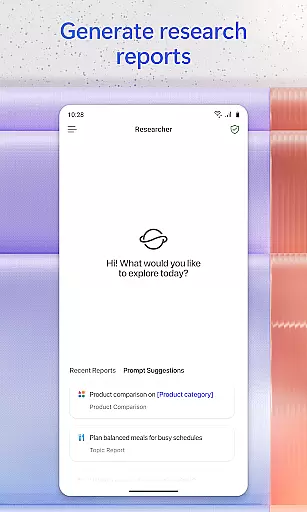
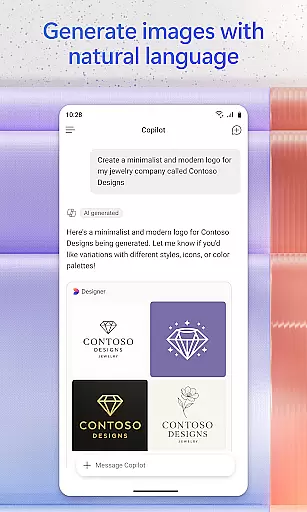
Beyond basic productivity, the app offers advanced tools such as AI agents specialized in research and data analysis. These agents generate detailed reports and handle complex datasets, providing professional-grade insights. Additionally, the app includes creative tools for designing images, posters, banners, videos, and surveys using intuitive templates, catering to marketing and design professionals.
Document management is another highlight, with capabilities to scan physical documents and store digital files securely. Users can upload Word, Excel, or PDF files from their mobile devices and receive AI-generated responses or edits. The app also integrates project management features through Copilot Notebooks, which organize ideas, documents, and links while offering summaries and connections between related content.
Task management is a cornerstone of productivity applications, and Microsoft 365 Copilot excels in this area by offering users comprehensive tools to manage their projects efficiently.
This app consolidates various elements such as ideas, documents, and links into a single manageable space with Copilot Notebooks, allowing users to summarize information and connect different data points effortlessly. This feature ensures that project management is not only about keeping things organized but also about enhancing the ability to derive insights from disparate pieces of information.
Moreover, Microsoft 365 Copilot's task management extends beyond mere organization; it leverages AI to assist in analyzing complex datasets and generating research reports, which can be pivotal for decision-making processes. Users have at their disposal built-in AI agents like Researcher and Analyst, which help in processing information that would otherwise be time-consuming and challenging to tackle.
The value derived from using Microsoft 365 Copilot for task management lies in its capacity to streamline workflows, offer expert insights, and save valuable time, enabling users to focus on more strategic activities while the app handles the intricacies of data handling and project coordination.
In today's fast-paced digital environment, reliable cross-device synchronization is vital for maintaining workflow continuity. Microsoft 365 Copilot addresses this need by ensuring that all user content is synchronized seamlessly across devices, providing an uninterrupted experience whether switching from desktop to mobile or vice versa.
The application supports real-time updates, meaning any changes made to documents, spreadsheets, or presentations are automatically saved and updated across all linked devices. This functionality allows users to start a task on one device and continue on another without missing a beat, thus promoting flexibility and efficiency in how and where work gets done.
Furthermore, Microsoft 365 Copilot facilitates easy uploading and saving of files created within its ecosystem directly to the user's preferred storage location. Whether it's Word documents, Excel sheets, or PDFs, they can be stored and accessed easily, ensuring that important files are always up-to-date and available wherever needed.
By prioritizing synchronization reliability, Microsoft 365 Copilot empowers users with peace of mind knowing their work is securely backed up and consistently accessible, fostering a productive environment unconstrained by physical location or specific device dependency.
AI-powered efficiency
Voice command support
Advanced data analysis
Creative content tools
Seamless file integration
Limited free features
Requires Microsoft account
Dependent on licensing
Complex setup process
Occasional sync issues

Secure, fast, open-source, VNC and SSH Remote Desktop for Windows, Linux and Mac
 4.70
4.70
A customizable calendar for your Wear OS watch
4.20
Send files, sync SMS, notifications & clipboard across devices via local network
4.40
Automates browsing any website and notifies you of important changes or events
4.30
The AI assistant that thinks with you - write, code, and solve complex tasks
4.60
All document reader, all in one file viewer read PDF, DOCX, XLS, PPT, TXT files.
4.60
A comprehensive suite of tools designed specifically for Lactation Consultants
4.3
A beautiful digital clock with autostart and many other functions
4.70
Simple notepad & memo. Take notes, to-do list, shopping list with reminders.
4.80
Protect and view your important info on your phone and tablet with eWallet®
4.80
Use powerful, industry-leading AI tools to generate visual charts from any data
4.80
Direct Chat without saving contacts & Dual WA Account on Single Device
4.70
aCalendar+ makes your day, week and month
4.70
To do list widget with a notebook organizer, checklist, simple shopping list
4.60
Subscribe to Webcal & .ics calendars and keep them up-to-date!
4.50
Professional calendar app for Google Calendar, MS Outlook & Exchange
4.20
Make apps & sites with natural language prompts
4.10
Create and edit presentations with Google Slides, part of Google Workspace.
4.00
Ads Free App! Editor, Hide File, Copy, Move, Delete and Rename.. all facility av
1.70


User Reviews