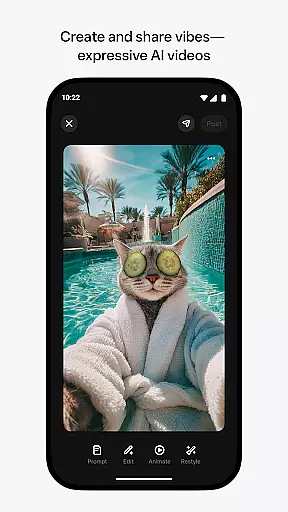
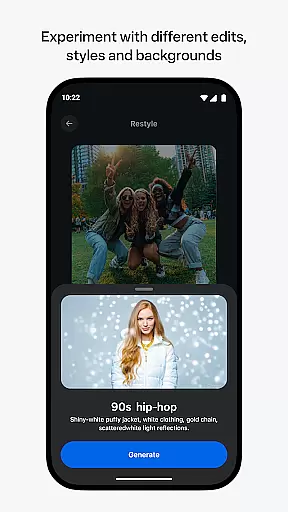
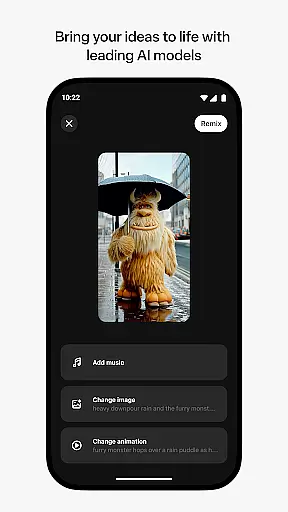
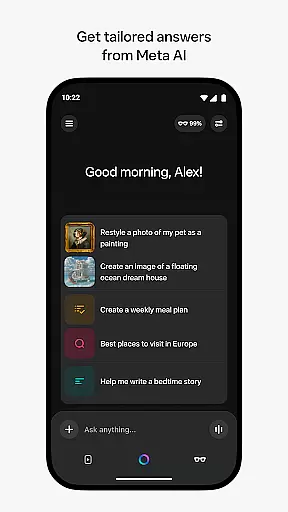
Meta AI is a productivity-focused application that allows users to create and remix AI-generated videos with custom animations and music. The app serves as a creative hub where users can describe their desired video concept and experiment with various edits and styles to produce unique content. Additionally, it provides tailored answers and inspiration through an on-the-go AI assistant, which can be accessed via voice or text. This makes Meta AI not only a tool for content creation but also a personal productivity assistant. Users can pair and manage AI glasses, further expanding its utility in hands-free scenarios.
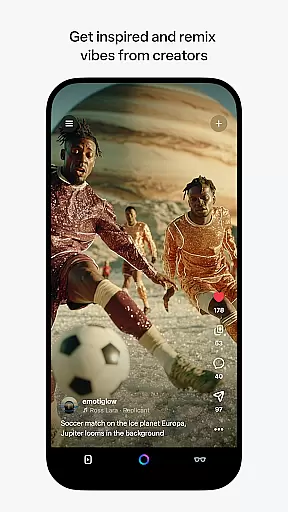
The app's industry-leading AI models ensure high-quality output, while the integrated feed allows discovery and remixing of content from other creators. With features rolling out gradually across select countries and languages, Meta AI offers a versatile platform for both creative professionals and everyday users seeking efficient ways to generate and share engaging video content.
Meta AI stands out with its robust set of features designed to enhance productivity and creativity. One of the core functionalities is the ability to generate AI-driven videos complete with custom animations and music. Users can input their ideas and refine them using different editing tools and style options, ensuring each video is unique and meets specific requirements. This feature leverages advanced AI models that guarantee professional-grade results every time.
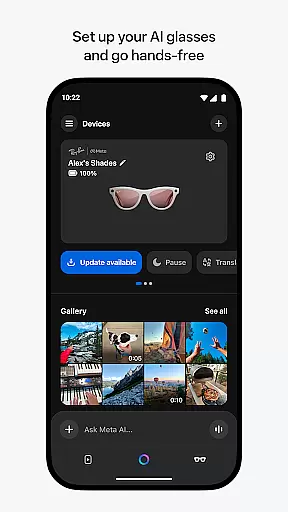
Beyond video creation, Meta AI includes an intelligent assistant accessible via voice or text commands. This assistant delivers personalized responses and recommendations, aiding users in managing their daily tasks more efficiently. Furthermore, the app acts as the primary interface for Meta AI glasses, enabling users to import, share media, and control settings seamlessly. These comprehensive capabilities make Meta AI a multifaceted tool suitable for a wide range of productivity needs.
Task management is a cornerstone of productivity applications, and Meta AI excels in this area by offering users the ability to create, remix, and share AI-generated videos effortlessly.
The app provides tailored answers and inspiration on-the-go, ensuring that users can manage their creative tasks efficiently without being tied down to a desk. This feature is particularly useful for content creators who need quick access to industry-leading AI models for generating videos with custom animations and music.
By allowing users to describe what they want to create and experiment with different edits and styles, Meta AI ensures that task management is not only about organizing work but also about enhancing creativity. The intuitive interface enables users to discover and remix content from other AI creators, streamlining collaborative projects and fostering a community of innovation.
Cross-device synchronization is vital for users who operate across multiple platforms, and Meta AI offers reliable syncing capabilities between its mobile app and AI glasses.
This seamless integration allows users to pair their AI glasses and manage media imports and sharing directly from their mobile devices. Whether you're importing footage or exporting finished projects, the synchronization process is smooth and dependable, ensuring that your workflow is uninterrupted.
Moreover, Meta AI's companion app functionality extends to providing hands-free operation through voice commands, making it an essential tool for managing tasks on the go. With certain features rolling out gradually, users can expect continuous improvements in synchronization reliability, enhancing their overall productivity experience.
User-friendly interface
Advanced AI models
Versatile video editing
Integrated AI assistant
Support for AI glasses
Limited language support
Feature rollout delays
Requires internet
Premium pricing
Device compatibility issues

Seamlessly integrate data and reports to build your presentation to impress
 4.80
4.80
The long-awaited modern gallery app for your Nextcloud server
4.70
Send files, sync SMS, notifications & clipboard across devices via local network
4.40
The Pro Version of Android's tiniest Notepad app. Just 0.3MB but feature-packed!
4.60
Protect and view your important info on your phone and tablet with eWallet®
4.80
Simple and reliable communication between inmates, friends and family
3.20
Create and edit presentations with Google Slides, part of Google Workspace.
4.00
A beautiful digital clock with autostart and many other functions
4.70
Lightweight PDF, Word, Excel reader.
4.60
Native client for Forgejo and Gitea
5.00
We're working to become the best machining app on the market! www.cncdirt.com
4.80
Understand anything with a personalized AI research assistant
4.80
App Lock with fingerprint, password: Lock apps & hide photos with lock screens
4.60
Functional QR scanner and barcode reader that requires little storage space.
4.60 4.20
4.20
Professional calendar app for Google Calendar, MS Outlook & Exchange
4.20
Easily read and manage all your PDF files
4.10
Device's storage information in a simple and clear graphical form (infographics)
4.10
Smart PDF reader & editor to view, organize and manage PDF documents easily.
3.70


User Reviews