
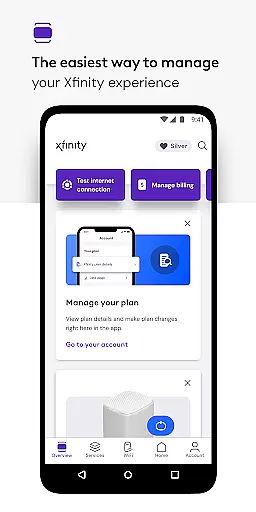
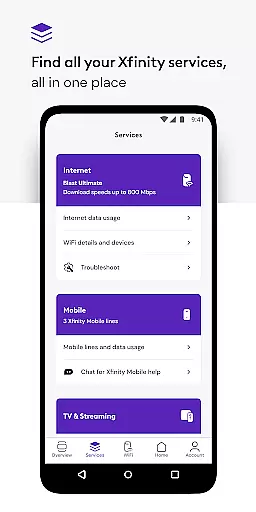
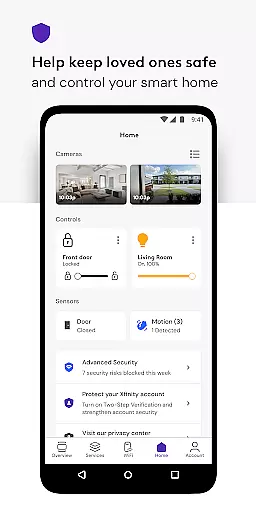
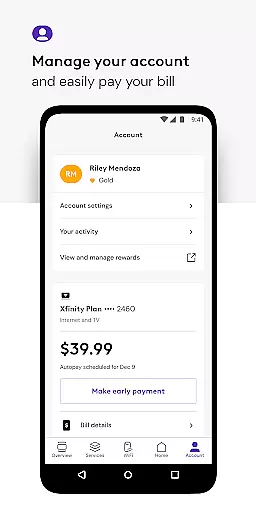
Xfinity is a productivity app that allows users to manage all their Xfinity services in one place. The app provides an enhanced experience by offering real-time support, tools for equipment activation and internet speed testing, and personalized account management features.
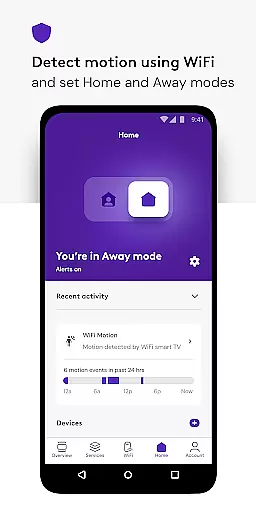
With the Xfinity app, customers can enjoy benefits such as Xfinity Rewards, Advanced Security for device protection, parental controls, and WiFi management tools. These features are designed to improve the overall performance of connected devices and provide peace of mind for users.
The app is particularly useful for Xfinity customers who rent equipment, as it offers comprehensive account management options including bill payment, plan details, and service upgrades. This makes it easy for users to stay on top of their account and make changes as needed.
The Xfinity app boasts a range of features that cater to the needs of its users. One notable feature is the 24/7 real-time support, which ensures that help is always available when needed. This is complemented by tools that allow for seamless equipment activation and internet speed testing.
Another standout feature is the personalized account management, which includes options for paying bills, viewing plan details, and upgrading services. The app also offers Advanced Security both at home and on the go, providing protection for devices and safe browsing experiences.
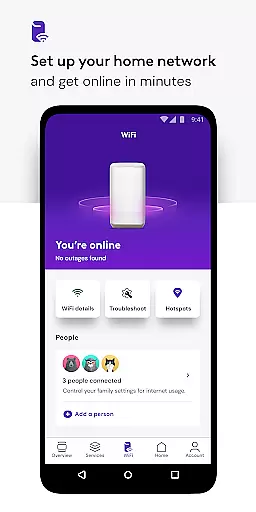
Additionally, the app includes parental controls and WiFi management tools, allowing users to set up user profiles, assign devices, and monitor performance. These features collectively enhance the user's ability to control their digital environment effectively.
Task management is a critical aspect of productivity applications, and the Xfinity app excels in providing users with comprehensive tools to manage their services efficiently.
This app allows Xfinity customers to handle an array of account management functions such as paying bills, reviewing plan details, and modifying services effortlessly from their mobile devices. The intuitive interface ensures that even those who are not tech-savvy can navigate and manage their tasks with ease.
By integrating personalized tools and tips to enhance WiFi performance, the app goes beyond basic service management. This means users are not only able to control their services but also optimize their home network for a better experience.
The true value lies in the app's ability to centralize these features, giving users ultimate control over their Xfinity services and ensuring they can maintain a seamless digital home environment.
In today's interconnected world, reliable cross-device synchronization is essential for maintaining workflow and ensuring information accessibility across all user devices. The Xfinity app addresses this need by offering consistent and accurate data syncing between various platforms.
Whether users are accessing the app on their smartphones, tablets, or computers, they will find that their service information, preferences, and settings are always up-to-date and uniform. This synchronization extends to parental controls and Advanced Security features, which users can modify on one device and see reflected immediately across all others.
Furthermore, the app provides peace of mind through its robust security measures, including real-time support and protection against online threats, regardless of the device being used.
With reliable cross-device functionality, Xfinity ensures that its customers enjoy a smooth and secure service management experience, enhancing both their productivity and satisfaction.
User-friendly interface
Comprehensive account management
Advanced security features
Personalized tools and tips
24/7 real-time support
Occasional connectivity issues
Limited customization options
Some features require rental equipment
Advanced features may be overwhelming
Privacy concerns with data collection

AI Video AI Image Private LLM AI Browser Llama Gemma Ollama Connect LLM Studio
 4.4
4.4
QuickBooks Workforce lets teams view pay info and track time in one place.
4.70
All in one sketching tool. Technical and General drawing. Online Maps support.
3.70
8 custom complications. Custom Time Fonts. Beautiful color schemes. A++ Design.
5.00
Send files, sync SMS, notifications & clipboard across devices via local network
4.40
Make apps & sites with natural language prompts
4.10
Simple and reliable communication between inmates, friends and family
3.20
Access your phone's notifications, calls, apps, photos & texts on your PC
3.90
QuickEdit is a fast, stable and full featured text and code editor.
4.20
Absolutely the best CNC machinist speed and feed calculator around. fswizard.com
4.60 4.20
4.20
Total remote control for your Android device, PC and cloud services (IFTTT)!
4.20
Easily read and manage all your PDF files
4.10
Activate Two Factor Authentication (2FA or Multi OTP), Password manager and more
4.10
Experience real multitasking on your Android!
4.00
Ultimate Virtual AI Character for immersive Roleplay Chat. Perfect Companion
3.90
Code on-the-go with VScode for Android. Edit,debug and collaborate from mobile!!
3.10
Ads Free App! Editor, Hide File, Copy, Move, Delete and Rename.. all facility av
1.70
Create study competitions, track your hours, and stay consistent with friends
4.4


User Reviews