




Microsoft Copilot is an advanced AI productivity tool designed to streamline daily tasks and enhance creative workflows. The app integrates GPT-5, the latest in AI technology, offering users a seamless blend of reasoning and conversational capabilities. Whether you need help drafting emails, generating images from text prompts, or translating content across multiple languages, Copilot delivers intelligent solutions tailored to your needs.
This versatile AI companion supports both personal and professional use cases. From simplifying grocery lists with AI-generated shopping lists to aiding in complex business tasks like resume building and content creation, Copilot adapts to various scenarios. Its voice chat functionality allows for hands-free interaction, making it ideal for multitasking professionals and those seeking intuitive AI assistance.
With its ability to summarize information, proofread documents, and even create photorealistic visuals, Microsoft Copilot stands out as a comprehensive productivity tool. It empowers users to accomplish more by providing smart, actionable insights through simple conversations, positioning itself as an essential AI helper for modern work and life challenges.
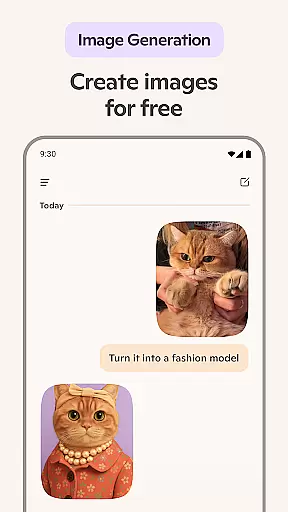
Microsoft Copilot boasts an impressive array of features that cater to diverse productivity needs. One of its standout capabilities is the AI photo generator, which transforms text prompts into high-quality visuals, ranging from abstract designs to photorealistic images. This feature is particularly useful for creatives who need rapid prototyping of ideas or visual content for presentations and marketing materials.
The app's multilingual support is another key feature, enabling users to translate and proofread content in hundreds of languages, including regional dialects. This makes Copilot invaluable for international teams and global communication. Additionally, its writing assistance tools can compose emails, cover letters, and even help update resumes, saving users significant time and effort in professional correspondence.
Copilot's voice chat functionality adds another layer of convenience, allowing users to interact naturally through spoken commands. This feature is perfect for generating content on-the-go or when hands-free operation is necessary. Furthermore, the app's ability to provide instant summaries and rewrites enhances research efficiency and content refinement, making it an indispensable tool for writers, researchers, and business professionals alike.
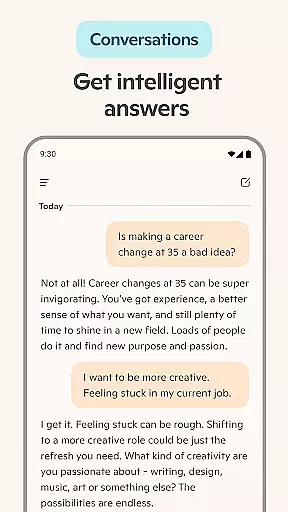
Task management is a cornerstone of productivity applications, and Microsoft Copilot excels in this area by offering users an AI-driven experience that simplifies complex activities. The app's smart AI quickly provides summarized answers to intricate questions, allowing for efficient task handling through simple conversations.
Microsoft Copilot goes beyond basic task lists by integrating capabilities such as translating and proofreading across multiple languages, which optimizes text in hundreds of languages including regional dialects. This makes it an invaluable tool for international teams or multilingual individuals who need to manage tasks in various languages seamlessly.
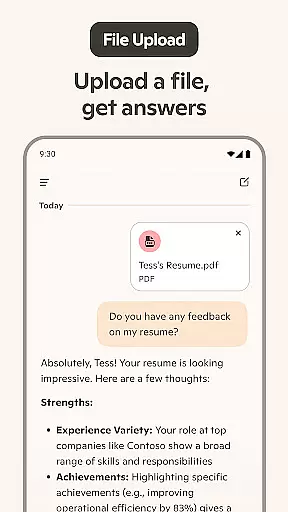
Moreover, the application assists with composing and drafting essential documents like emails, cover letters, and even updating resumes. These features ensure that users can accomplish more than just daily chores; they can also enhance their professional communications and career development directly within the app.
The true value of Microsoft Copilot's core task management lies in its ability to adapt to user needs dynamically. Whether you're planning your grocery list, organizing weekly meal prep, or drafting important work correspondence, the AI chat assistant offers personalized support that boosts productivity and ensures nothing falls through the cracks.
Cross-device synchronization is vital for maintaining workflow continuity across different platforms, and Microsoft Copilot delivers reliable performance in this domain. By leveraging cutting-edge cloud technologies, the app ensures that all user data is consistently updated and accessible from any device at any time.
This seamless integration allows users to start a conversation on their mobile phone during their commute and continue it on their desktop once they reach the office without missing a beat. Such fluidity not only saves time but also enhances the overall user experience by providing uninterrupted access to critical information and ongoing projects.
In addition to text-based interactions, Microsoft Copilot supports voice commands and image searches, making cross-device usage intuitive and versatile. Users can employ these features confidently, knowing that their inputs will be accurately reflected regardless of where they choose to engage with the app.
Ultimately, Microsoft Copilotu2019s commitment to robust cross-device synchronization empowers users to focus on their tasks rather than worrying about technical inconsistencies. With real-time updates and comprehensive functionality available on every platform, users can trust that their productivity will remain high no matter where they are working from.
Advanced AI capabilities
Multilingual support
Versatile productivity tools
User-friendly interface
Comprehensive creative features
Requires internet connection
Premium features may cost extra
Learning curve for new users
Limited offline functionality
Occasional response latency

A simple, portable logger for POTA, SOTA, Field Day, and more
 4.3
4.3
Mind Map and brainstorm, note taking and idea collection
4.80
App lock - lock apps with fingerprint, password, pin or pattern, protect privacy
4.70
Cloud storage, automatic phone backup, and more.
4.10
ID.me Authenticator is a simple and free Two Factor Authentication solution
3.50
Docker, Kubernetes management over Portainer Mobile
4.40
Quickly and easily keep track of your work shifts
4.70
Share files & memories safely. Keep your photos and videos secure.
4.40
AI Chatbot and AI writing assistant powered by ChatGPT.
4.60
QuickBooks Workforce lets teams view pay info and track time in one place.
4.70
Absolutely the best CNC machinist speed and feed calculator around. fswizard.com
4.60
App Lock with fingerprint, password: Lock apps & hide photos with lock screens
4.60
Professional calendar app for Google Calendar, MS Outlook & Exchange
4.20
Todo reminder
4.10
Activate Two Factor Authentication (2FA or Multi OTP), Password manager and more
4.10
Customizable calendar widget for seamless event sync, planning & scheduling.
4.00
Take control of your clipboard with Clipper!
3.90
Find and delete junk files & block unwanted notifications & manage files
3.70
Auto-shutoff Alarm with Sunrise, Sunset & Fixed Options.
3.50


User Reviews