
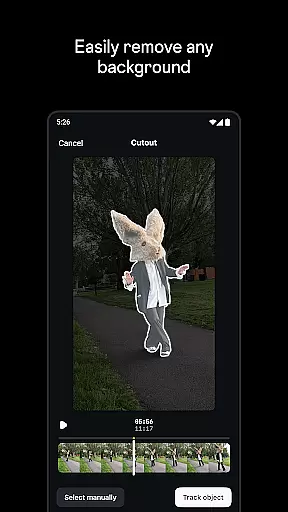
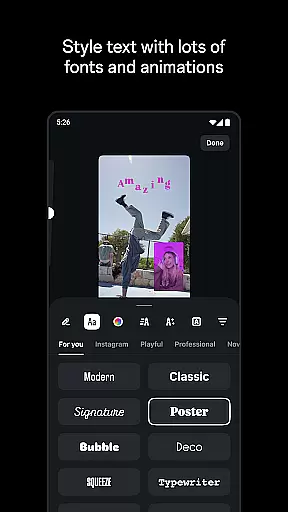
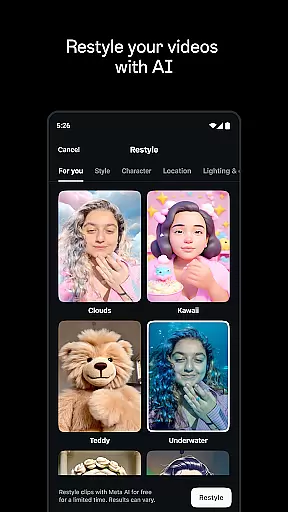
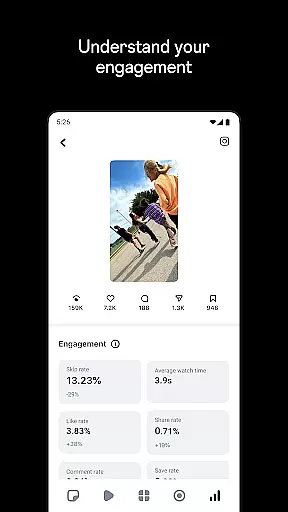
Edits is a powerful mobile video editor designed specifically for content creators who want to produce high-quality videos directly on their smartphones. This app simplifies the entire video creation process by providing all essential tools in one place.
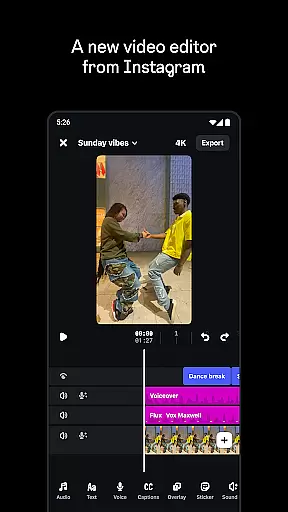
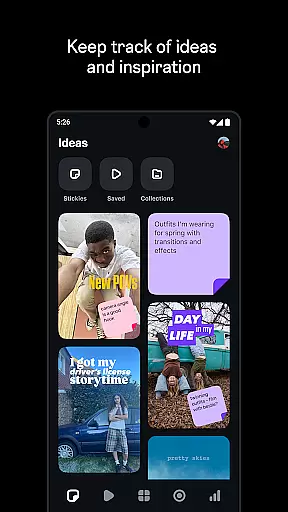
The application supports 4K video export without watermarks, offers advanced editing features like single-frame precision, and includes creative options such as AI animation and green screen effects. Additionally, Edits helps users manage their content efficiently by allowing them to save drafts, track ideas, and monitor performance through a live insights dashboard.
Whether you're a social media influencer or a casual creator, Edits empowers you to bring your creative visions to life with professional-grade tools that are intuitive and accessible right at your fingertips.
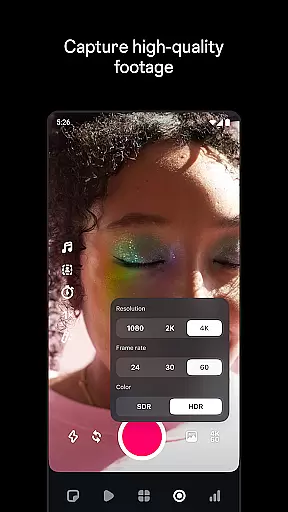
Edits stands out with its comprehensive suite of video editing tools tailored for mobile creators. The app allows precise control over video elements with single-frame editing accuracy and provides advanced camera settings for resolution, frame rate, and dynamic range adjustments.
Creative professionals will appreciate the ability to animate images using AI technology, apply various video filters and effects, and choose from multiple font styles and sound effects. The app also facilitates audio enhancement by clearing up voices and eliminating unwanted background noise, ensuring top-notch sound quality.
Furthermore, Edits enhances productivity by enabling automatic caption generation and customization, offering a centralized space to store drafts and finished videos, and integrating seamlessly with platforms like Instagram for easy sharing and high-quality playback.
Video format compatibility is crucial for any video editor, and Edits excels in this area. The app supports a wide range of video formats, allowing creators to import and export videos without worrying about compatibility issues.
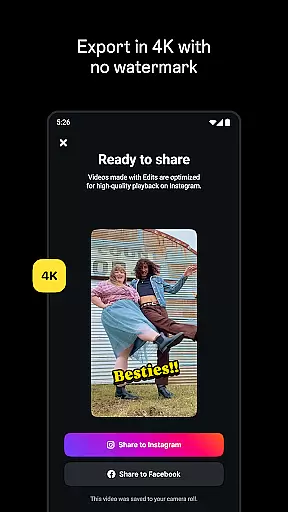
With Edits, users can export their videos in 4K resolution without watermarks, ensuring high-quality playback on any platform. This feature is particularly beneficial for content creators who aim to maintain the highest standards of video quality across different platforms.
The app also allows capturing high-quality clips up to 10 minutes long directly from the phone, which can be edited immediately. This seamless integration of capture and editing capabilities ensures that users can work with various video formats efficiently.
Moreover, Edits provides powerful tools for video editing, such as single-frame precision and a variety of effects, filters, and sound options. These features collectively enhance the video creation process, making it more versatile and adaptable to different formats and creative needs.
AI-powered editing features are at the heart of Edits, transforming the way creators produce content. By leveraging advanced AI algorithms, the app offers functionalities like AI animation, which brings images to life, providing a dynamic edge to video projects.
One standout feature is the automatic generation of captions, which not only saves time but also enhances accessibility. Users can customize how these captions appear, ensuring they align with the video's style and tone. This capability is invaluable for creators looking to engage broader audiences.
Additionally, Edits includes enhanced audio features that make voices clearer and remove background noise, resulting in professional-grade sound quality. The app also offers upgraded flash and zoom controls, giving creators more flexibility in achieving their desired look.
These AI-driven tools simplify the creative process, enabling users to focus on storytelling and content creation rather than technical details. As a result, Edits empowers creators to produce high-quality videos efficiently, leveraging the latest advancements in AI technology.
User-friendly interface
Advanced editing tools
AI-powered animations
Seamless Instagram integration
Comprehensive audio controls
Limited to mobile devices
Steep learning curve
High storage requirements
No desktop version available
Premium features locked behind paywall

A full editing room to accompany your Insta360 cameras and handheld gimbals.
 3.30
3.30
Client application for NextPVR software
3.00
IPTV-Smarters Player Pro M3U - Watch Live Stream TV Channels with Chromecast
4.00
Capture images & record videos for USB Camera, Webcam, Microscopes, Endoscopes
3.80
Browser for Fire TV to stream webvideos, online movies, livestreams in HD
4.40
Fast private browser with secure, seamless access & supported video downloads!
4.00
VLC for Android is the best open source video and music player, fast and easy!
4.10
convenient, safe and fast at Video Downloader & Player
4.60
Capture the moment and Cut
3.40
All in one HD video downloader & player for multiple formats with full privacy
4.70
Fast & easy HD video downloader for all formats, support 4K playback & download.
4.60
Create photo video with music & template. AI video maker for stunning slideshow.
4.60
HD video maker with no watermark, no ads & vlog maker with music, PIP, text
4.50
KMPlayer Plus (Divx Codec) officially support Divx codec.
4.30
Browser for Sony TV to stream web videos, online movies and live tv
3.20
You can play SWF format file!
2.50
The essential companion to your Blue Iris PC software
2.50
Stream high quality video from your camera over NDI protocol
4.4
Powerful HD video player with support for all formats & subtitles.
4.2
VLC vs MX Player compared side-by-side: formats, subtitles, ads, privacy, and performance. Find out which free Android video player is right for you.



User Reviews