
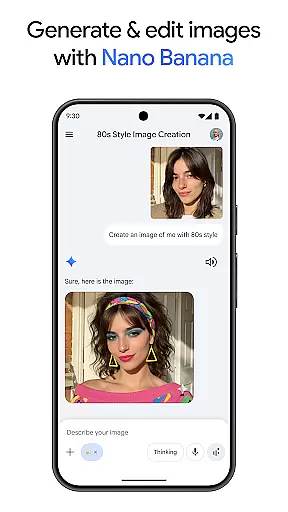
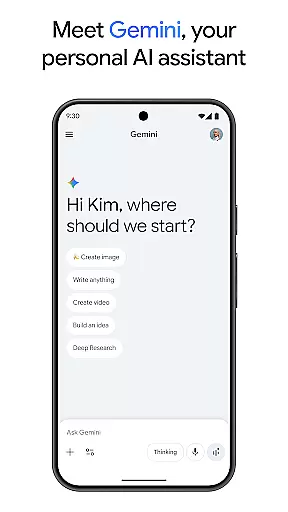
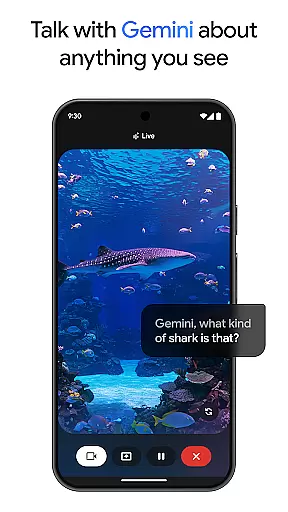
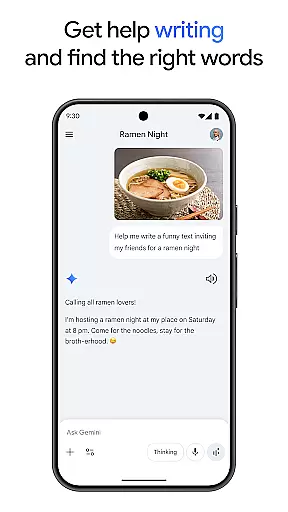
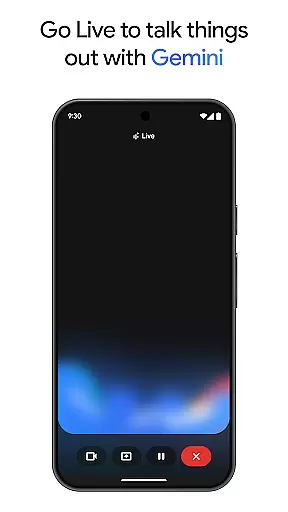
Gemini, developed by Google, is an advanced AI assistant designed to boost both creativity and productivity. This powerful tool provides direct access to Google's premier family of AI models right from your mobile device. Whether you're looking to brainstorm ideas, simplify complex topics, or rehearse for important events, Gemini is equipped to assist. One standout feature is Gemini Live, which allows users to share their camera or screen during conversations, facilitating discussions about virtually anything you can see.
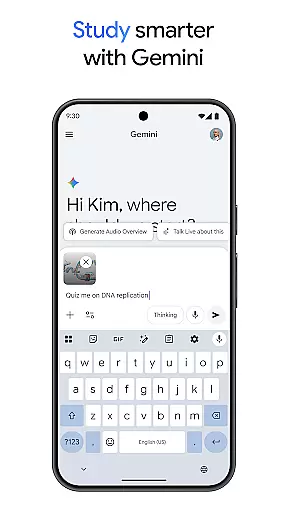
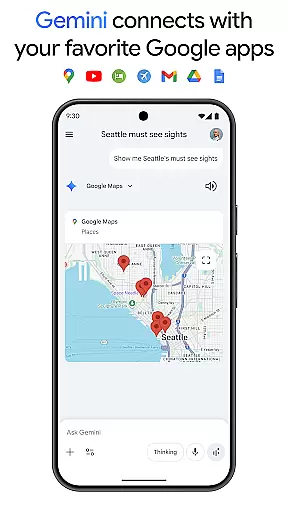
In addition to its conversational capabilities, Gemini offers a suite of creative tools. With Canvas, users can bring their ideas to life, creating apps, games, web pages, infographics, and more. The app also integrates seamlessly with popular Google services like Search, YouTube, Maps, and Gmail, enhancing your digital experience. From generating quizzes and flashcards for study purposes to transforming files into podcasts, editing images, and planning trips, Gemini proves to be an indispensable companion for modern tasks.
Gemini stands out due to its comprehensive feature set tailored to enhance productivity and creativity. A key highlight is the Gemini Live functionality, enabling real-time interaction through your device’s camera or screen sharing. This feature makes it easier than ever to discuss and collaborate on visual content. Another remarkable aspect is Canvas, a creative workspace where users can prototype applications, design games, develop web pages, and produce various multimedia content.
The integration with essential Google apps such as Search, YouTube, Maps, and Gmail streamlines workflows and centralizes information management. For students and lifelong learners, Gemini facilitates studying with interactive tools like quiz creation, flashcards, and illustrative examples. Moreover, unique capabilities like converting documents into podcasts, image generation and editing, and efficient trip planning underscore Gemini's versatility. Subscribers to the Pro and Ultra plans gain access to even more robust features, including extended context windows, advanced AI models, and exclusive functionalities like video generation and deep research options.
Task management is a cornerstone of productivity applications, and Gemini excels in this area by offering users the ability to brainstorm ideas, simplify complex topics, and rehearse for important moments. The app's intuitive interface allows for seamless organization of thoughts and tasks, ensuring that nothing falls through the cracks.
Gemini provides innovative features such as Canvas, which enables users to bring their ideas to life from prompt to prototype. Whether creating apps, games, web pages, or infographics, Gemini supports a wide range of creative outputs, making it an invaluable tool for professionals and hobbyists alike.
Moreover, the integration with favorite Google apps like Search, YouTube, Google Maps, and Gmail enhances the user experience by centralizing task management. This interconnected ecosystem allows for efficient multitasking and ensures that all necessary resources are at the user's fingertips, streamlining workflows and boosting overall productivity.
Cross-device synchronization is vital for maintaining workflow continuity across different platforms. Gemini ensures reliable synchronization, allowing users to access their data and continue their work seamlessly on any device. This feature is particularly beneficial for individuals who use multiple devices throughout their day.
The app supports a context window of up to 1M tokens, enabling the processing of extensive documents or codebases. This industry-leading capability ensures that even the most demanding tasks can be handled without loss of information or functionality when switching between devices.
Furthermore, upgrading to the Pro or Ultra plan provides enhanced access to powerful models and exclusive features, reinforcing the reliability of cross-device operations. With these plans, users enjoy early access to AI innovations, including Agent Mode, thus future-proofing their productivity toolkit against upcoming technological advancements.
Advanced AI models
Real-time collaboration
Seamless Google integration
Creative prototyping tools
Enhanced productivity features
Premium features require subscription
Complexity may overwhelm new users
Limited offline functionality
High system requirements
Privacy concerns with data usage

Seamlessly integrate data and reports to build your presentation to impress
 4.80
4.80
The long-awaited modern gallery app for your Nextcloud server
4.70
Experience real multitasking on your Android!
4.00
Total remote control for your Android device, PC and cloud services (IFTTT)!
4.20
A simple, portable logger for POTA, SOTA, Field Day, and more
4.3
Simple and reliable communication between inmates, friends and family
3.20
The AI assistant that thinks with you - write, code, and solve complex tasks
4.60
Code on-the-go with VScode for Android. Edit,debug and collaborate from mobile!!
3.10
Quickly and easily keep track of your work shifts
4.70
Native client for Forgejo and Gitea
5.00
Understand anything with a personalized AI research assistant
4.80
This small app MUST BE INSTALLED after purchase, else license won't work
4.40
Access, manage and transfer files on Android, PC, Mac, NAS and cloud storages.
4.30
Cloud storage, automatic phone backup, and more.
4.10
Unlock AutoNotification
4.00
Customizable calendar widget for seamless event sync, planning & scheduling.
4.00
Ultimate Virtual AI Character for immersive Roleplay Chat. Perfect Companion
3.90
Remotely view listen control and record cameras.
3.70
ID.me Authenticator is a simple and free Two Factor Authentication solution
3.50


User Reviews